I schedule meetings on my commute just by talking. By the time I get to my desk, everything is already in my calendar.

Ethan Carter
Senior Vice President Services


Kalender, Termine, Meeting-Vorbereitung und Kontakte — ein KI-Assistent kümmert sich um alles.
Keine Kreditkarte erforderlich · 30 Tage kostenlos, voller Umfang, keine Einschränkungen · Deine Daten sicher in der Schweiz
Google, Apple und Outlook – beruflich und privat, an einem Ort.
Arbeitszeiten, Prioritäten und die wichtigen Menschen – einmal festgelegt.
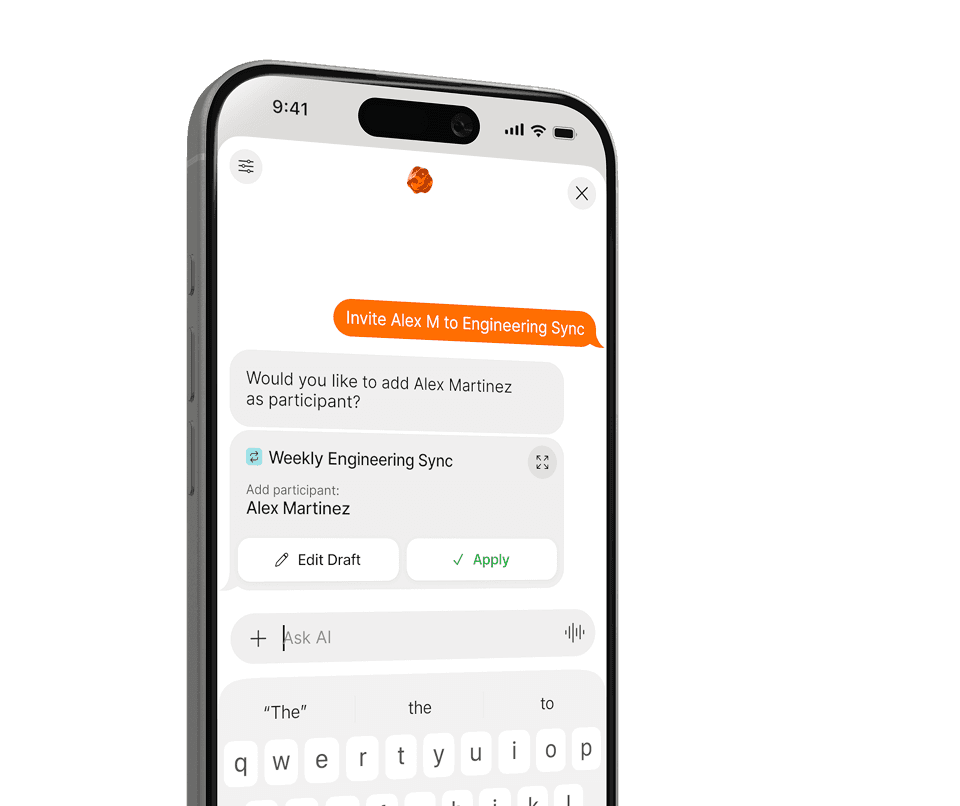
Planen, verschieben und vorausdenken – alles in normaler Sprache.
Keine Menüs, keine Formulare. Sag Supaplan in normaler Sprache, was du brauchst — den Rest erledigt es.
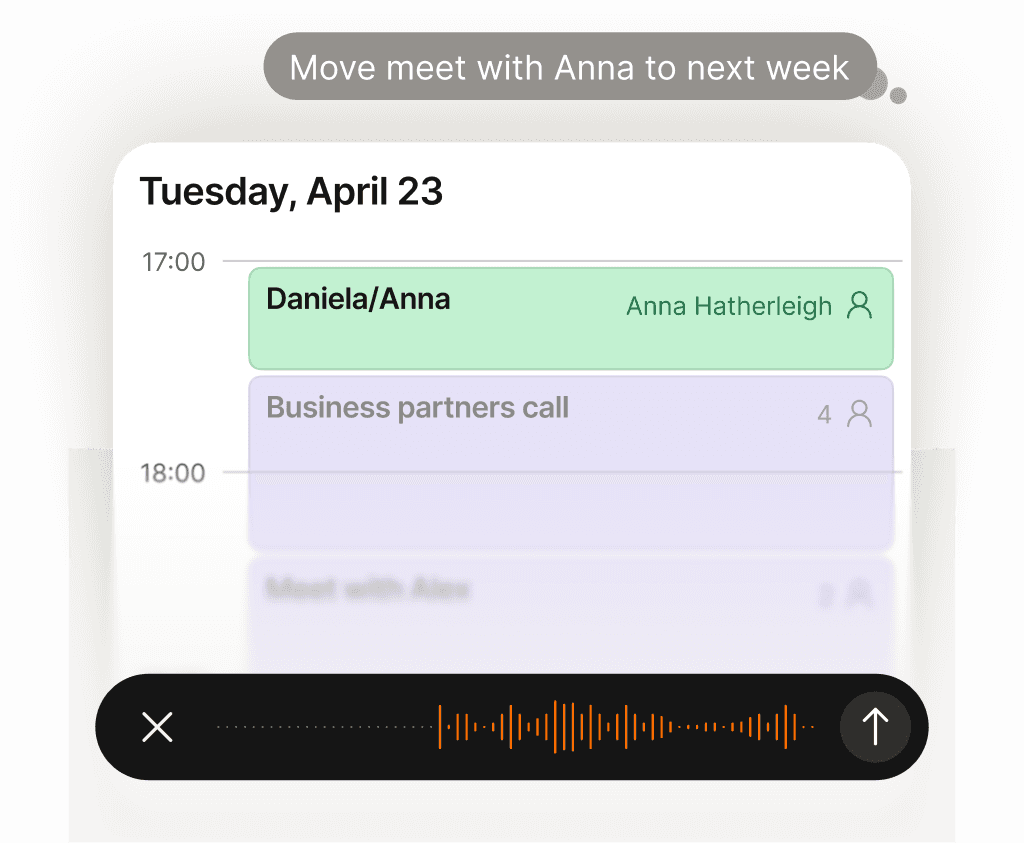
Jede Kalenderaufgabe erledigt — ganz ohne mentalen Aufwand.
Termin verschieben, Fokuszeit blockieren, Einladung senden, Mittagessen absagen — sag es einfach Supaplan. Hast du ein Foto eines Flyers, einer Einladung oder einen Screenshot? Schick ihn, und Supaplan trägt den Termin direkt für dich ein. Es führt deinen Kalender so, wie ein großartiger Assistent es tun würde: sofort, präzise, ohne dass du auch nur einen Gedanken daran verschwenden musst.
Mehr erfahren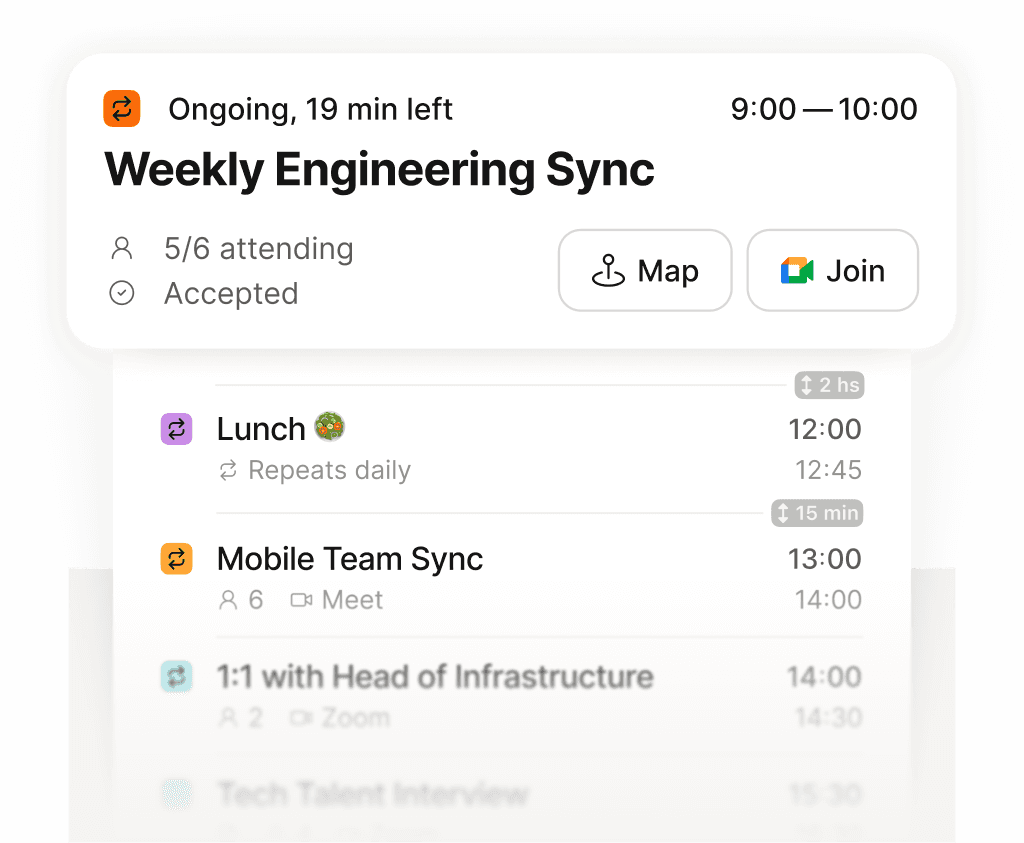
Dein ganzer Tag auf einen Blick — klar, geordnet, nichts vergessen.
Schluss mit dem Scrollen durch ein zerstückeltes Raster, das deinen Tag kaum zeigt. Supaplan stellt jedes Meeting, jede freie Lücke und jeden Termin in einer übersichtlichen Zeitleiste dar — damit du immer weißt, was als Nächstes kommt, wie viel Zeit du wirklich hast und wo deine Energie hinfließt. Dein Morgen beginnt mit Klarheit statt Chaos.
Mehr erfahren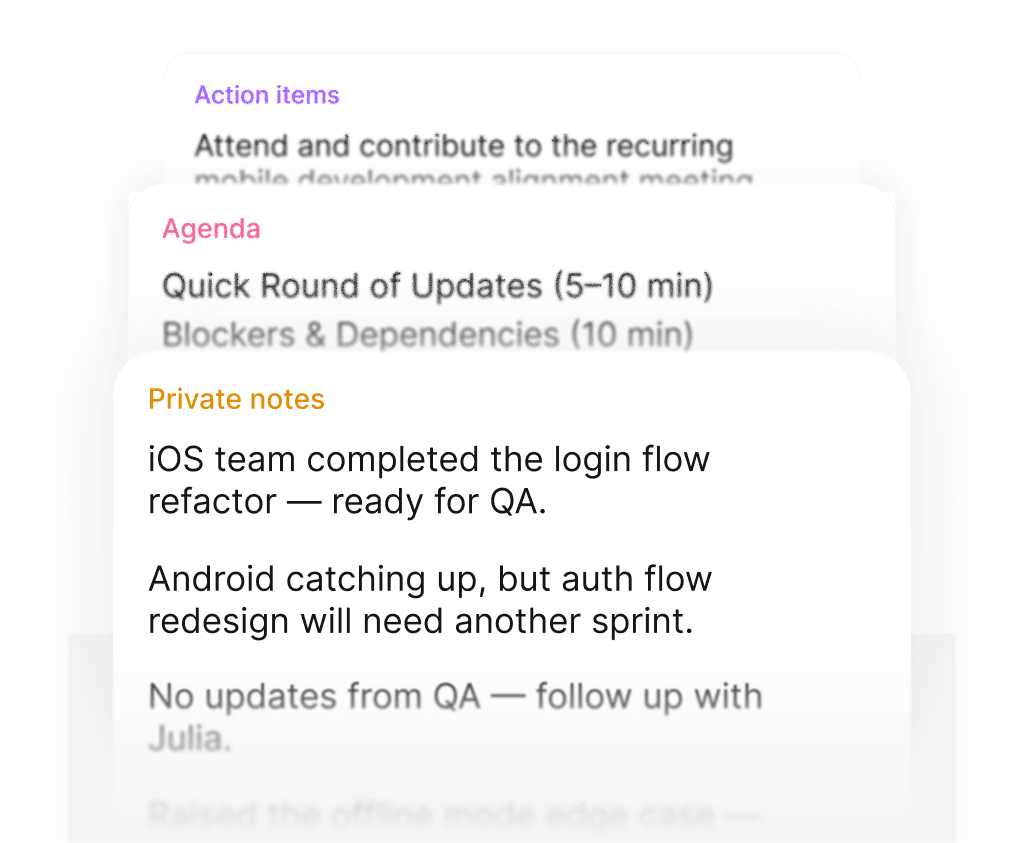
Gut vorbereitet rein. Mit klaren nächsten Schritten wieder raus.
Vor jedem Meeting liegen deine Notizen, das letzte Gespräch und die Agenda direkt bereit — kein Suchen. Während des Meetings hältst du fest, was wichtig ist. Danach sind die Aufgaben direkt am Termin hinterlegt, nicht irgendwo in einem Dokument, das du nie wiederfindest. Jedes Meeting hinterlässt eine saubere Spur.
Mehr erfahren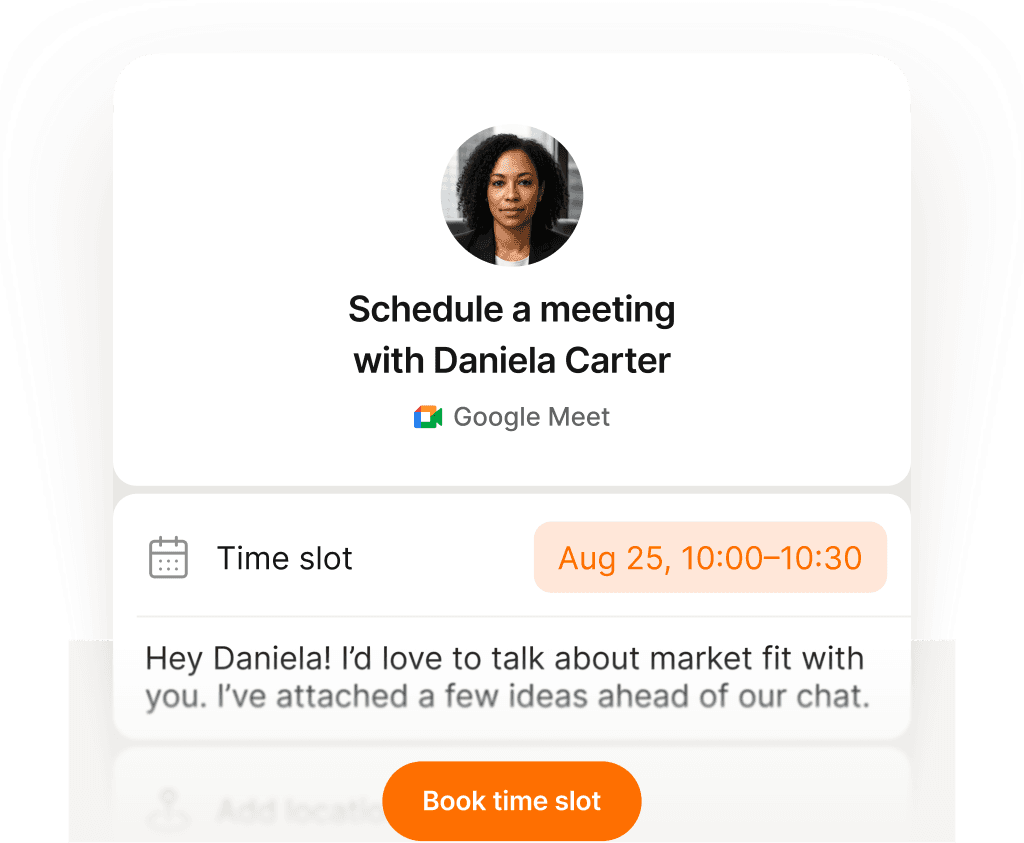
Ein Link, ein Klick — Meetings buchen ohne eine einzige E-Mail.
Teil deinen Buchungslink und lass andere einen Termin wählen, der wirklich passt — kein Zeitzonen-Chaos, kein endloses Hin und Her, keine Einladungen, die zurückgeworfen werden. Du stellst deine Verfügbarkeit einmal ein, die andere Person bucht einen Slot, und beide Kalender aktualisieren sich sofort. Was früher zehn E-Mails brauchte, dauert jetzt zehn Sekunden.
Mehr erfahren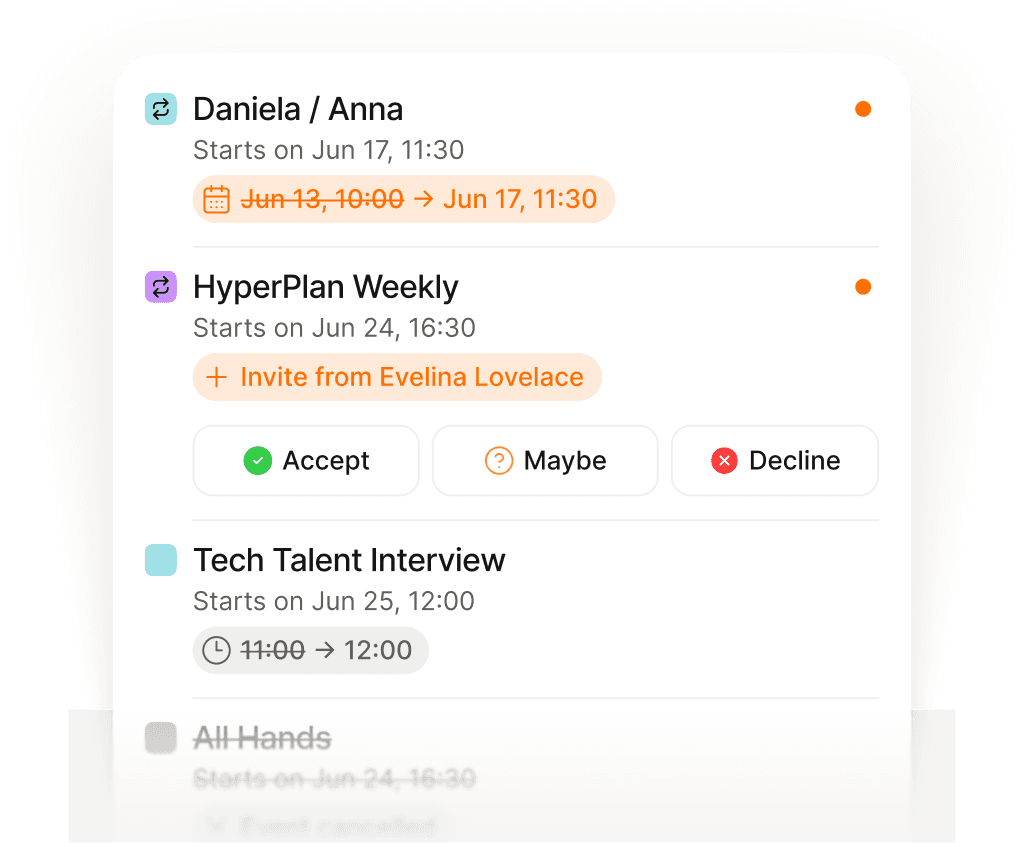
Immer auf dem Laufenden — Änderungen kommen automatisch zu dir.
Meetings werden laufend verschoben, abgesagt oder neu hinzugefügt — oft während du schon im nächsten Gespräch steckst. Statt deine Mails zu durchsuchen, um herauszufinden, was sich wann geändert hat, zeigt dir Supaplan jede Änderung im Moment, in dem sie passiert. Du weißt immer Bescheid, ohne auch nur einmal die Inbox zu öffnen.
Mehr erfahren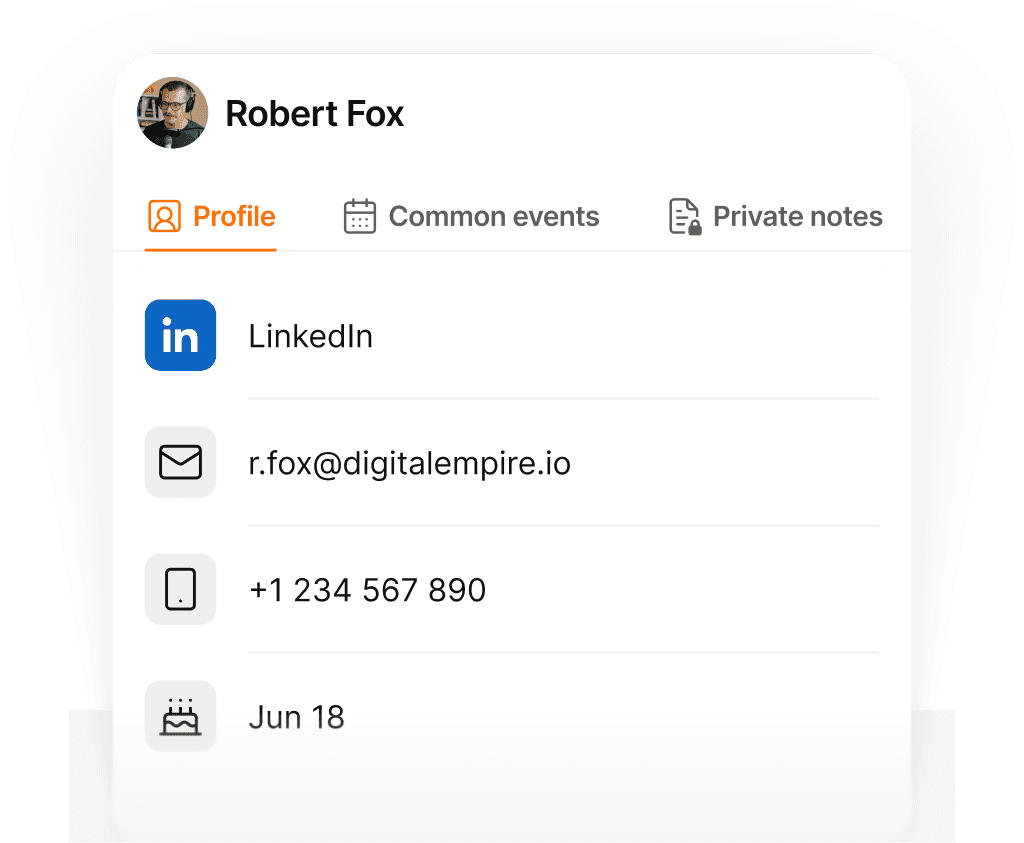
Jeden Kontakt im Blick — Name, Kontext und was besprochen wurde.
Vor jedem Anruf zeigt dir Supaplan, wen du triffst, worüber ihr zuletzt gesprochen habt, Notizen aus früheren Gesprächen und was noch offen ist. Du gehst vorbereitet rein und weißt, was der anderen Person wichtig ist — statt 30 Sekunden vorher hektisch zu überlegen, wo ihr aufgehört habt.
Mehr erfahren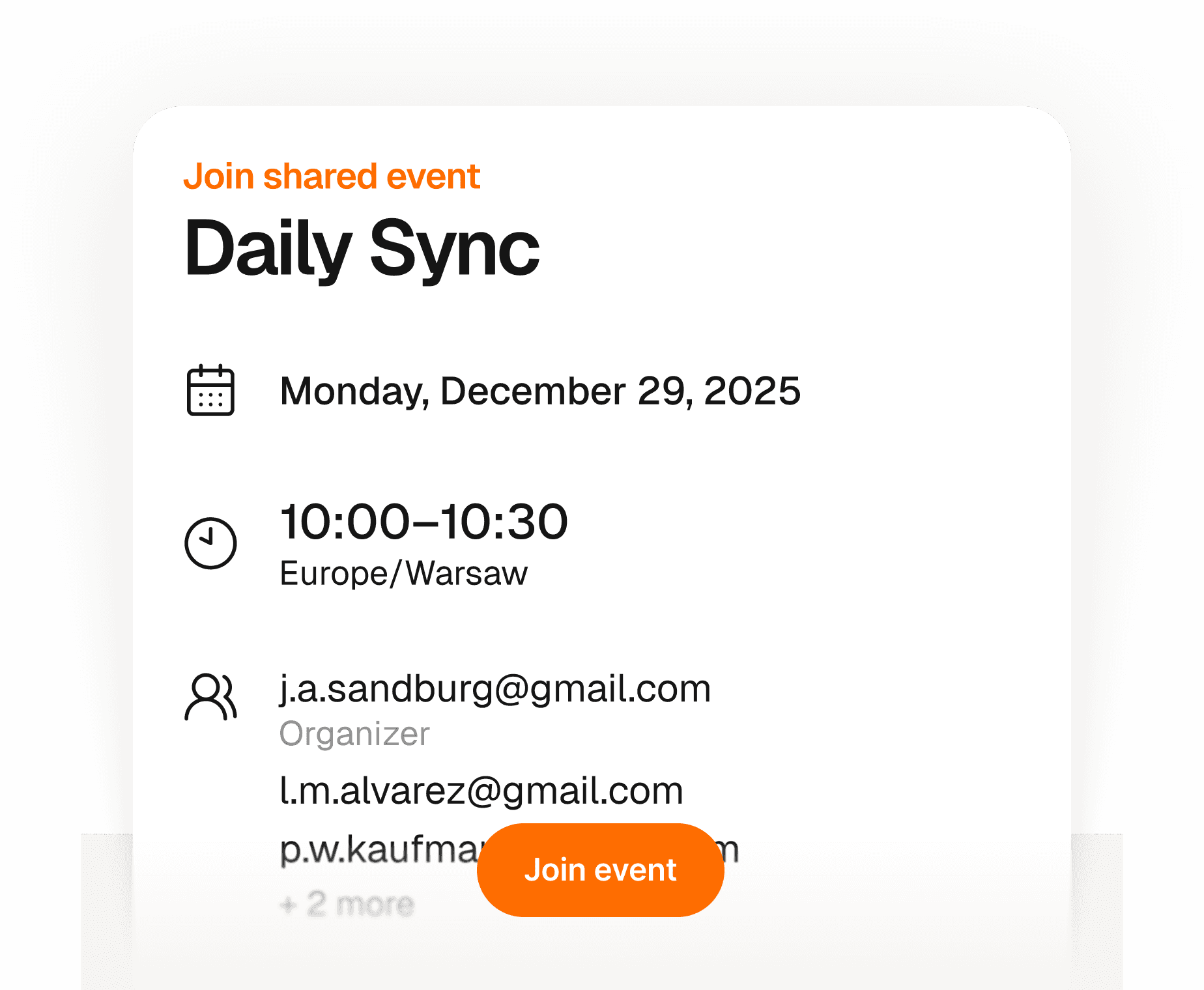
Gäste sind in Sekunden dabei — kein Konto, keine App, kein Stress.
Erstell ein Event und schick einen Link — jeder kann sich mit Namen und E-Mail-Adresse anmelden. Kein Konto erforderlich, keine App zum Herunterladen, kein Kampf mit Kalendereinladungen. Du siehst in Echtzeit, wer dabei ist, alles an einem Ort. Einfach für dich, reibungslos für alle anderen.
Mehr erfahren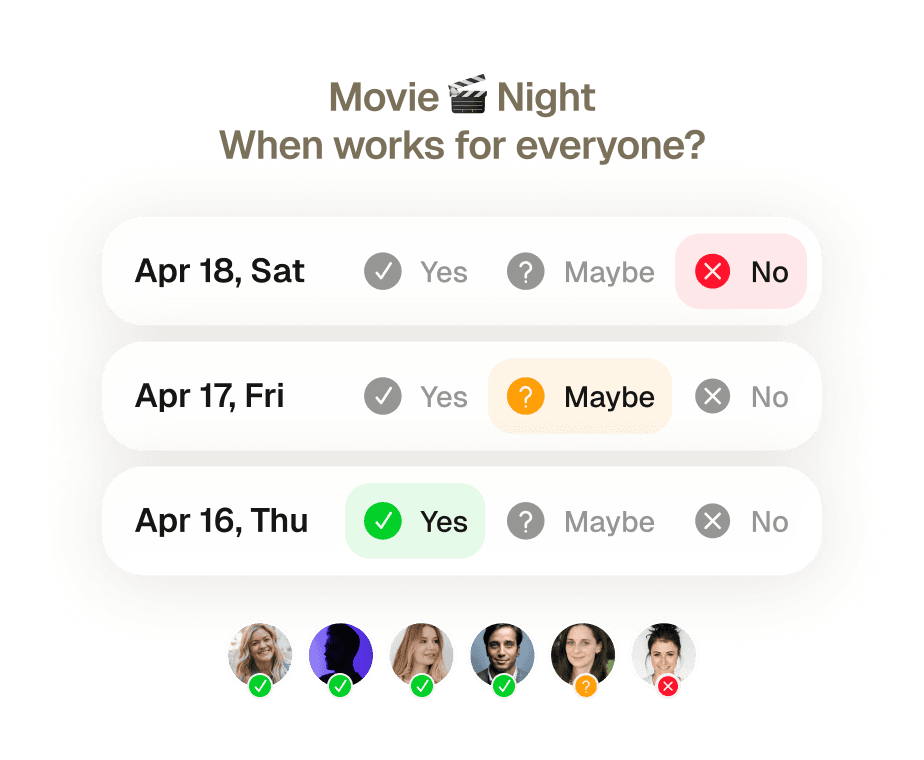
Gruppenmeeting gebucht — ganz ohne ein einziges Hin-und-Her.
Acht Personen, fünf verschiedene Kalender, keine Einigung. Früher bedeutete das eine Woche voller E-Mail-Threads — und am Ende sagt trotzdem jemand ab. Schick einfach eine Einladung: Supaplan prüft die Verfügbarkeit aller, schlägt den besten Zeitpunkt vor und bucht den Termin, sobald alle zugestimmt haben.
Mehr erfahren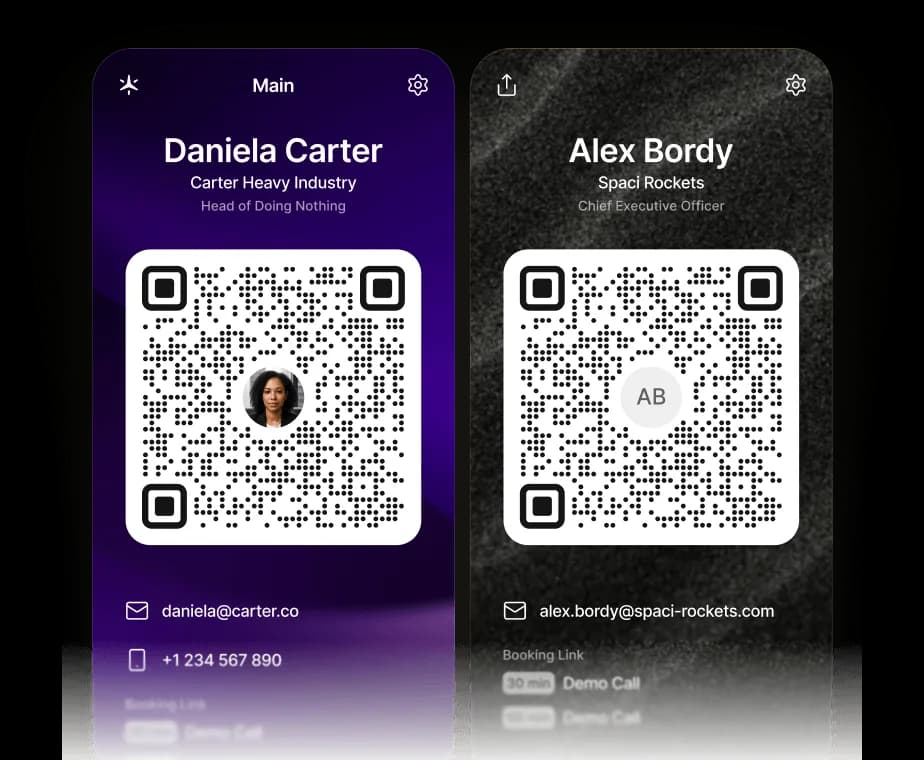
Ihre Visitenkarte, jetzt digital.
Teilen Sie Ihre Kontaktdaten, Links und Ihren Supaplan-Buchungslink mit einem Scan. Der QR-Code speichert eine vCard direkt auf dem Telefon — und man kann sofort einen Termin mit Ihnen buchen.
Mehr erfahrenSteuern Sie Ihren Kalender aus ChatGPT, Claude oder jedem KI-Agenten.
Supaplan spricht jetzt MCP – den offenen Standard, mit dem sich jeder KI-Agent mit Ihren Tools verbinden kann. Fügen Sie Supaplan zu ChatGPT, Claude oder dem Agenten hinzu, den Sie bereits nutzen, und er kann Ihre Verfügbarkeit prüfen, Termine planen und verschieben und Ihre Notizen abrufen – direkt im Chat, wobei jede Änderung weiterhin unter Ihrer Kontrolle bleibt.
Mehr erfahrenJede Kalenderaufgabe erledigt — ganz ohne mentalen Aufwand.
Termin verschieben, Fokuszeit blockieren, Einladung senden, Mittagessen absagen — sag es einfach Supaplan. Hast du ein Foto eines Flyers, einer Einladung oder einen Screenshot? Schick ihn, und Supaplan trägt den Termin direkt für dich ein. Es führt deinen Kalender so, wie ein großartiger Assistent es tun würde: sofort, präzise, ohne dass du auch nur einen Gedanken daran verschwenden musst.
Mehr erfahrenGut vorbereitet rein. Mit klaren nächsten Schritten wieder raus.
Vor jedem Meeting liegen deine Notizen, das letzte Gespräch und die Agenda direkt bereit — kein Suchen. Während des Meetings hältst du fest, was wichtig ist. Danach sind die Aufgaben direkt am Termin hinterlegt, nicht irgendwo in einem Dokument, das du nie wiederfindest. Jedes Meeting hinterlässt eine saubere Spur.
Mehr erfahrenImmer auf dem Laufenden — Änderungen kommen automatisch zu dir.
Meetings werden laufend verschoben, abgesagt oder neu hinzugefügt — oft während du schon im nächsten Gespräch steckst. Statt deine Mails zu durchsuchen, um herauszufinden, was sich wann geändert hat, zeigt dir Supaplan jede Änderung im Moment, in dem sie passiert. Du weißt immer Bescheid, ohne auch nur einmal die Inbox zu öffnen.
Mehr erfahrenGäste sind in Sekunden dabei — kein Konto, keine App, kein Stress.
Erstell ein Event und schick einen Link — jeder kann sich mit Namen und E-Mail-Adresse anmelden. Kein Konto erforderlich, keine App zum Herunterladen, kein Kampf mit Kalendereinladungen. Du siehst in Echtzeit, wer dabei ist, alles an einem Ort. Einfach für dich, reibungslos für alle anderen.
Mehr erfahrenIhre Visitenkarte, jetzt digital.
Teilen Sie Ihre Kontaktdaten, Links und Ihren Supaplan-Buchungslink mit einem Scan. Der QR-Code speichert eine vCard direkt auf dem Telefon — und man kann sofort einen Termin mit Ihnen buchen.
Mehr erfahrenDein ganzer Tag auf einen Blick — klar, geordnet, nichts vergessen.
Schluss mit dem Scrollen durch ein zerstückeltes Raster, das deinen Tag kaum zeigt. Supaplan stellt jedes Meeting, jede freie Lücke und jeden Termin in einer übersichtlichen Zeitleiste dar — damit du immer weißt, was als Nächstes kommt, wie viel Zeit du wirklich hast und wo deine Energie hinfließt. Dein Morgen beginnt mit Klarheit statt Chaos.
Mehr erfahrenEin Link, ein Klick — Meetings buchen ohne eine einzige E-Mail.
Teil deinen Buchungslink und lass andere einen Termin wählen, der wirklich passt — kein Zeitzonen-Chaos, kein endloses Hin und Her, keine Einladungen, die zurückgeworfen werden. Du stellst deine Verfügbarkeit einmal ein, die andere Person bucht einen Slot, und beide Kalender aktualisieren sich sofort. Was früher zehn E-Mails brauchte, dauert jetzt zehn Sekunden.
Mehr erfahrenJeden Kontakt im Blick — Name, Kontext und was besprochen wurde.
Vor jedem Anruf zeigt dir Supaplan, wen du triffst, worüber ihr zuletzt gesprochen habt, Notizen aus früheren Gesprächen und was noch offen ist. Du gehst vorbereitet rein und weißt, was der anderen Person wichtig ist — statt 30 Sekunden vorher hektisch zu überlegen, wo ihr aufgehört habt.
Mehr erfahrenGruppenmeeting gebucht — ganz ohne ein einziges Hin-und-Her.
Acht Personen, fünf verschiedene Kalender, keine Einigung. Früher bedeutete das eine Woche voller E-Mail-Threads — und am Ende sagt trotzdem jemand ab. Schick einfach eine Einladung: Supaplan prüft die Verfügbarkeit aller, schlägt den besten Zeitpunkt vor und bucht den Termin, sobald alle zugestimmt haben.
Mehr erfahrenSteuern Sie Ihren Kalender aus ChatGPT, Claude oder jedem KI-Agenten.
Supaplan spricht jetzt MCP – den offenen Standard, mit dem sich jeder KI-Agent mit Ihren Tools verbinden kann. Fügen Sie Supaplan zu ChatGPT, Claude oder dem Agenten hinzu, den Sie bereits nutzen, und er kann Ihre Verfügbarkeit prüfen, Termine planen und verschieben und Ihre Notizen abrufen – direkt im Chat, wobei jede Änderung weiterhin unter Ihrer Kontrolle bleibt.
Mehr erfahrenI schedule meetings on my commute just by talking. By the time I get to my desk, everything is already in my calendar.
Before every 1:1 I see what we talked about last time and what's still open. I stopped walking into meetings unprepared.

Clients book through my link, I show up knowing their history. Best sales quarter I've had.

Probably saving 3–4 hours a week just on scheduling. That adds up fast.

Switched from Calendly. Everything stays in one place now and the team actually uses it.

I attach action items straight to the meeting. Before the next standup I see exactly what we decided. No more digging through Slack.

I just type "move my 3pm to Thursday" and it's done. That used to take 10 messages back and forth.

Ditched Calendly six months ago. My calendar, notes, and contacts are all in one place. Way less tab switching.

Quick briefing before each call — name, history, what we need to cover. 30 seconds to read, saves me from winging it.

12 programs, 12 sets of stakeholders. The notes attached to each meeting are the only reason I stay on top of it all.

I schedule meetings on my commute just by talking. By the time I get to my desk, everything is already in my calendar.
Before every 1:1 I see what we talked about last time and what's still open. I stopped walking into meetings unprepared.
Clients book through my link, I show up knowing their history. Best sales quarter I've had.
Probably saving 3–4 hours a week just on scheduling. That adds up fast.
Switched from Calendly. Everything stays in one place now and the team actually uses it.
I attach action items straight to the meeting. Before the next standup I see exactly what we decided. No more digging through Slack.
I just type "move my 3pm to Thursday" and it's done. That used to take 10 messages back and forth.
Ditched Calendly six months ago. My calendar, notes, and contacts are all in one place. Way less tab switching.
Quick briefing before each call — name, history, what we need to cover. 30 seconds to read, saves me from winging it.
12 programs, 12 sets of stakeholders. The notes attached to each meeting are the only reason I stay on top of it all.
I'm on site most of the day. Being able to just say what I need instead of typing it — that alone makes it worth it.

I see the last conversation, open issues, their tone — before I even dial. Customers notice when you actually remember things.

Before interviews I pull up my notes from the phone screen. Much easier to stay present instead of trying to remember everything.

Business meetings, personal stuff, family commitments — first time everything lives in one view and I actually feel on top of it.

Five kids. I share availability for school events, set reminders, and haven't missed a single game since I started using it.

Send a link, they pick a time, it lands in my calendar with their info. The "when works for you?" thread is gone.

I added soccer practice while making dinner just by saying it out loud. My family thinks I'm incredibly organized now.

Finally a calendar that doesn't feel like a spreadsheet. Having notes right there in the meeting view is a bigger deal than it sounds.

Family calendars, client meetings, personal stuff — all in one view. I used to run three apps for this.

Cut Calendly. Scheduling emails dropped noticeably in the first month. Simple math.

I'm on site most of the day. Being able to just say what I need instead of typing it — that alone makes it worth it.
I see the last conversation, open issues, their tone — before I even dial. Customers notice when you actually remember things.
Before interviews I pull up my notes from the phone screen. Much easier to stay present instead of trying to remember everything.
Business meetings, personal stuff, family commitments — first time everything lives in one view and I actually feel on top of it.
Five kids. I share availability for school events, set reminders, and haven't missed a single game since I started using it.
Send a link, they pick a time, it lands in my calendar with their info. The "when works for you?" thread is gone.
I added soccer practice while making dinner just by saying it out loud. My family thinks I'm incredibly organized now.
Finally a calendar that doesn't feel like a spreadsheet. Having notes right there in the meeting view is a bigger deal than it sounds.
Family calendars, client meetings, personal stuff — all in one view. I used to run three apps for this.
Cut Calendly. Scheduling emails dropped noticeably in the first month. Simple math.
 1 calendar accountFull calendar managementSmart agendaReal-time notificationsContact syncUnlimited presets1 scheduling link1 group poll
 Everything from Starter planPersonal AI assistantPrivate notesUnlimited calendar accountsUnlimited scheduling linksUnlimited group pollsPremium supportEverything from Pro planShared context across teamsAssistant integrationsAdmin controls