

Scheduling links

Scheduling links for real availability.

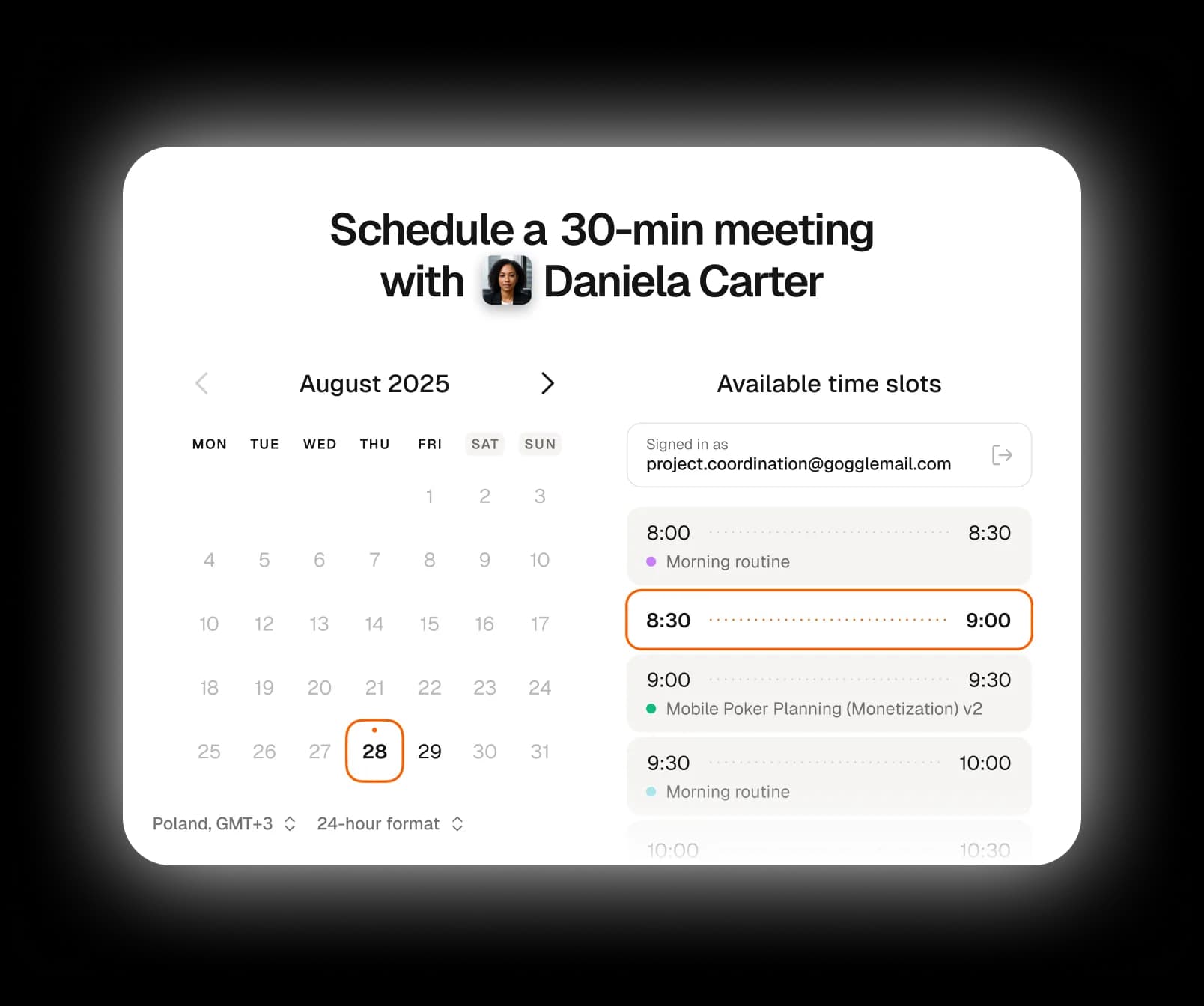
Supaplan provides scheduling links for multiple calendars so people can book from your real availability, with fewer email threads and less timezone confusion.

Best forPeople who want guests to book without exposing private calendars.

Download on the App Store
Get it on Google Play
In practice

A guest books without seeing your private life.

A client asks for time next week. Your work calendar looks free, but school pickup, travel, and an advisory hold are spread across other calendars.

Outcome

The guest sees clean bookable slots while Supaplan protects the calendars and buffers that should stay private.

  1. Guardrails
    Define the meeting shape

    Set the duration, booking window, and meeting type before sending the link to one guest.

  2. Availability
    Protect hidden conflicts

    Connected calendars remove busy time without exposing why a slot is unavailable.

  3. Booking
    Confirm the clean slot

    The guest chooses a time, and the result lands back in the calendar workflow you use every day.
No more availability back-and-forth

Let guests pick from real open slots.

Protect multiple calendars

Busy time stays protected without exposing private details.

Stay bookable while you travel

Timezone-aware booking keeps the day realistic.

Why Supaplan

Built for the whole calendar workflow.

  • Supaplan treats booking as part of the broader calendar assistant workflow.

  • Availability can account for multiple connected calendars instead of one visible calendar.

  • Scheduling links sit beside notes, group polls, timezone handling, and assistant actions.

Host flow

From available time to confirmed booking.

Supaplan turns connected calendar context into a cleaner booking experience for the guest and the host.

  1. 01Set guardrails

    Create a booking link for the kind of meeting you want to offer.

  2. 02Share the link

    Supaplan checks connected calendars to protect busy time.

  3. 03Confirm the slot

    Guests pick a slot without needing a Supaplan account.

Booking examples

"Send a booking link to an investor, candidate, client, or friend."

"Avoid double-booking when personal and work calendars overlap."

"Let people book while you travel between time zones."

"Replace manual scheduling threads with one clean link."

Decision guide

Use a scheduling link for one guest.

Best for one-to-one booking where the guest should pick from guarded availability, not start another coordination thread.

Best when
  • One guest needs to choose a time from your real availability.
  • You want to stop sending availability windows manually.
  • Hidden personal, travel, or advisory commitments should protect your booking page.
Consider another tool
  • Several people need to vote on the same shared time.
  • You need a public event RSVP rather than one-to-one booking.

Pairs well withGroup polls when several guests need to agree before the meeting is final.Timezone scheduling when guests or hosts are moving across cities.

FAQ

Questions before sharing a booking link

Is Supaplan a Calendly alternative?

Supaplan includes scheduling links, but it also adds an AI calendar assistant, meeting notes, contact context, smart agenda, group polls, and mobile-first calendar management.

Do guests need a Supaplan account to book?

No. Booking flows are designed so guests can choose an available slot without creating a Supaplan account.

Can scheduling links use multiple calendars?

Yes. Supaplan is designed around real availability across the calendars you connect.