

AI calendar assistant

AI calendar assistant for busy schedules.

Supaplan is an AI calendar assistant that lets you manage scheduling, rescheduling, meeting prep, notes, and contact context through natural language across the calendars you already use.

Best forBusy individuals who need calendar outcomes without manual calendar editing.

Download on the App Store
Get it on Google Play
In practice

A calendar request becomes a reviewed plan.

You are between calls and realize the afternoon will not work. The old workflow is opening the calendar, checking conflicts, writing the guest, and remembering why the meeting moved.

Outcome

Supaplan prepares the change, keeps the context visible, and leaves the final calendar action under your control.

  1. Ask
    Describe the outcome

    Ask to move the call, add focus time, or prepare today without translating the request into calendar fields.

  2. Review
    See the safe option

    Supaplan checks connected calendars, notes, and meeting context before showing what it can do next.

  3. Approve
    Keep control of the change

    You decide whether the proposed schedule action should happen, so delegation does not become hidden automation.
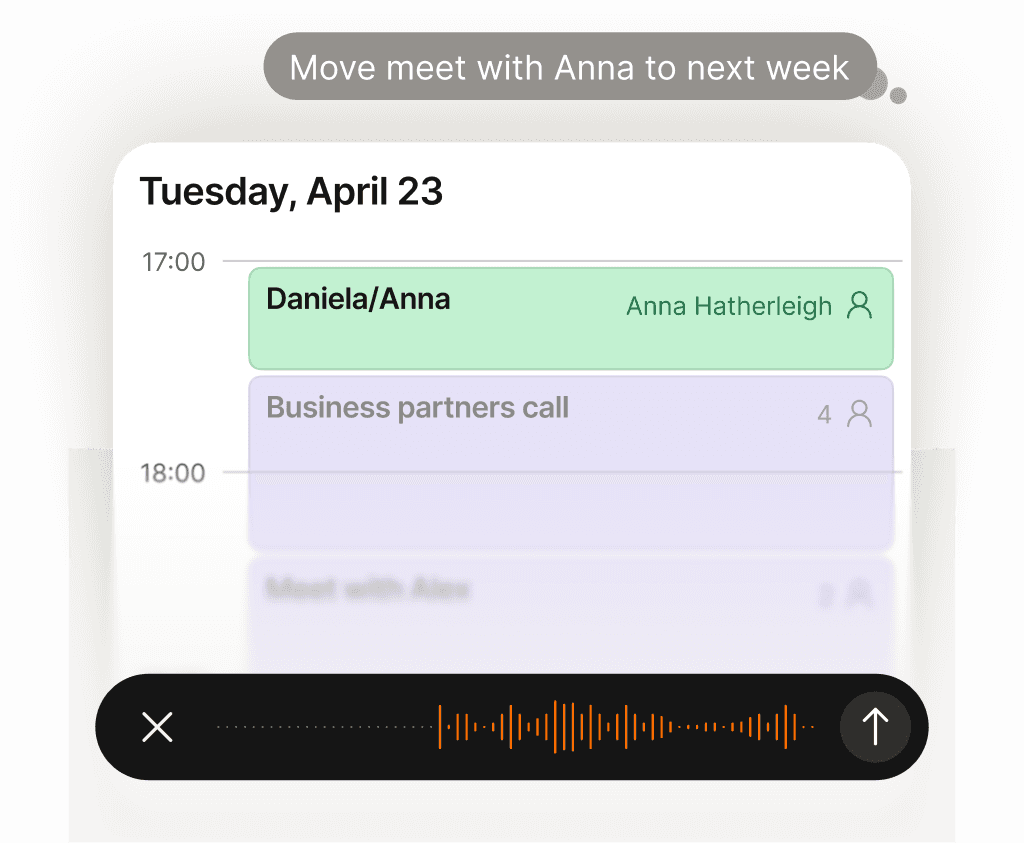
Ask in natural language

Move, block, add, and prepare without calendar forms.

Protect every calendar

Work, personal, travel, and advisory time stay guarded.

Prepare before meetings

Notes, people, and changes stay beside the event.

Why Supaplan

Built for the whole calendar workflow.

  • Supaplan is built around delegated calendar work, not only a smarter calendar view.

  • It combines scheduling actions with meeting notes, contact context, and agenda prep.

  • The assistant stays useful across mobile, web, and Telegram access points.

Delegation flow

From request to controlled calendar action.

Supaplan keeps the ask, proposed change, meeting context, and approval moment in one readable flow.

  1. 01Connect context

    Connect the calendars that define real availability.

  2. 02Describe outcome

    Ask for the calendar outcome in plain language.

  3. 03Review action

    Review the proposed schedule action before it happens.

Assistant queue

"Move my 3pm call to Thursday afternoon."

"Block two hours of focus time tomorrow morning."

"Add this event from a screenshot to my calendar."

"What meetings do I need to prepare for today?"

Decision guide

Decide what to delegate.

Use the assistant when a request crosses schedule changes, prep, notes, or approval and you want the next step prepared for review.

Best when
  • You want to ask for a calendar outcome in plain language.
  • You need scheduling, rescheduling, prep, notes, and context to work together.
  • Your availability depends on more than one calendar or role.
Consider another tool
  • You only need a static calendar viewer with no assistant workflow.
  • You want a project management tool that schedules tasks rather than meetings.

Pairs well withMeeting notes for memory after the assistant changes or prepares meetings.Contact intelligence when the assistant needs relationship context before calls.

FAQ

Questions before you delegate

What is an AI calendar assistant?

An AI calendar assistant helps you manage calendar work through natural language. Supaplan can create events, adjust your schedule, surface meeting context, and reduce back-and-forth across your calendars.

Is Supaplan only for one calendar?

No. Supaplan is built for people who juggle multiple calendars and need one place to understand real availability, scheduling changes, notes, and contacts.

Can I use Supaplan on mobile?

Yes. Supaplan is available on iOS and Android, with web and Telegram access for assistant workflows.