I schedule meetings on my commute just by talking. By the time I get to my desk, everything is already in my calendar.

Ethan Carter
Senior Vice President Services


日历、日程、会议准备和联系人——一个 AI 助手全搞定。
无需信用卡 · 免费试用 30 天,全功能,无限制 · 你的数据安全存储于瑞士
Google、Apple 和 Outlook——工作与生活,尽在一处。
工作时间、优先事项和重要的人——设置一次即可。
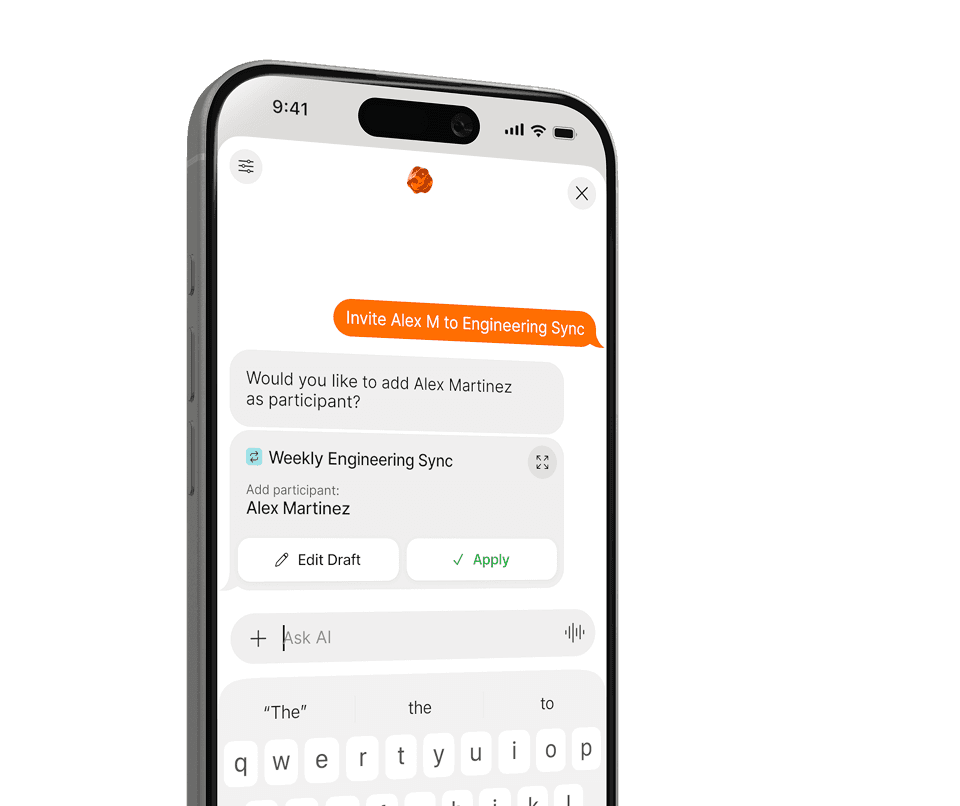
安排、改期、提前规划——全用自然语言完成。
没有菜单,没有表单。用日常语言告诉 Supaplan 你的需求——剩下的交给它。
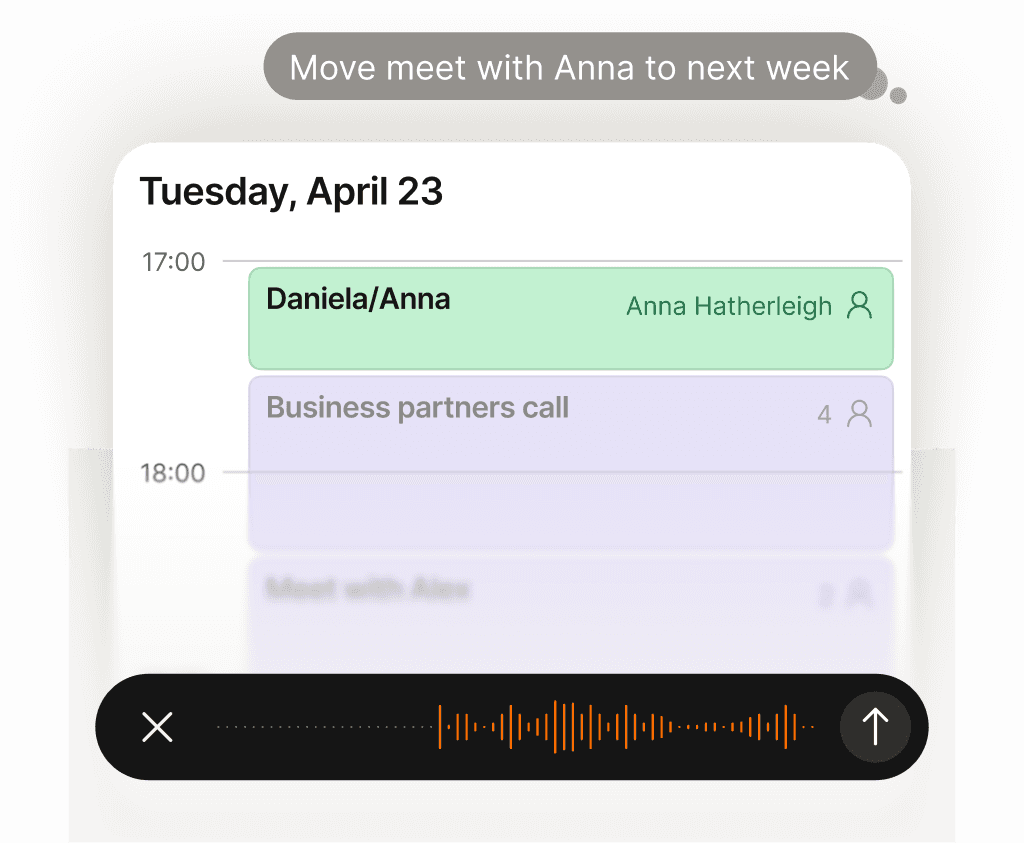
日历的事全包了——你只管告诉 Supaplan。
改时间、屏蔽专注时段、发邀请、取消午饭——说一句就行。有活动传单、邀请函或截图?发给 Supaplan,它直接帮你加进日历。就像一个靠谱的助理:你说,它办,不用你操心细节。
了解更多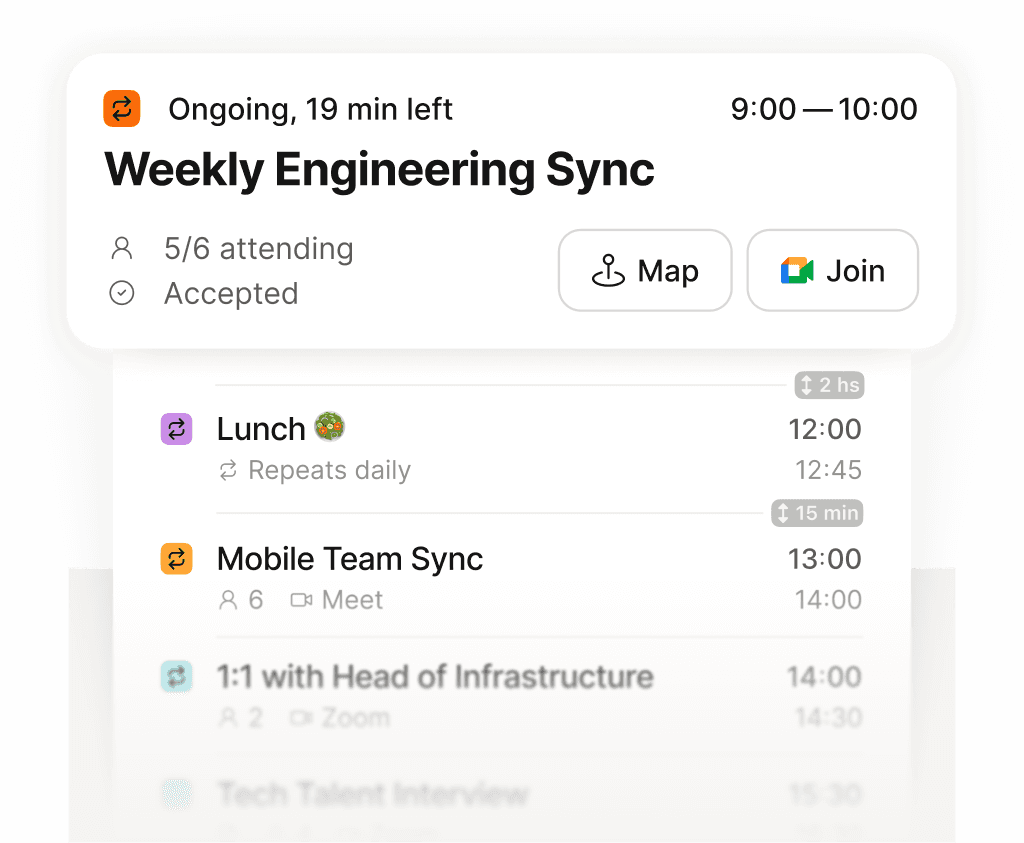
一屏看清整天——清晰有序,不漏任何事。
不用再在格子日历里翻来翻去拼凑自己的一天。Supaplan 把每个会议、空档和待办都列在一条清晰的时间线上——随时知道下一件事是什么、还剩多少空闲、时间都去了哪里。早晨打开就能理清思路,而不是一头雾水。
了解更多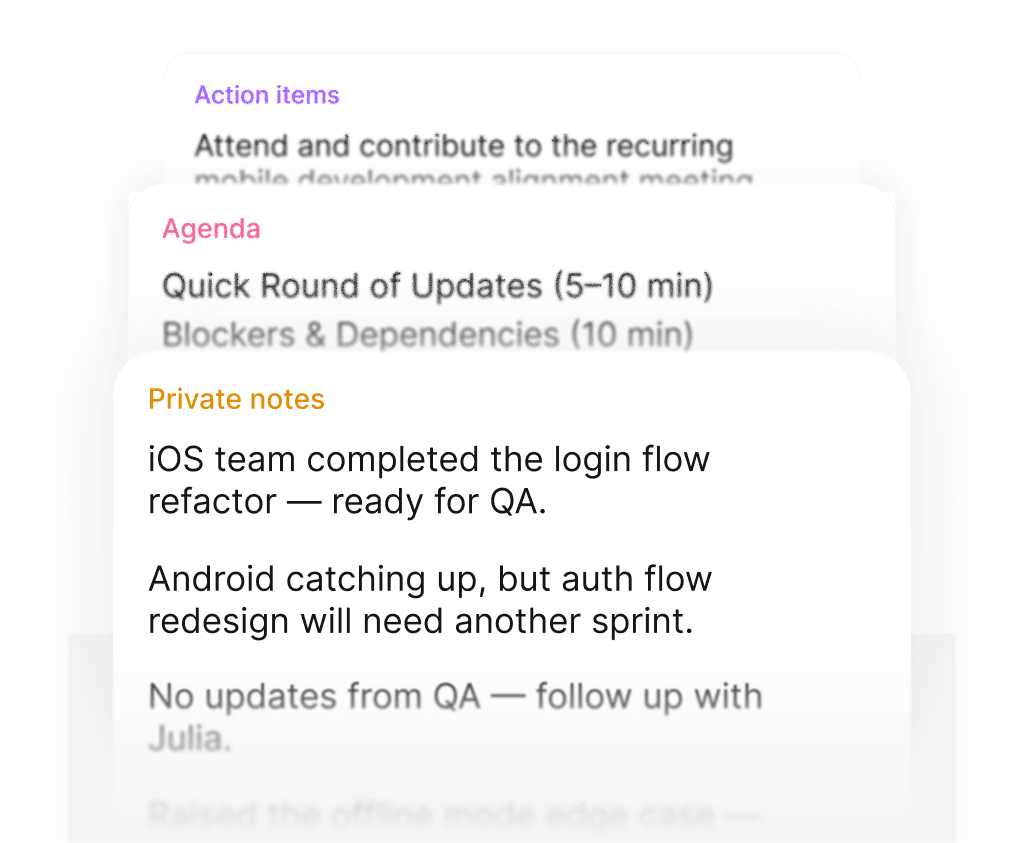
有备而来开会,清清楚楚带走行动项。
每次会议前,笔记、上次讨论和议程都已经在那——不用临时翻找。会议中随手记录要点。结束后,行动项直接挂在日历事件上,不会埋进某个再也找不到的文档里。每次会议都有清晰的交代。
了解更多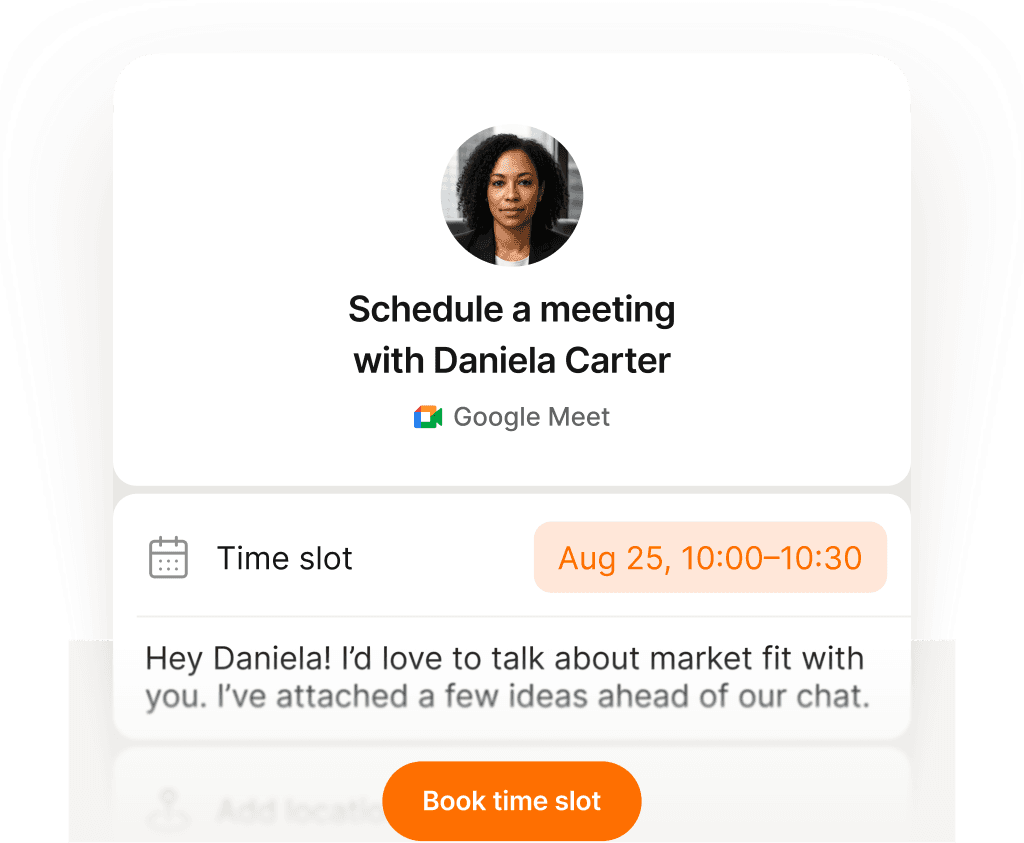
一个链接,一次点击——约会不用发一封邮件。
把预约链接发出去,让对方选一个真正合适的时间——没有时差混乱,没有反复确认,没有邀请函来回弹。你设好一次空闲时段,对方选好,两个日历同步更新。过去要发十封邮件的事,现在十秒搞定。
了解更多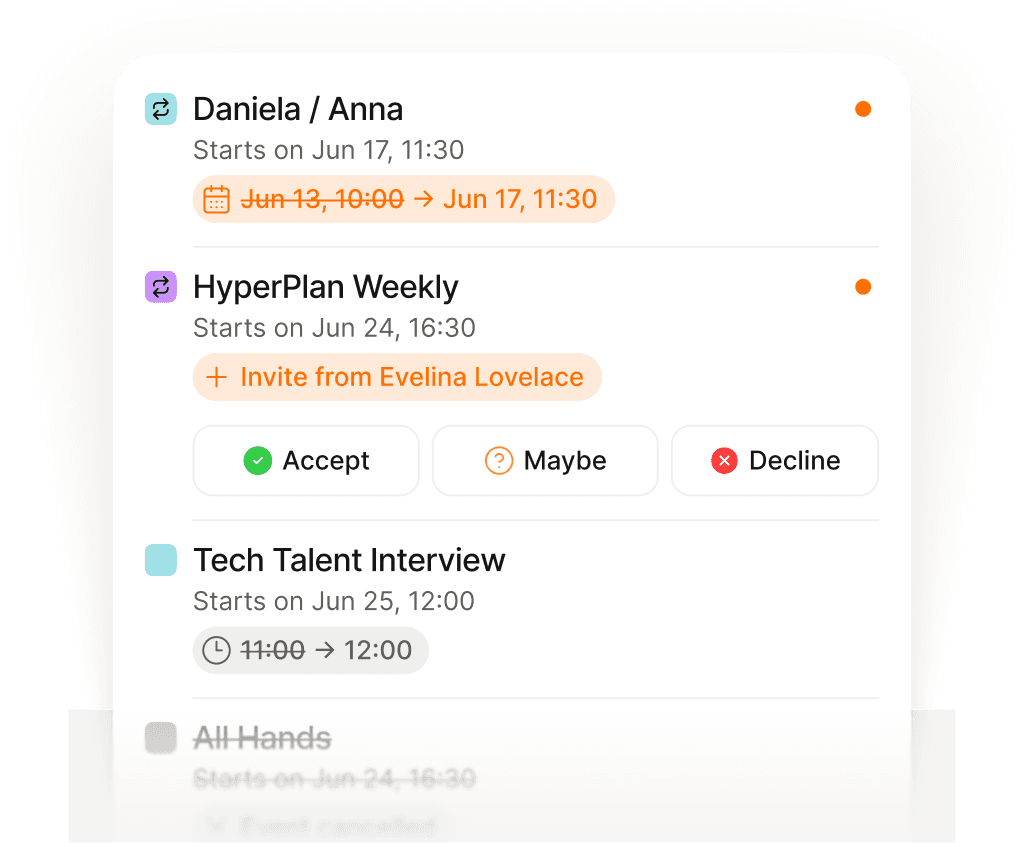
任何变动都自动推给你——不用守着邮箱。
会议被改时间、取消、临时加进来——往往就在你正开着另一个电话的时候。Supaplan 在变动发生的瞬间就推送通知,不用翻邮件去拼凑什么变了、什么时候变的。你永远知道最新情况,完全不用打开邮箱。
了解更多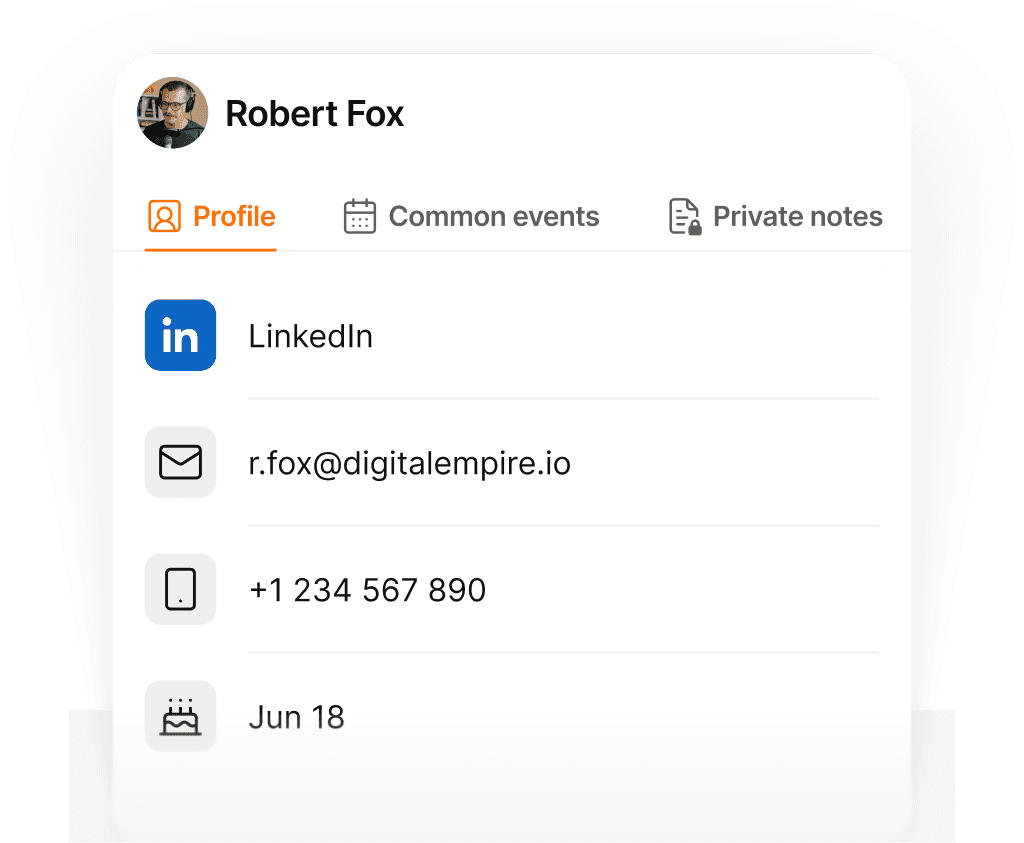
每个人、每次对话——全都记着。
每次通话前,Supaplan 告诉你要见谁、上次聊了什么、之前的笔记,以及还有哪些事没落实。你走进去就知道对方的背景和关注点——不用在开会前30秒手忙脚乱地回忆上次说到哪里。
了解更多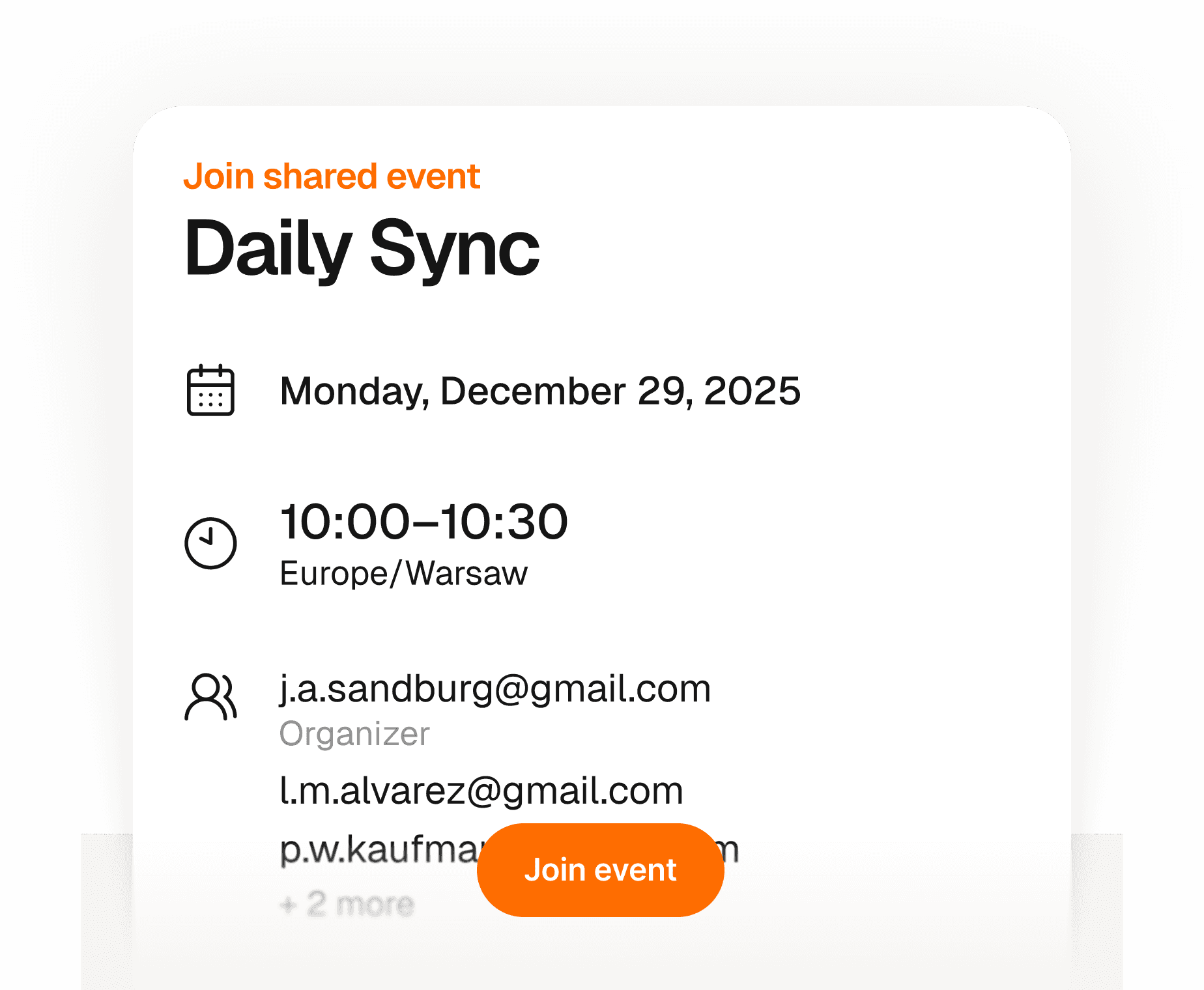
嘉宾几秒搞定——不用注册,不用下载任何东西。
创建活动,分享一个链接——任何人只需填姓名和邮箱就能回复。不用注册账号,不用下载应用,不用和日历邀请死磕。你这边实时看到谁要来,全在一处。对你来说简单,对他们来说毫无门槛。
了解更多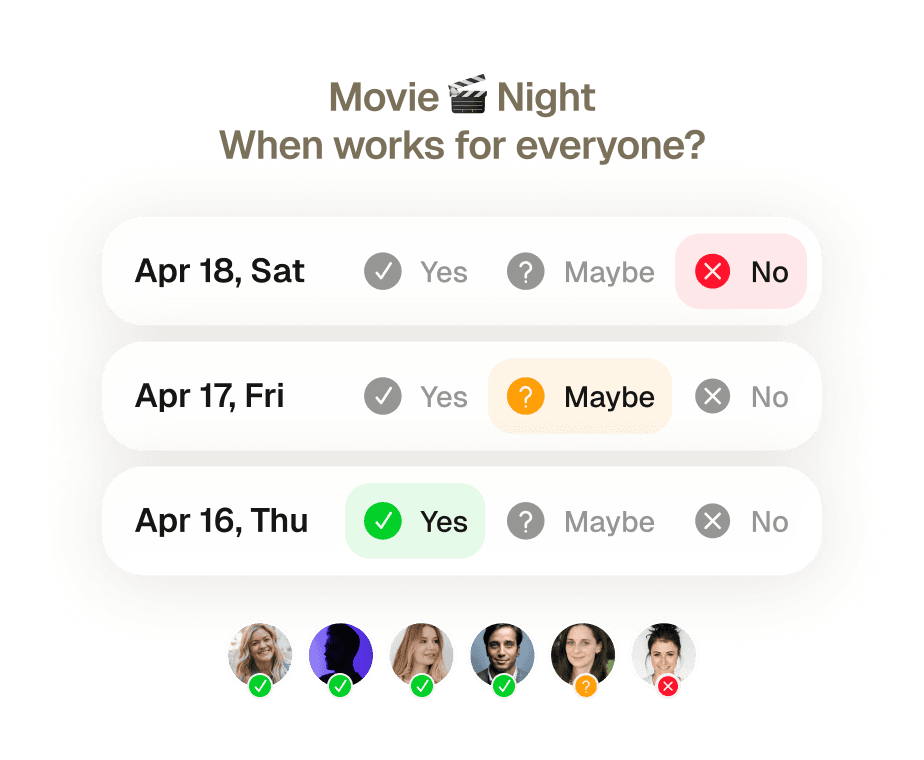
多人约时间,一个邀请就搞定——没有来回扯皮。
八个人、五套不同的日程、零共识。过去要找一个大家都有空的时间,往往要来回发一周邮件,最后还有人临时退出。发一个邀请——Supaplan 核对所有人的空闲,推荐最合适的时间,大家确认后直接预定。
了解更多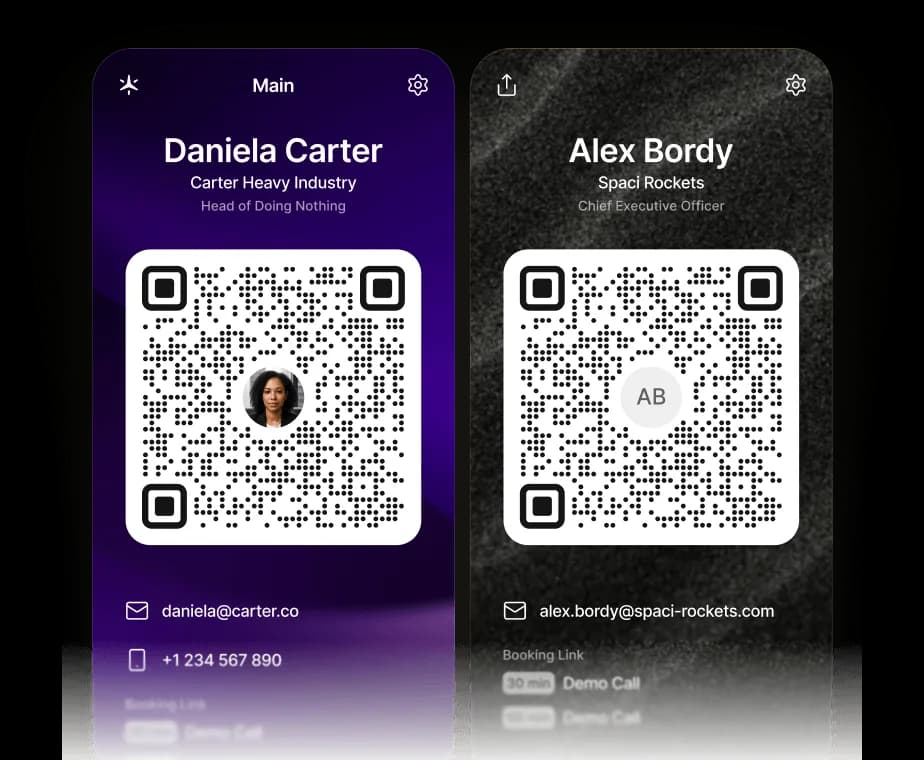
您的名片,现已数字化。
一次扫描即可分享您的联系方式、链接和 Supaplan 预约链接。二维码会将 vCard 直接保存到对方手机中——他们可以立即与您预约时间。
了解更多在 ChatGPT、Claude 或任何 AI 智能体中管理您的日历。
Supaplan 现已支持 MCP——这一开放标准让任何 AI 智能体都能连接到您的工具。将 Supaplan 添加到 ChatGPT、Claude 或您正在使用的智能体,它就能查看您的空闲时间、安排和改期会议并调出您的笔记——全部在对话中完成,而每一项更改始终由您掌控。
了解更多日历的事全包了——你只管告诉 Supaplan。
改时间、屏蔽专注时段、发邀请、取消午饭——说一句就行。有活动传单、邀请函或截图?发给 Supaplan,它直接帮你加进日历。就像一个靠谱的助理:你说,它办,不用你操心细节。
了解更多有备而来开会,清清楚楚带走行动项。
每次会议前,笔记、上次讨论和议程都已经在那——不用临时翻找。会议中随手记录要点。结束后,行动项直接挂在日历事件上,不会埋进某个再也找不到的文档里。每次会议都有清晰的交代。
了解更多任何变动都自动推给你——不用守着邮箱。
会议被改时间、取消、临时加进来——往往就在你正开着另一个电话的时候。Supaplan 在变动发生的瞬间就推送通知,不用翻邮件去拼凑什么变了、什么时候变的。你永远知道最新情况,完全不用打开邮箱。
了解更多嘉宾几秒搞定——不用注册,不用下载任何东西。
创建活动,分享一个链接——任何人只需填姓名和邮箱就能回复。不用注册账号,不用下载应用,不用和日历邀请死磕。你这边实时看到谁要来,全在一处。对你来说简单,对他们来说毫无门槛。
了解更多您的名片,现已数字化。
一次扫描即可分享您的联系方式、链接和 Supaplan 预约链接。二维码会将 vCard 直接保存到对方手机中——他们可以立即与您预约时间。
了解更多一屏看清整天——清晰有序,不漏任何事。
不用再在格子日历里翻来翻去拼凑自己的一天。Supaplan 把每个会议、空档和待办都列在一条清晰的时间线上——随时知道下一件事是什么、还剩多少空闲、时间都去了哪里。早晨打开就能理清思路,而不是一头雾水。
了解更多一个链接,一次点击——约会不用发一封邮件。
把预约链接发出去,让对方选一个真正合适的时间——没有时差混乱,没有反复确认,没有邀请函来回弹。你设好一次空闲时段,对方选好,两个日历同步更新。过去要发十封邮件的事,现在十秒搞定。
了解更多每个人、每次对话——全都记着。
每次通话前,Supaplan 告诉你要见谁、上次聊了什么、之前的笔记,以及还有哪些事没落实。你走进去就知道对方的背景和关注点——不用在开会前30秒手忙脚乱地回忆上次说到哪里。
了解更多多人约时间,一个邀请就搞定——没有来回扯皮。
八个人、五套不同的日程、零共识。过去要找一个大家都有空的时间,往往要来回发一周邮件,最后还有人临时退出。发一个邀请——Supaplan 核对所有人的空闲,推荐最合适的时间,大家确认后直接预定。
了解更多在 ChatGPT、Claude 或任何 AI 智能体中管理您的日历。
Supaplan 现已支持 MCP——这一开放标准让任何 AI 智能体都能连接到您的工具。将 Supaplan 添加到 ChatGPT、Claude 或您正在使用的智能体,它就能查看您的空闲时间、安排和改期会议并调出您的笔记——全部在对话中完成,而每一项更改始终由您掌控。
了解更多I schedule meetings on my commute just by talking. By the time I get to my desk, everything is already in my calendar.
Before every 1:1 I see what we talked about last time and what's still open. I stopped walking into meetings unprepared.

Clients book through my link, I show up knowing their history. Best sales quarter I've had.

Probably saving 3–4 hours a week just on scheduling. That adds up fast.

Switched from Calendly. Everything stays in one place now and the team actually uses it.

I attach action items straight to the meeting. Before the next standup I see exactly what we decided. No more digging through Slack.

I just type "move my 3pm to Thursday" and it's done. That used to take 10 messages back and forth.

Ditched Calendly six months ago. My calendar, notes, and contacts are all in one place. Way less tab switching.

Quick briefing before each call — name, history, what we need to cover. 30 seconds to read, saves me from winging it.

12 programs, 12 sets of stakeholders. The notes attached to each meeting are the only reason I stay on top of it all.

I schedule meetings on my commute just by talking. By the time I get to my desk, everything is already in my calendar.
Before every 1:1 I see what we talked about last time and what's still open. I stopped walking into meetings unprepared.
Clients book through my link, I show up knowing their history. Best sales quarter I've had.
Probably saving 3–4 hours a week just on scheduling. That adds up fast.
Switched from Calendly. Everything stays in one place now and the team actually uses it.
I attach action items straight to the meeting. Before the next standup I see exactly what we decided. No more digging through Slack.
I just type "move my 3pm to Thursday" and it's done. That used to take 10 messages back and forth.
Ditched Calendly six months ago. My calendar, notes, and contacts are all in one place. Way less tab switching.
Quick briefing before each call — name, history, what we need to cover. 30 seconds to read, saves me from winging it.
12 programs, 12 sets of stakeholders. The notes attached to each meeting are the only reason I stay on top of it all.
I'm on site most of the day. Being able to just say what I need instead of typing it — that alone makes it worth it.

I see the last conversation, open issues, their tone — before I even dial. Customers notice when you actually remember things.

Before interviews I pull up my notes from the phone screen. Much easier to stay present instead of trying to remember everything.

Business meetings, personal stuff, family commitments — first time everything lives in one view and I actually feel on top of it.

Five kids. I share availability for school events, set reminders, and haven't missed a single game since I started using it.

Send a link, they pick a time, it lands in my calendar with their info. The "when works for you?" thread is gone.

I added soccer practice while making dinner just by saying it out loud. My family thinks I'm incredibly organized now.

Finally a calendar that doesn't feel like a spreadsheet. Having notes right there in the meeting view is a bigger deal than it sounds.

Family calendars, client meetings, personal stuff — all in one view. I used to run three apps for this.

Cut Calendly. Scheduling emails dropped noticeably in the first month. Simple math.

I'm on site most of the day. Being able to just say what I need instead of typing it — that alone makes it worth it.
I see the last conversation, open issues, their tone — before I even dial. Customers notice when you actually remember things.
Before interviews I pull up my notes from the phone screen. Much easier to stay present instead of trying to remember everything.
Business meetings, personal stuff, family commitments — first time everything lives in one view and I actually feel on top of it.
Five kids. I share availability for school events, set reminders, and haven't missed a single game since I started using it.
Send a link, they pick a time, it lands in my calendar with their info. The "when works for you?" thread is gone.
I added soccer practice while making dinner just by saying it out loud. My family thinks I'm incredibly organized now.
Finally a calendar that doesn't feel like a spreadsheet. Having notes right there in the meeting view is a bigger deal than it sounds.
Family calendars, client meetings, personal stuff — all in one view. I used to run three apps for this.
Cut Calendly. Scheduling emails dropped noticeably in the first month. Simple math.
 1 calendar accountFull calendar managementSmart agendaReal-time notificationsContact syncUnlimited presets1 scheduling link1 group poll
 Everything from Starter planPersonal AI assistantPrivate notesUnlimited calendar accountsUnlimited scheduling linksUnlimited group pollsPremium supportEverything from Pro planShared context across teamsAssistant integrationsAdmin controls