I schedule meetings on my commute just by talking. By the time I get to my desk, everything is already in my calendar.

Ethan Carter
Senior Vice President Services


Календарь, встречи, подготовка и контакты — один ИИ-ассистент справится со всем.
Без кредитной карты · 30 дней бесплатно, полный функционал, без ограничений · Твои данные защищены в Швейцарии
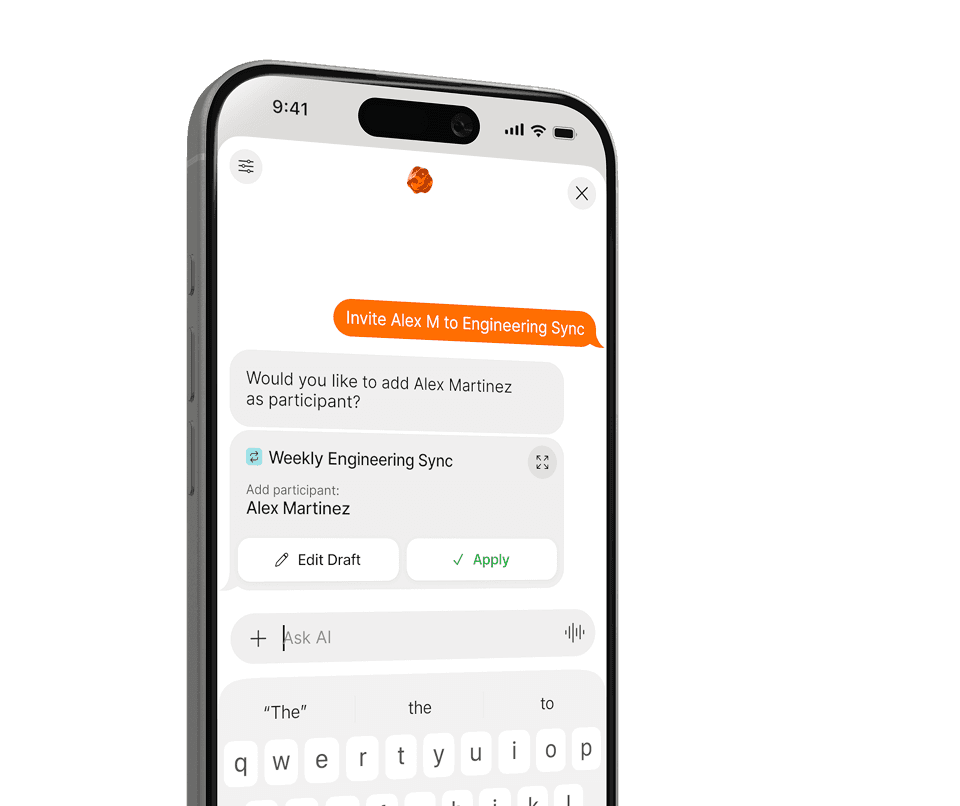
Google, Apple и Outlook — работа и личное, в одном месте.
Рабочие часы, приоритеты и важные люди — задаются один раз.
Планируй, переноси и думай наперёд — всё обычными словами.
Никаких меню и форм. Скажи Supaplan, что нужно, обычными словами — остальное он сделает сам.
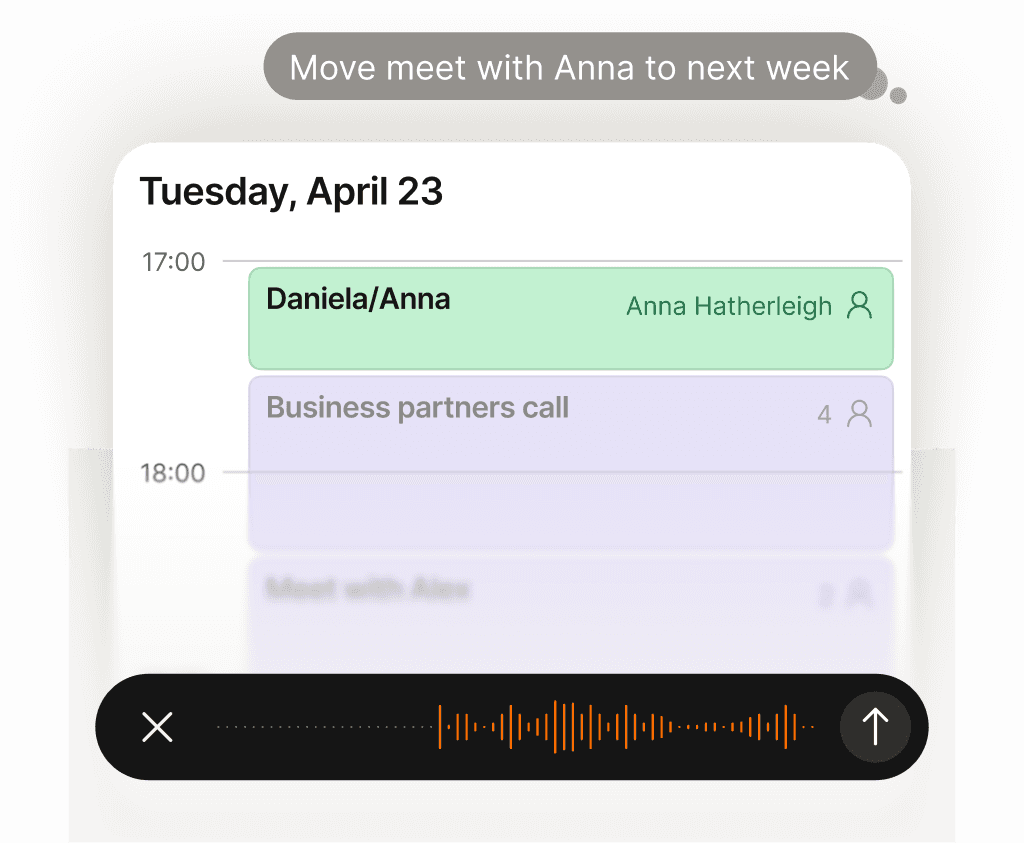
Твой календарь ведёт себя сам. Просто скажи Supaplan, что нужно.
Перенести звонок, заблокировать время, отправить приглашение, отменить обед — просто скажи Supaplan. Есть фото приглашения, листовки или скриншот? Отправь — и Supaplan добавит событие в твой календарь. Он ведёт твой календарь как отличный ассистент: мгновенно, точно, без лишних размышлений.
Подробнее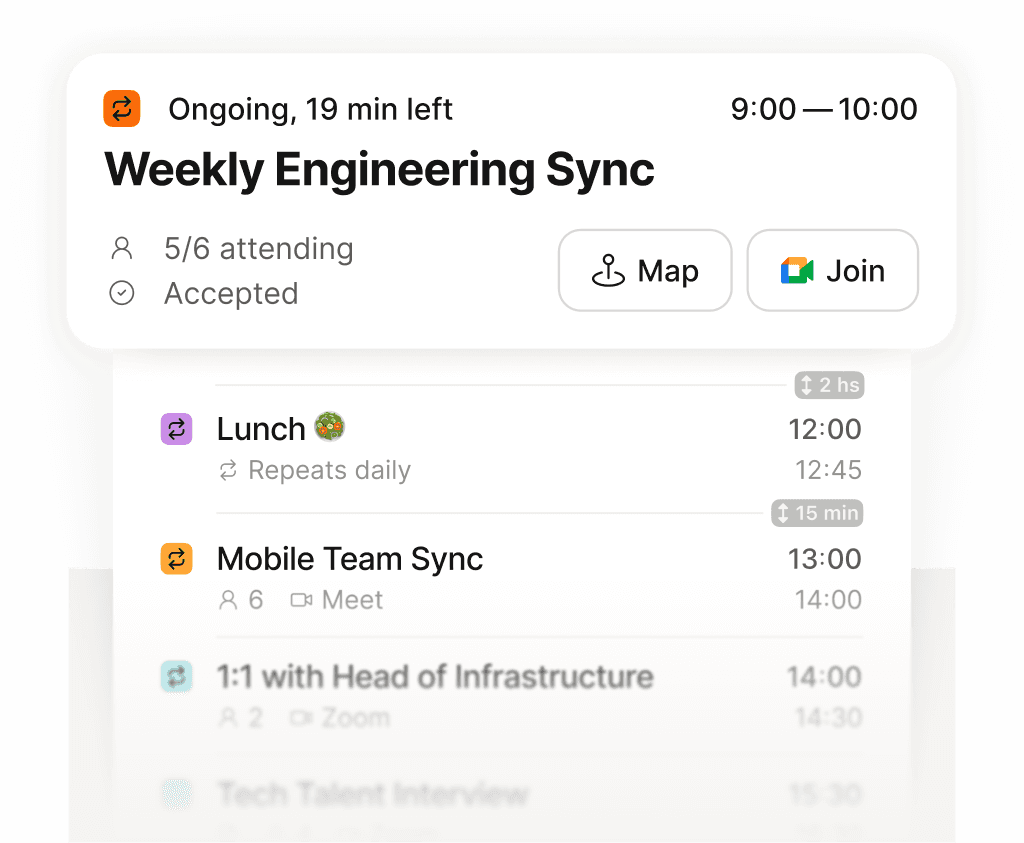
Весь день на одном экране — чётко, по порядку, ничего не упущено.
Хватит листать разрозненную сетку в попытке собрать день воедино. Supaplan показывает каждую встречу, паузу и дело в чистой ленте — сразу видно, что дальше, сколько реально свободного времени и куда уходят силы. Утро начинается с ясности, а не с разбора завалов.
Подробнее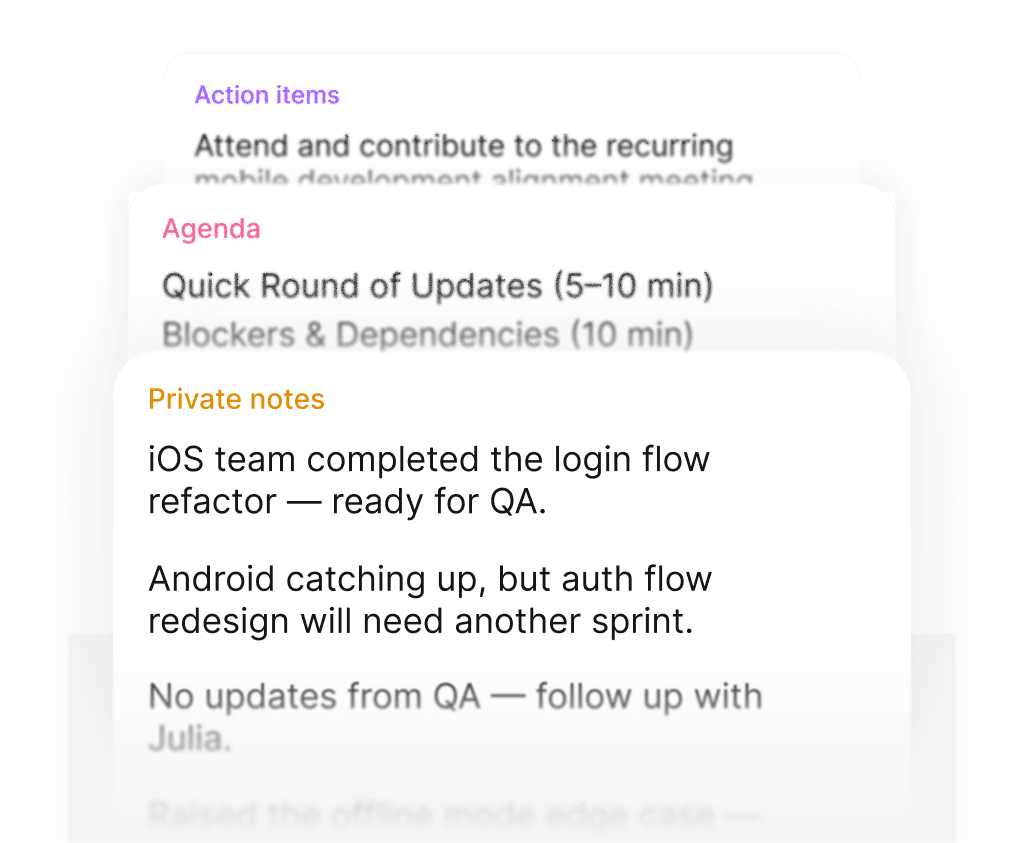
Заходи на встречу готовым. Выходи с чёткими следующими шагами.
Перед каждой встречей твои заметки, прошлое обсуждение и повестка уже открыты — ничего не нужно искать. По ходу фиксируешь главное. После — задачи прикреплены прямо к событию, а не утонули в документе, который ты никогда не найдёшь. Каждая встреча оставляет чёткий след.
Подробнее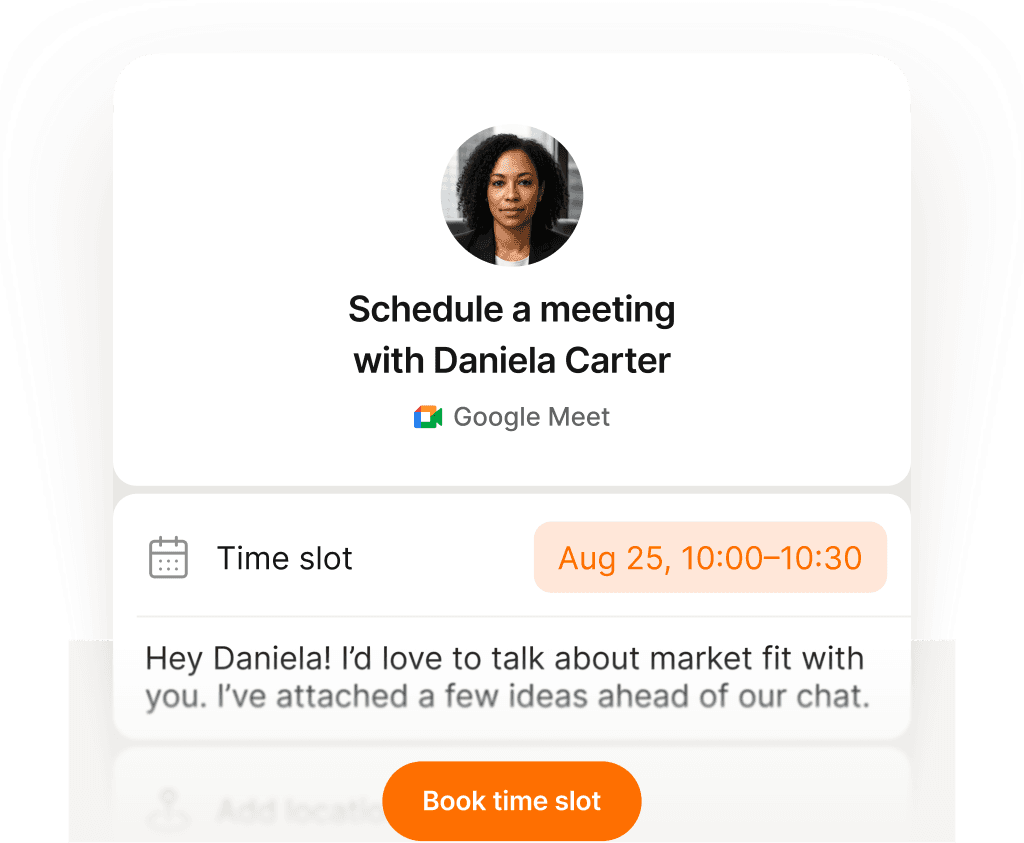
Одна ссылка, один клик — встреча забронирована без единого письма.
Поделись ссылкой на своё расписание — и человек выбирает время, которое реально подходит: без путаницы с часовыми поясами, без бесконечных «а когда ты свободен?», без скачущих туда-сюда приглашений. Ты один раз настраиваешь доступность, они выбирают слот, оба календаря обновляются мгновенно. То, что раньше стоило десяти писем, теперь занимает десять секунд.
Подробнее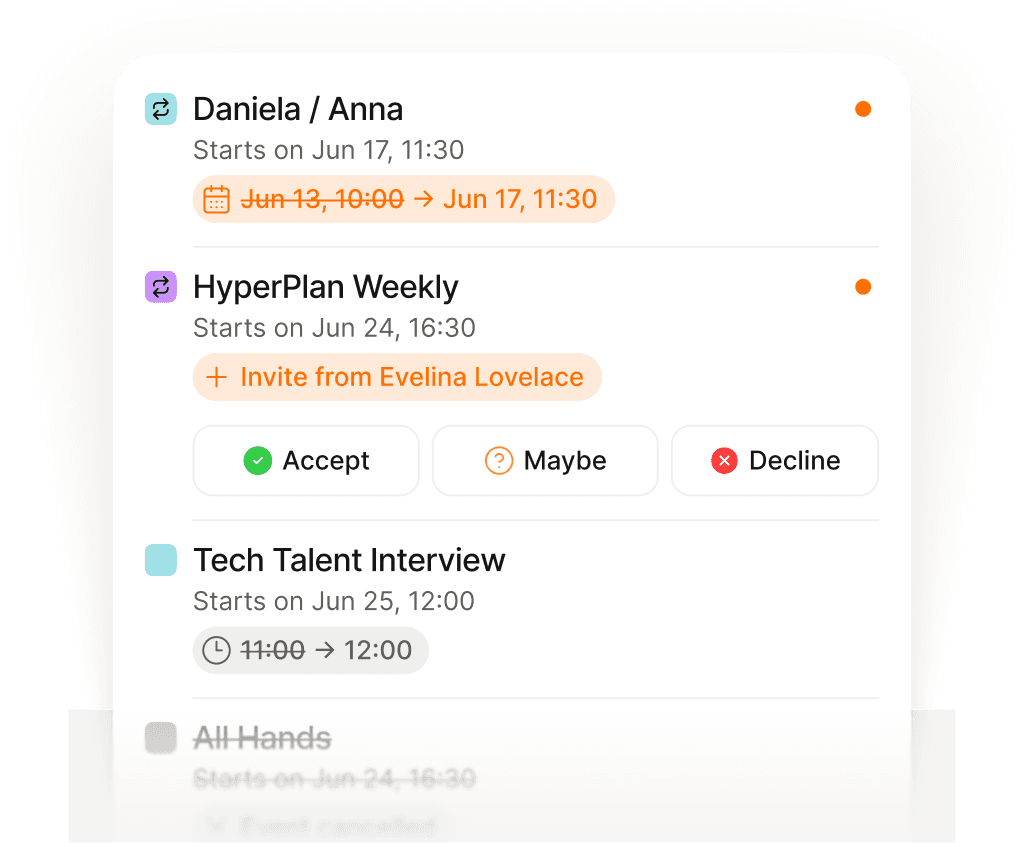
Следи за каждым изменением — обновления приходят сами.
Встречи переносят, отменяют и добавляют постоянно — часто пока ты уже на другом звонке. Вместо того чтобы рыться в почте и восстанавливать, что и когда изменилось, Supaplan показывает каждое обновление в момент, когда оно происходит. Ты всегда в курсе — и ни разу не открываешь ящик.
Подробнее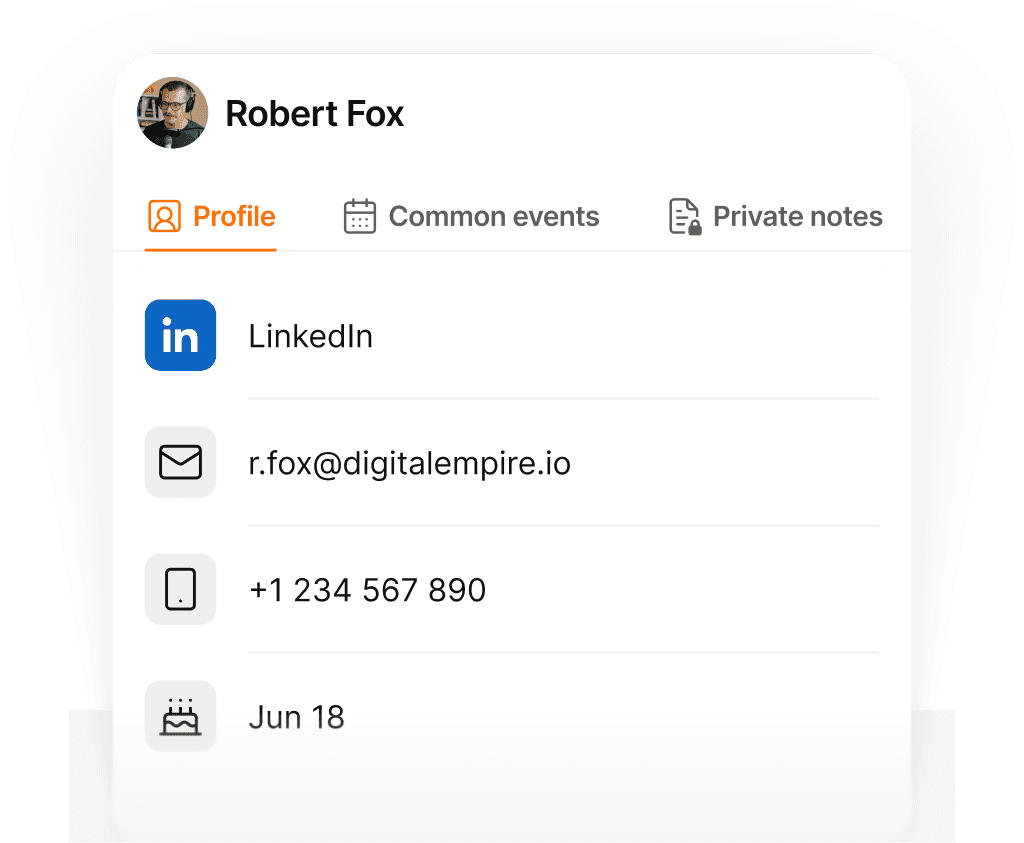
Каждый контакт в памяти — имя, контекст и о чём говорили.
Перед каждым звонком Supaplan показывает, с кем встречаешься, что обсуждали в последний раз, заметки из прошлых разговоров и всё, что осталось висеть. Заходишь, зная их контекст и что для них важно — а не вспоминаешь лихорадочно за тридцать секунд до начала.
Подробнее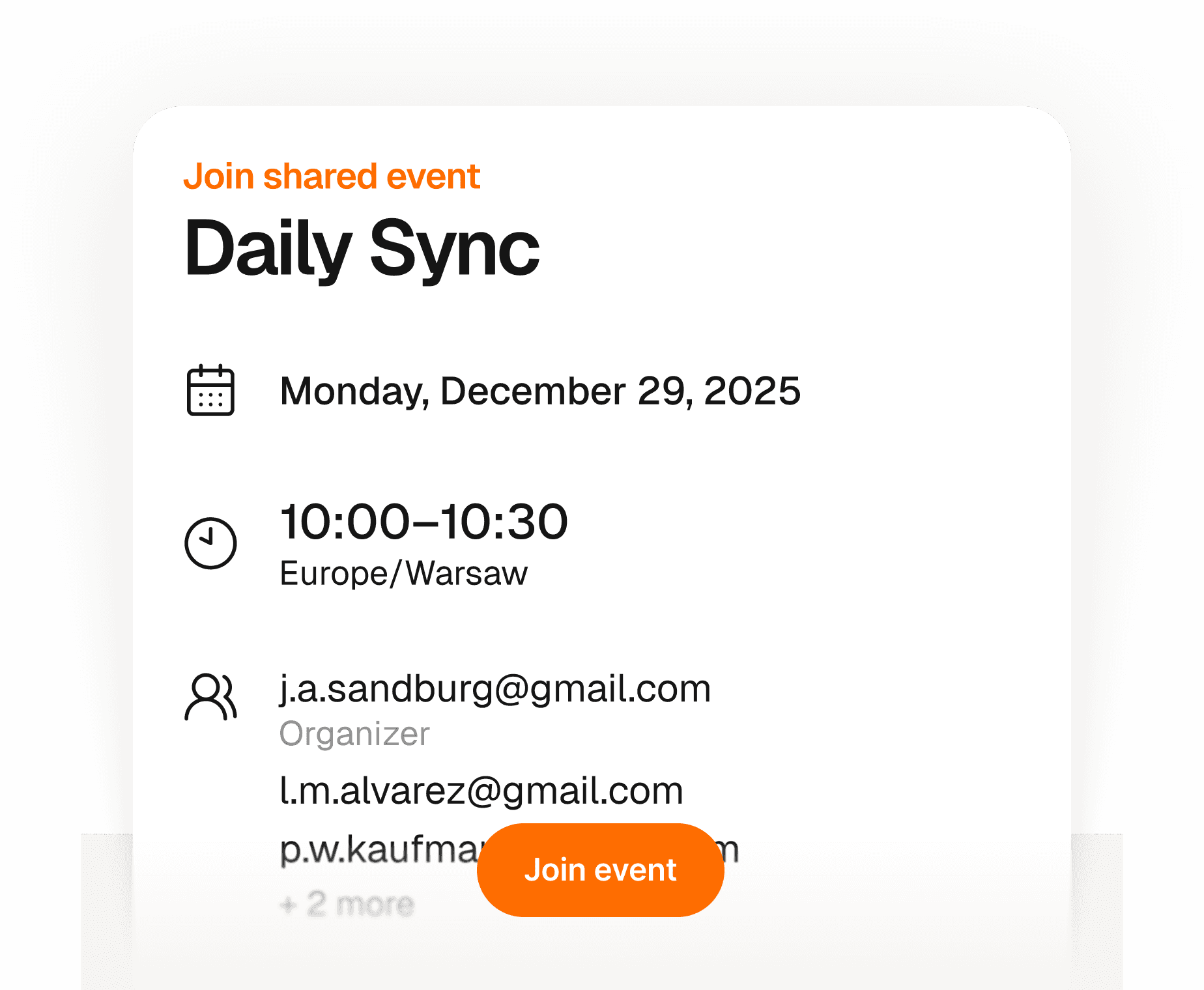
Гости присоединяются за секунды — без аккаунта, приложения и лишних шагов.
Создай событие и поделись одной ссылкой — любой может подтвердить участие, указав только имя и email. Никакой регистрации, никаких приложений, никаких приглашений, с которыми нужно разбираться. У тебя живой список, кто придёт — всё в одном месте. Тебе просто, им без лишних движений.
Подробнее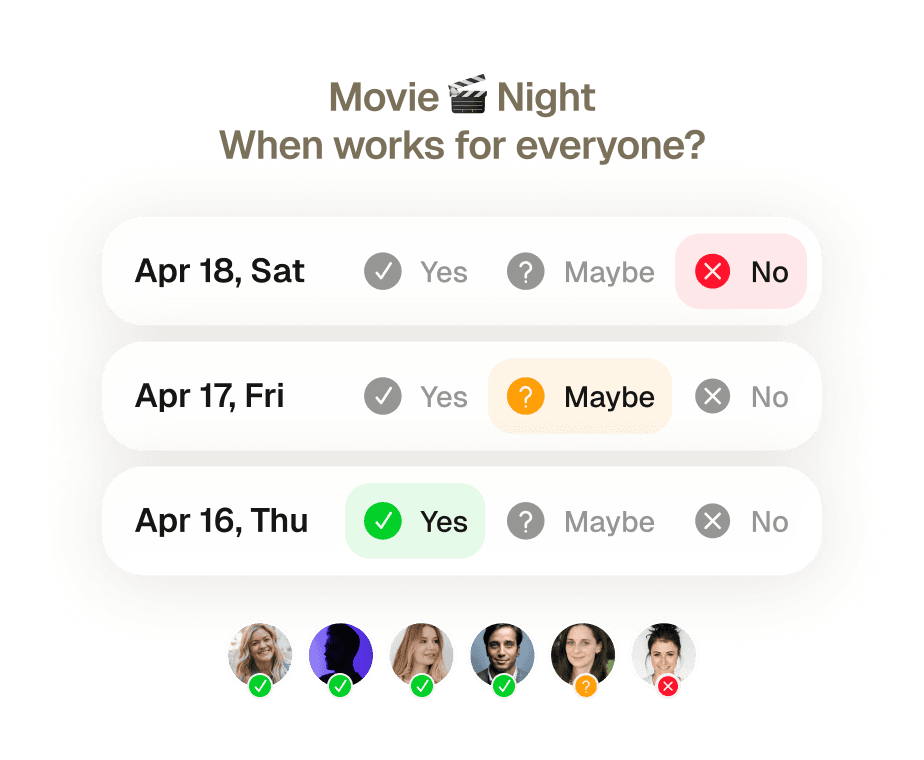
Групповые встречи — без единого согласующего сообщения.
Восемь человек, пять разных расписаний, ноль договорённостей. Раньше найти время для всех означало неделю переписки, и кто-то всё равно выпадал в последний момент. Отправь одно приглашение — Supaplan проверит доступность всех, предложит лучшее время и забронирует, когда они согласятся.
Подробнее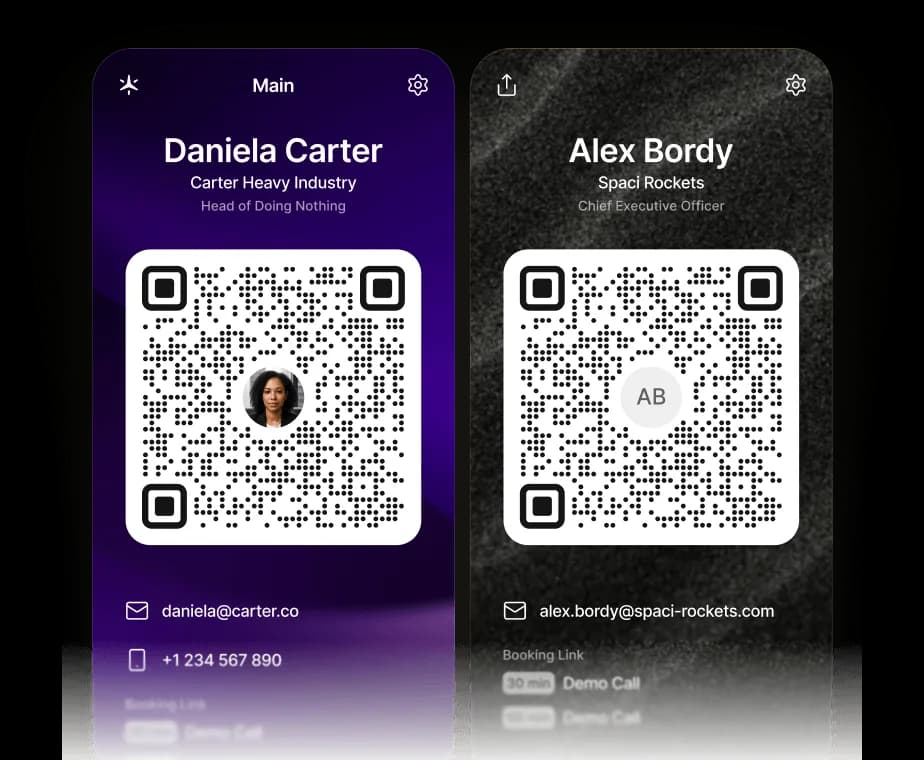
Ваша визитка теперь цифровая.
Делитесь контактами, ссылками и ссылкой для записи Supaplan одним сканированием. QR-код сохраняет vCard прямо в телефон собеседника — и он сразу может записаться к вам на встречу.
ПодробнееУправляйте календарём из ChatGPT, Claude или любого ИИ-агента.
Supaplan теперь поддерживает MCP — открытый стандарт, который позволяет любому ИИ-агенту подключаться к вашим инструментам. Добавьте Supaplan в ChatGPT, Claude или агента, которым вы уже пользуетесь, и он сможет проверять вашу доступность, планировать и переносить встречи и открывать ваши заметки — прямо в чате, причём каждое изменение остаётся под вашим контролем.
ПодробнееТвой календарь ведёт себя сам. Просто скажи Supaplan, что нужно.
Перенести звонок, заблокировать время, отправить приглашение, отменить обед — просто скажи Supaplan. Есть фото приглашения, листовки или скриншот? Отправь — и Supaplan добавит событие в твой календарь. Он ведёт твой календарь как отличный ассистент: мгновенно, точно, без лишних размышлений.
ПодробнееЗаходи на встречу готовым. Выходи с чёткими следующими шагами.
Перед каждой встречей твои заметки, прошлое обсуждение и повестка уже открыты — ничего не нужно искать. По ходу фиксируешь главное. После — задачи прикреплены прямо к событию, а не утонули в документе, который ты никогда не найдёшь. Каждая встреча оставляет чёткий след.
ПодробнееСледи за каждым изменением — обновления приходят сами.
Встречи переносят, отменяют и добавляют постоянно — часто пока ты уже на другом звонке. Вместо того чтобы рыться в почте и восстанавливать, что и когда изменилось, Supaplan показывает каждое обновление в момент, когда оно происходит. Ты всегда в курсе — и ни разу не открываешь ящик.
ПодробнееГости присоединяются за секунды — без аккаунта, приложения и лишних шагов.
Создай событие и поделись одной ссылкой — любой может подтвердить участие, указав только имя и email. Никакой регистрации, никаких приложений, никаких приглашений, с которыми нужно разбираться. У тебя живой список, кто придёт — всё в одном месте. Тебе просто, им без лишних движений.
ПодробнееВаша визитка теперь цифровая.
Делитесь контактами, ссылками и ссылкой для записи Supaplan одним сканированием. QR-код сохраняет vCard прямо в телефон собеседника — и он сразу может записаться к вам на встречу.
ПодробнееВесь день на одном экране — чётко, по порядку, ничего не упущено.
Хватит листать разрозненную сетку в попытке собрать день воедино. Supaplan показывает каждую встречу, паузу и дело в чистой ленте — сразу видно, что дальше, сколько реально свободного времени и куда уходят силы. Утро начинается с ясности, а не с разбора завалов.
ПодробнееОдна ссылка, один клик — встреча забронирована без единого письма.
Поделись ссылкой на своё расписание — и человек выбирает время, которое реально подходит: без путаницы с часовыми поясами, без бесконечных «а когда ты свободен?», без скачущих туда-сюда приглашений. Ты один раз настраиваешь доступность, они выбирают слот, оба календаря обновляются мгновенно. То, что раньше стоило десяти писем, теперь занимает десять секунд.
ПодробнееКаждый контакт в памяти — имя, контекст и о чём говорили.
Перед каждым звонком Supaplan показывает, с кем встречаешься, что обсуждали в последний раз, заметки из прошлых разговоров и всё, что осталось висеть. Заходишь, зная их контекст и что для них важно — а не вспоминаешь лихорадочно за тридцать секунд до начала.
ПодробнееГрупповые встречи — без единого согласующего сообщения.
Восемь человек, пять разных расписаний, ноль договорённостей. Раньше найти время для всех означало неделю переписки, и кто-то всё равно выпадал в последний момент. Отправь одно приглашение — Supaplan проверит доступность всех, предложит лучшее время и забронирует, когда они согласятся.
ПодробнееУправляйте календарём из ChatGPT, Claude или любого ИИ-агента.
Supaplan теперь поддерживает MCP — открытый стандарт, который позволяет любому ИИ-агенту подключаться к вашим инструментам. Добавьте Supaplan в ChatGPT, Claude или агента, которым вы уже пользуетесь, и он сможет проверять вашу доступность, планировать и переносить встречи и открывать ваши заметки — прямо в чате, причём каждое изменение остаётся под вашим контролем.
ПодробнееI schedule meetings on my commute just by talking. By the time I get to my desk, everything is already in my calendar.
Before every 1:1 I see what we talked about last time and what's still open. I stopped walking into meetings unprepared.

Clients book through my link, I show up knowing their history. Best sales quarter I've had.

Probably saving 3–4 hours a week just on scheduling. That adds up fast.

Switched from Calendly. Everything stays in one place now and the team actually uses it.

I attach action items straight to the meeting. Before the next standup I see exactly what we decided. No more digging through Slack.

I just type "move my 3pm to Thursday" and it's done. That used to take 10 messages back and forth.

Ditched Calendly six months ago. My calendar, notes, and contacts are all in one place. Way less tab switching.

Quick briefing before each call — name, history, what we need to cover. 30 seconds to read, saves me from winging it.

12 programs, 12 sets of stakeholders. The notes attached to each meeting are the only reason I stay on top of it all.

I schedule meetings on my commute just by talking. By the time I get to my desk, everything is already in my calendar.
Before every 1:1 I see what we talked about last time and what's still open. I stopped walking into meetings unprepared.
Clients book through my link, I show up knowing their history. Best sales quarter I've had.
Probably saving 3–4 hours a week just on scheduling. That adds up fast.
Switched from Calendly. Everything stays in one place now and the team actually uses it.
I attach action items straight to the meeting. Before the next standup I see exactly what we decided. No more digging through Slack.
I just type "move my 3pm to Thursday" and it's done. That used to take 10 messages back and forth.
Ditched Calendly six months ago. My calendar, notes, and contacts are all in one place. Way less tab switching.
Quick briefing before each call — name, history, what we need to cover. 30 seconds to read, saves me from winging it.
12 programs, 12 sets of stakeholders. The notes attached to each meeting are the only reason I stay on top of it all.
I'm on site most of the day. Being able to just say what I need instead of typing it — that alone makes it worth it.

I see the last conversation, open issues, their tone — before I even dial. Customers notice when you actually remember things.

Before interviews I pull up my notes from the phone screen. Much easier to stay present instead of trying to remember everything.

Business meetings, personal stuff, family commitments — first time everything lives in one view and I actually feel on top of it.

Five kids. I share availability for school events, set reminders, and haven't missed a single game since I started using it.

Send a link, they pick a time, it lands in my calendar with their info. The "when works for you?" thread is gone.

I added soccer practice while making dinner just by saying it out loud. My family thinks I'm incredibly organized now.

Finally a calendar that doesn't feel like a spreadsheet. Having notes right there in the meeting view is a bigger deal than it sounds.

Family calendars, client meetings, personal stuff — all in one view. I used to run three apps for this.

Cut Calendly. Scheduling emails dropped noticeably in the first month. Simple math.

I'm on site most of the day. Being able to just say what I need instead of typing it — that alone makes it worth it.
I see the last conversation, open issues, their tone — before I even dial. Customers notice when you actually remember things.
Before interviews I pull up my notes from the phone screen. Much easier to stay present instead of trying to remember everything.
Business meetings, personal stuff, family commitments — first time everything lives in one view and I actually feel on top of it.
Five kids. I share availability for school events, set reminders, and haven't missed a single game since I started using it.
Send a link, they pick a time, it lands in my calendar with their info. The "when works for you?" thread is gone.
I added soccer practice while making dinner just by saying it out loud. My family thinks I'm incredibly organized now.
Finally a calendar that doesn't feel like a spreadsheet. Having notes right there in the meeting view is a bigger deal than it sounds.
Family calendars, client meetings, personal stuff — all in one view. I used to run three apps for this.
Cut Calendly. Scheduling emails dropped noticeably in the first month. Simple math.
 1 calendar accountFull calendar managementSmart agendaReal-time notificationsContact syncUnlimited presets1 scheduling link1 group poll
 Everything from Starter planPersonal AI assistantPrivate notesUnlimited calendar accountsUnlimited scheduling linksUnlimited group pollsPremium supportEverything from Pro planShared context across teamsAssistant integrationsAdmin controls