I schedule meetings on my commute just by talking. By the time I get to my desk, everything is already in my calendar.

Ethan Carter
Senior Vice President Services


Calendario, appuntamenti, preparazione riunioni e contatti — un assistente IA gestisce tutto.
Nessuna carta di credito richiesta · 30 giorni gratuiti, tutte le funzionalità, senza limiti · I tuoi dati al sicuro in Svizzera
Google, Apple e Outlook — lavoro e vita privata, in un unico posto.
Orari, priorità e le persone che contano — impostati una volta.
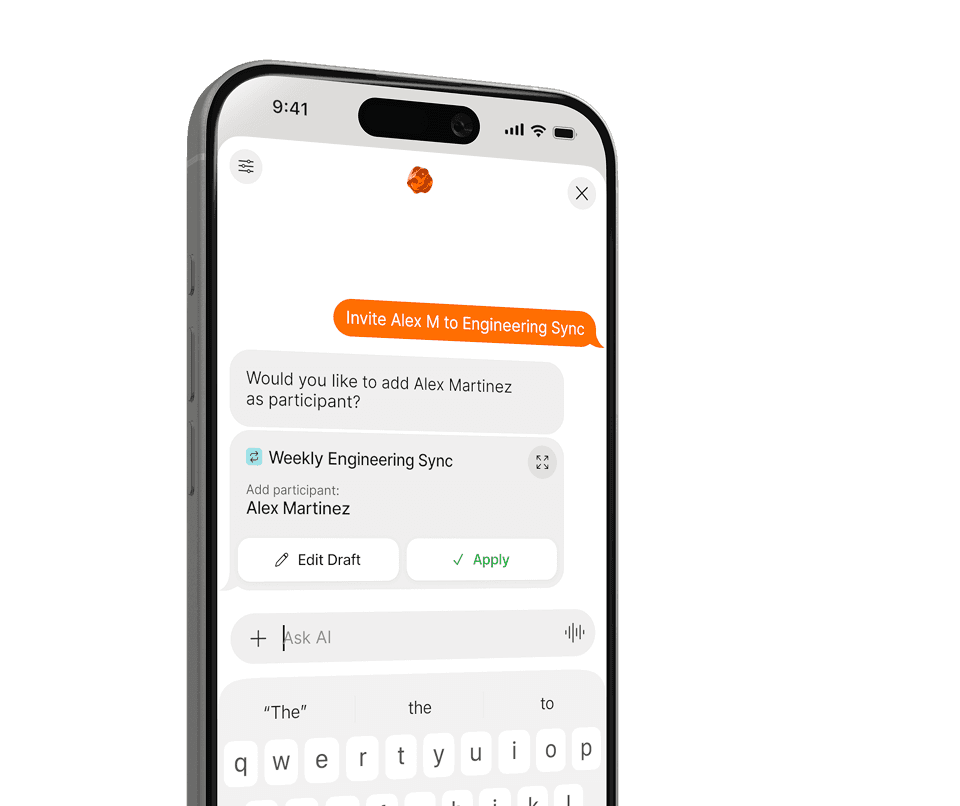
Pianifica, riprogramma e anticipa — tutto in linguaggio naturale.
Niente menu, niente moduli. Di' a Supaplan cosa ti serve in linguaggio naturale — al resto pensa lui.
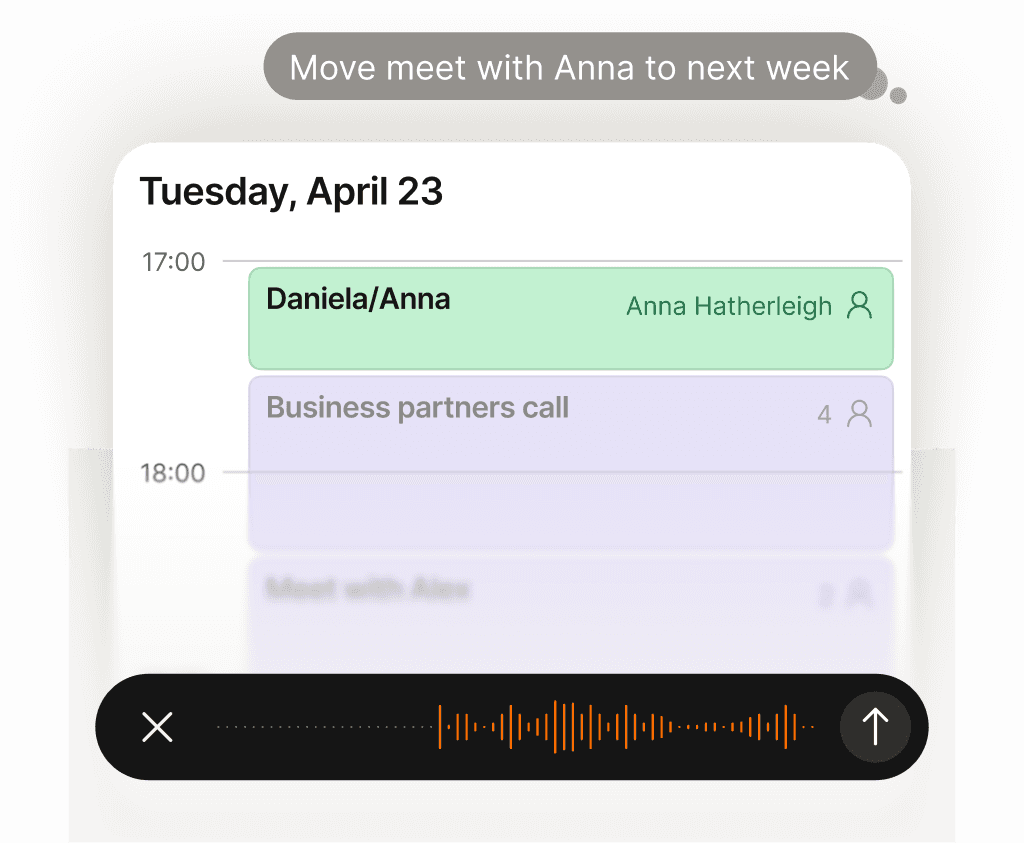
Ogni impegno del calendario gestito per te — zero carico mentale.
Spostare una chiamata, bloccare del tempo, inviare un invito, cancellare un pranzo — basta dirlo a Supaplan. Hai una foto di un volantino, un invito o uno screenshot? Mandala e Supaplan aggiunge l'evento per te. Gestisce il tuo calendario come farebbe un ottimo assistente: all'istante, con precisione, senza che tu debba pensarci.
Scopri di più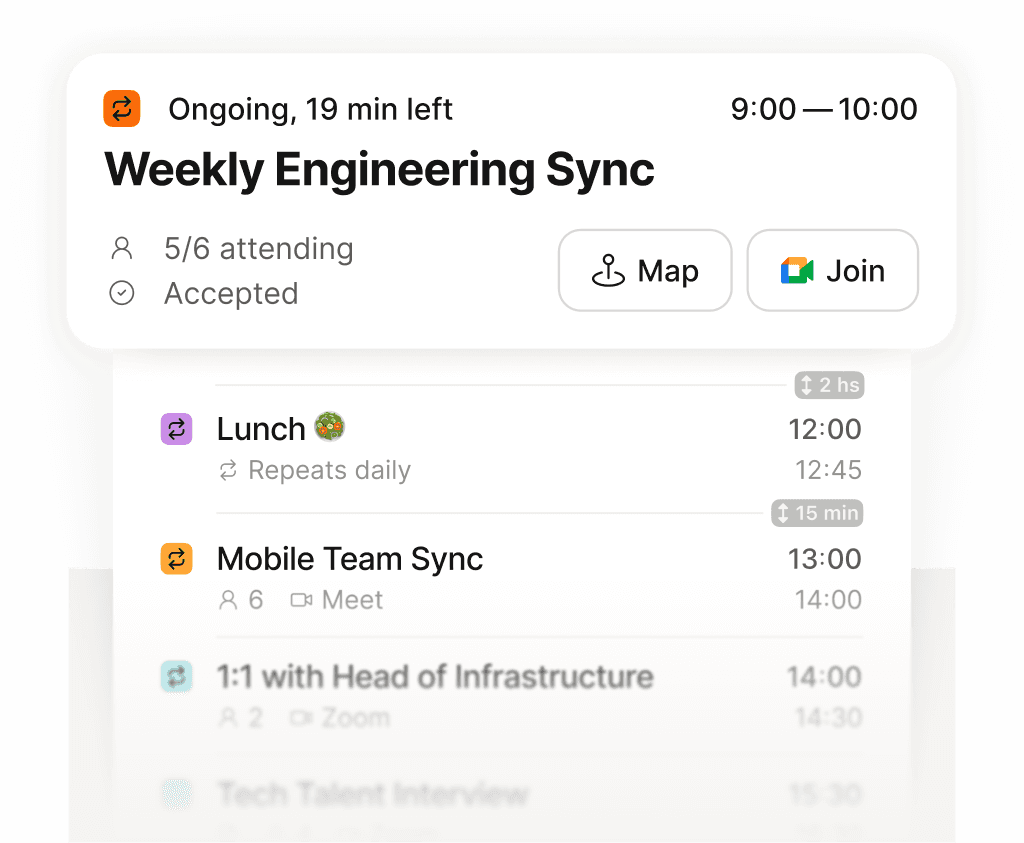
Tutta la tua giornata in un'unica schermata — chiara, ordinata, niente dimenticato.
Smettila di scorrere una griglia frammentata cercando di ricostruire la tua giornata. Supaplan mostra ogni riunione, pausa e impegno in una timeline pulita — così sai sempre cosa viene dopo, quanto tempo libero hai davvero e dove va la tua energia. La mattina inizia con chiarezza, non con confusione.
Scopri di più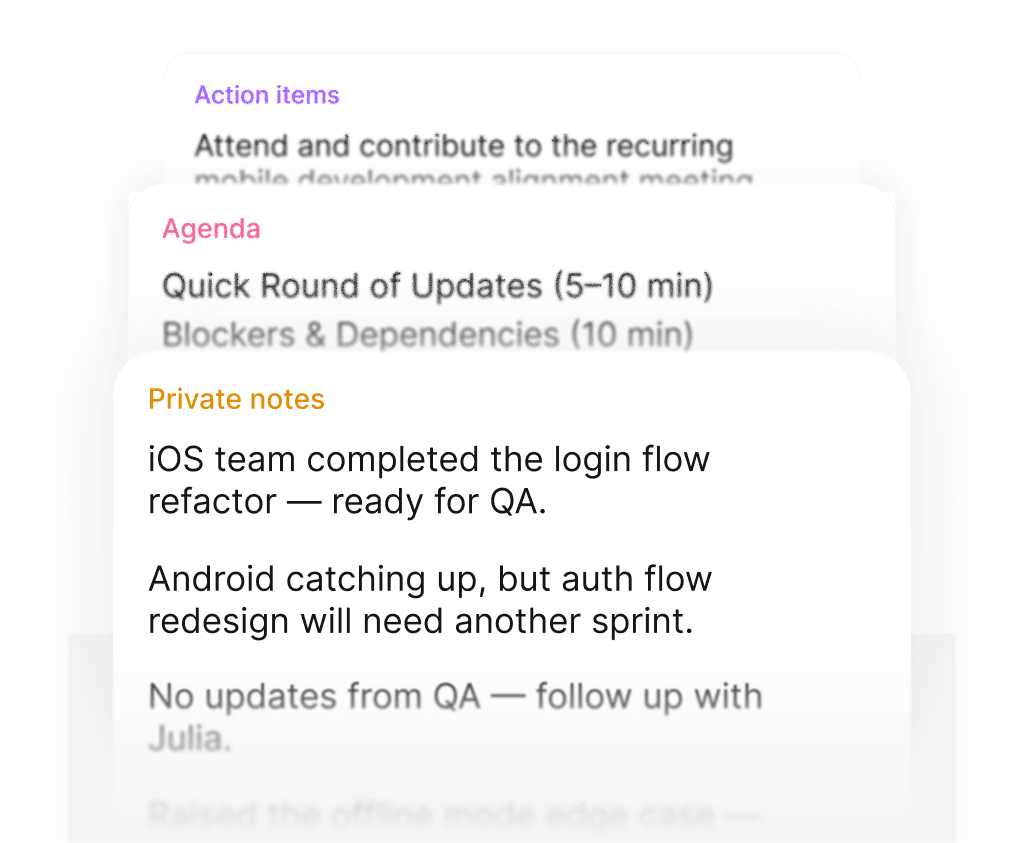
Entra in ogni riunione preparato. Esci con i prossimi passi chiari.
Prima di ogni riunione, le tue note, l'ultima discussione e l'ordine del giorno sono già lì — senza dover cercare nulla. Durante la riunione, annota ciò che conta. Quando finisce, le azioni sono allegate direttamente all'evento, non sepolte in un documento che non ritroverai mai più. Ogni riunione lascia una traccia pulita.
Scopri di più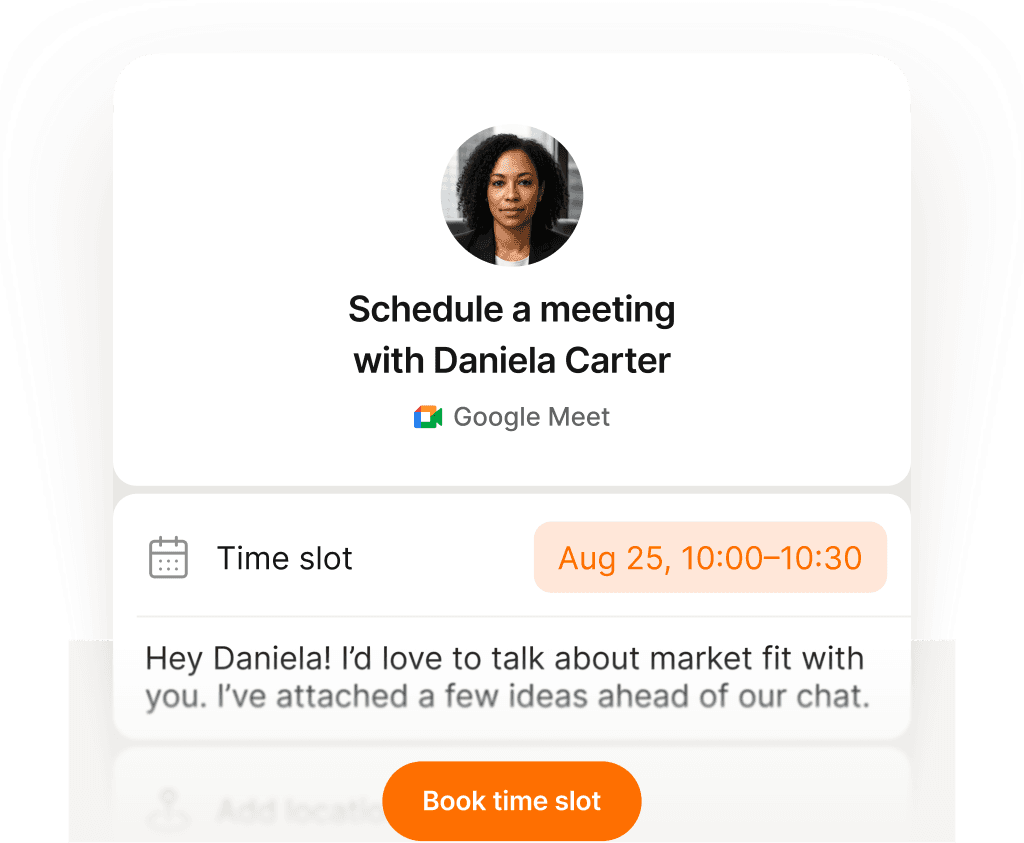
Un link, un clic — riunione prenotata senza un'email.
Condividi il tuo link e lascia che le persone scelgano un orario che va davvero bene per loro — niente confusione di fuso orario, niente avanti e indietro, niente inviti che rimbalzano. Imposti la tua disponibilità una volta sola, loro prenotano uno slot, e tutti e due i calendari si aggiornano all'istante. Quello che prima richiedeva dieci email ora richiede dieci secondi.
Scopri di più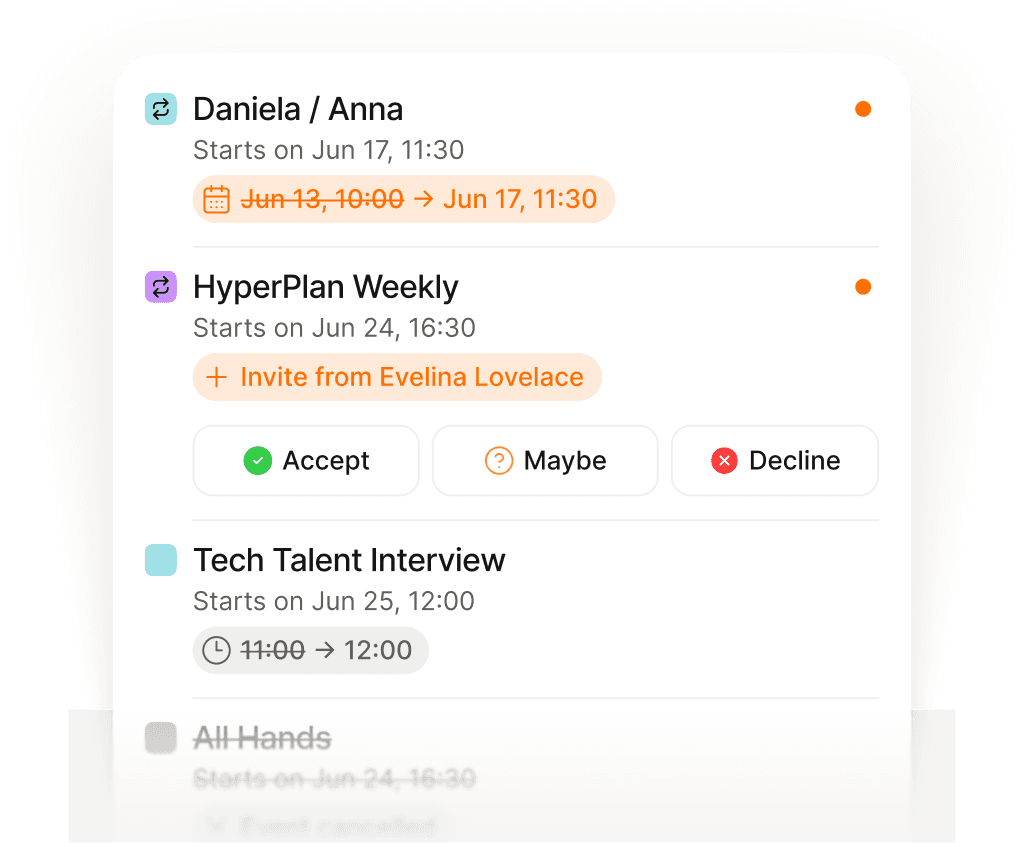
Aggiornato su ogni cambiamento — senza aprire la posta.
Le riunioni vengono spostate, cancellate e aggiunte in continuazione — spesso mentre sei già in un'altra chiamata. Invece di frugare nella posta per capire cosa è cambiato e quando, Supaplan ti mostra ogni aggiornamento nel momento in cui succede. Sei sempre al corrente, senza mai aprire la tua email.
Scopri di più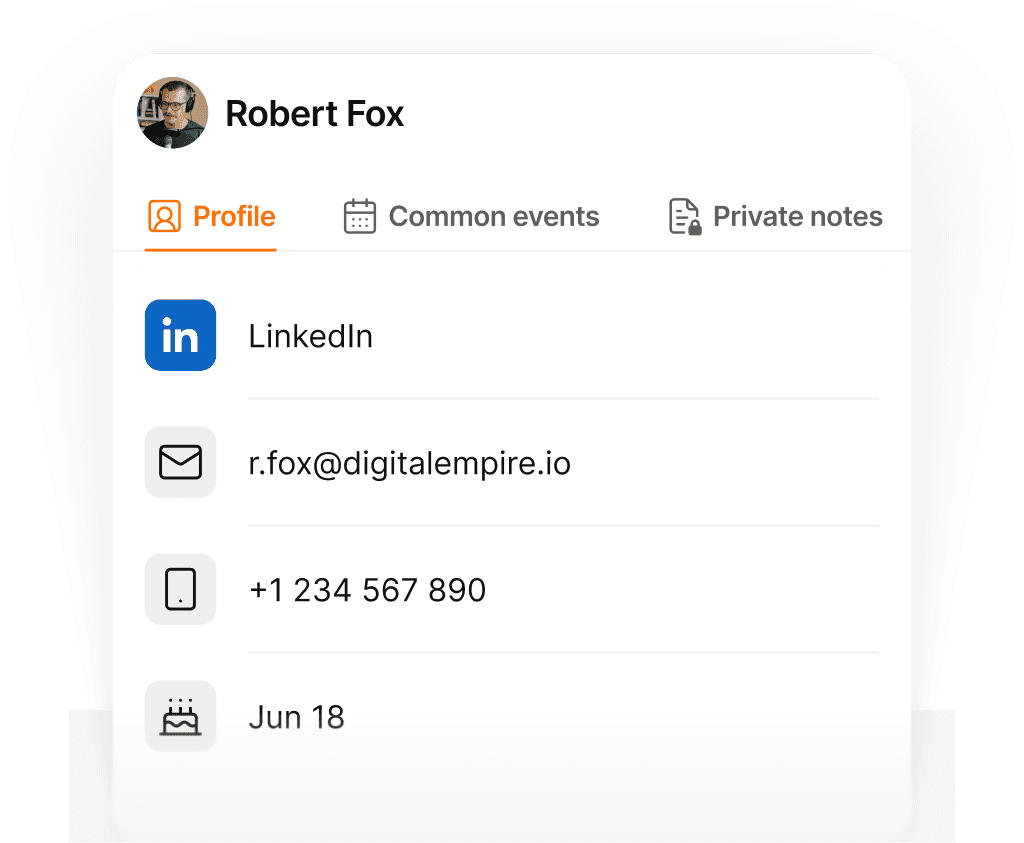
Ogni contatto ricordato — nome, contesto e di cosa avete parlato.
Prima di ogni chiamata, Supaplan ti mostra chi stai incontrando, l'ultima cosa di cui avete parlato, le note delle interazioni passate e tutto ciò che è rimasto in sospeso. Entri sapendo già il contesto e cosa è importante per loro — non ti ritrovi a scavare tra i messaggi trenta secondi prima. Ogni conversazione parte da dove l'avevi lasciata.
Scopri di più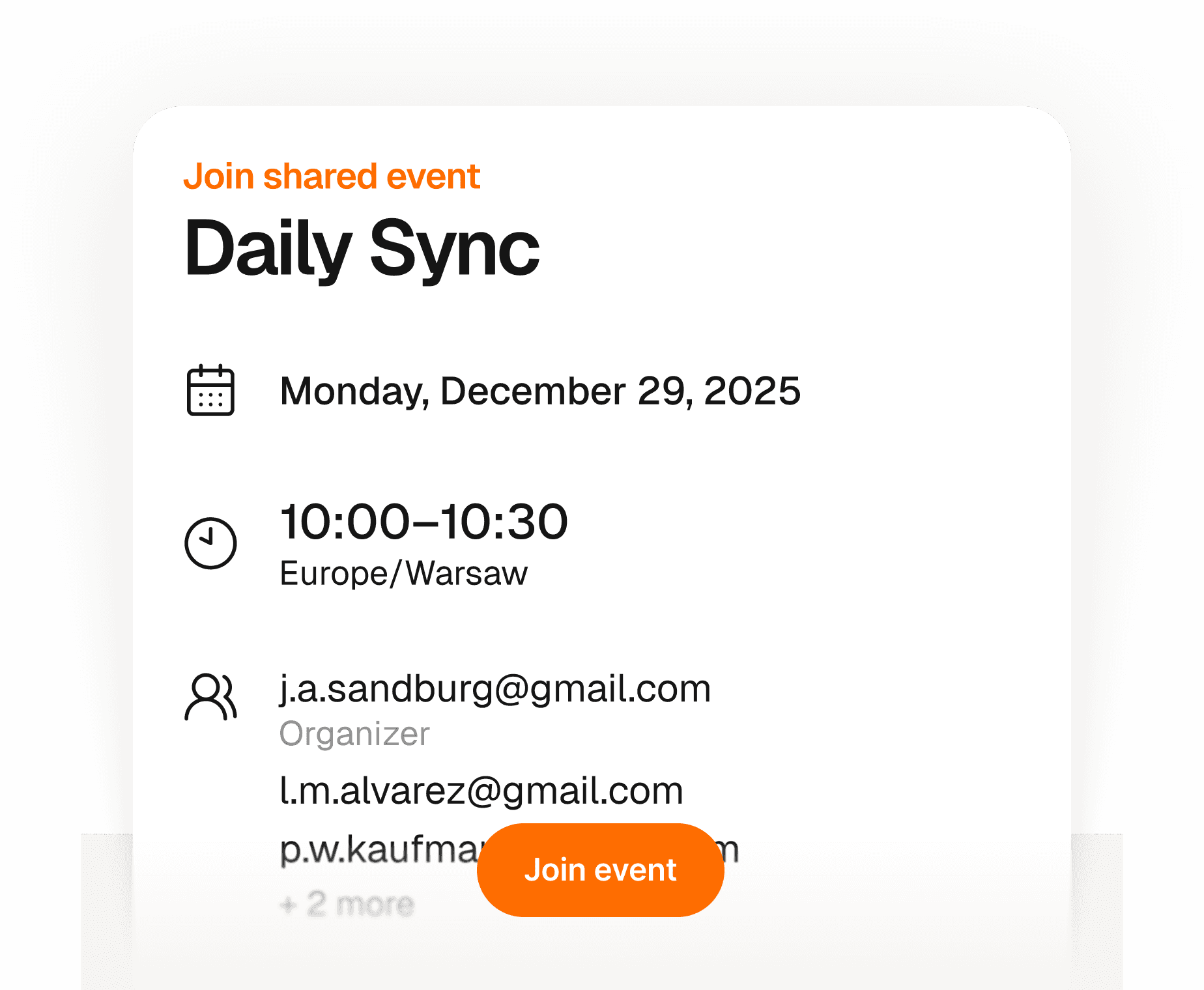
I tuoi ospiti entrano in secondi — nessun account, nessuna app.
Crea un evento e condividi un solo link — chiunque può confermare la presenza con il proprio nome e la propria email. Nessun account da creare, nessuna app da scaricare, nessun invito da gestire. Tu hai una lista aggiornata in tempo reale di chi viene, tutto in un posto. Semplice per te, completamente fluido per loro.
Scopri di più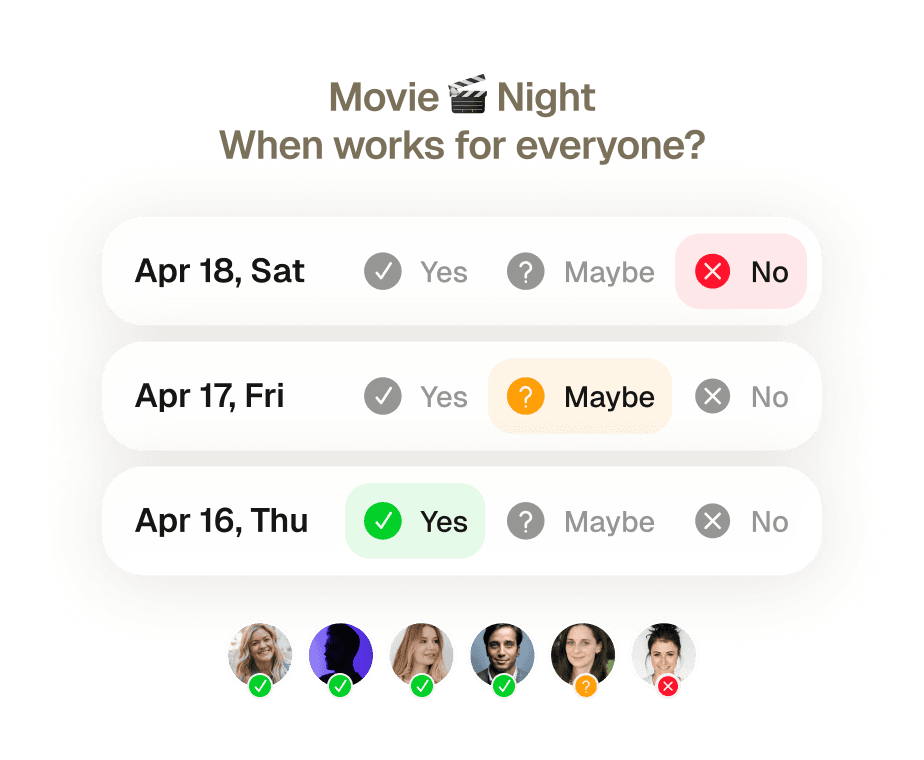
Riunioni di gruppo prenotate senza un solo messaggio di rimpallo.
Otto persone, cinque agende diverse, zero accordo. Trovare uno slot che andasse bene per tutti significava una settimana di thread email e qualcuno che si tirava fuori all'ultimo. Manda un invito — Supaplan controlla la disponibilità di tutti, propone il momento migliore e lo prenota appena confermano.
Scopri di più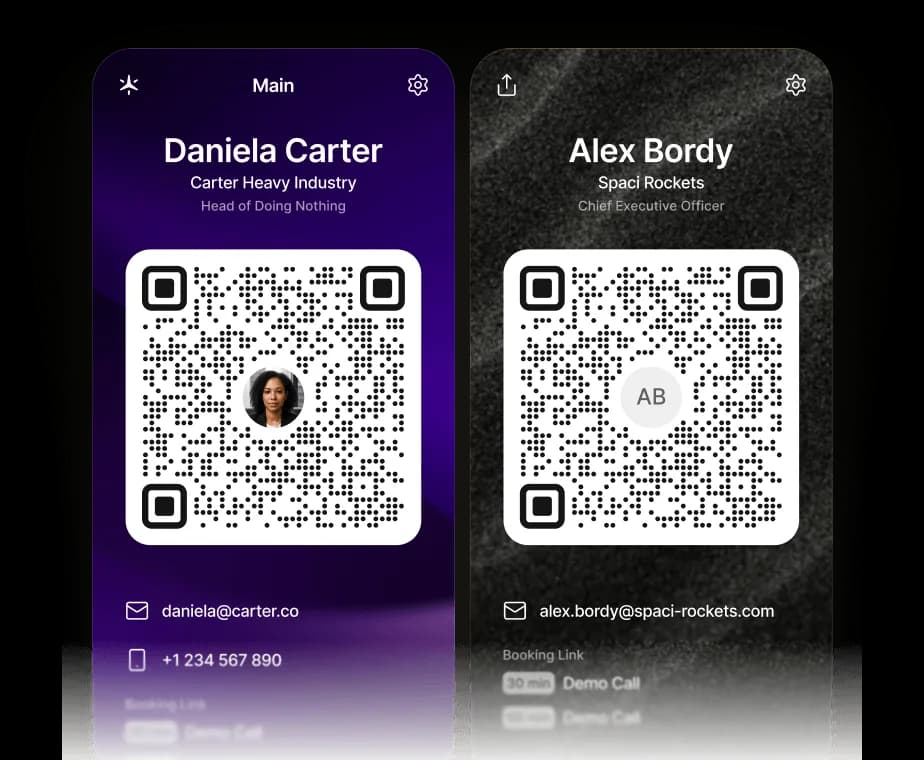
Il tuo biglietto da visita, ora digitale.
Condividi i tuoi contatti, i link e il tuo link di prenotazione Supaplan con una sola scansione. Il codice QR salva una vCard direttamente sul telefono — e possono prenotare un incontro con te all’istante.
Scopri di piùGestisci il tuo calendario da ChatGPT, Claude o qualsiasi agente IA.
Supaplan ora parla MCP, lo standard aperto che permette a qualsiasi agente IA di collegarsi ai tuoi strumenti. Aggiungi Supaplan a ChatGPT, Claude o all’agente che già usi e potrà controllare la tua disponibilità, pianificare e spostare le riunioni e aprire le tue note, direttamente dalla chat, con ogni modifica sempre sotto il tuo controllo.
Scopri di piùOgni impegno del calendario gestito per te — zero carico mentale.
Spostare una chiamata, bloccare del tempo, inviare un invito, cancellare un pranzo — basta dirlo a Supaplan. Hai una foto di un volantino, un invito o uno screenshot? Mandala e Supaplan aggiunge l'evento per te. Gestisce il tuo calendario come farebbe un ottimo assistente: all'istante, con precisione, senza che tu debba pensarci.
Scopri di piùEntra in ogni riunione preparato. Esci con i prossimi passi chiari.
Prima di ogni riunione, le tue note, l'ultima discussione e l'ordine del giorno sono già lì — senza dover cercare nulla. Durante la riunione, annota ciò che conta. Quando finisce, le azioni sono allegate direttamente all'evento, non sepolte in un documento che non ritroverai mai più. Ogni riunione lascia una traccia pulita.
Scopri di piùAggiornato su ogni cambiamento — senza aprire la posta.
Le riunioni vengono spostate, cancellate e aggiunte in continuazione — spesso mentre sei già in un'altra chiamata. Invece di frugare nella posta per capire cosa è cambiato e quando, Supaplan ti mostra ogni aggiornamento nel momento in cui succede. Sei sempre al corrente, senza mai aprire la tua email.
Scopri di piùI tuoi ospiti entrano in secondi — nessun account, nessuna app.
Crea un evento e condividi un solo link — chiunque può confermare la presenza con il proprio nome e la propria email. Nessun account da creare, nessuna app da scaricare, nessun invito da gestire. Tu hai una lista aggiornata in tempo reale di chi viene, tutto in un posto. Semplice per te, completamente fluido per loro.
Scopri di piùIl tuo biglietto da visita, ora digitale.
Condividi i tuoi contatti, i link e il tuo link di prenotazione Supaplan con una sola scansione. Il codice QR salva una vCard direttamente sul telefono — e possono prenotare un incontro con te all’istante.
Scopri di piùTutta la tua giornata in un'unica schermata — chiara, ordinata, niente dimenticato.
Smettila di scorrere una griglia frammentata cercando di ricostruire la tua giornata. Supaplan mostra ogni riunione, pausa e impegno in una timeline pulita — così sai sempre cosa viene dopo, quanto tempo libero hai davvero e dove va la tua energia. La mattina inizia con chiarezza, non con confusione.
Scopri di piùUn link, un clic — riunione prenotata senza un'email.
Condividi il tuo link e lascia che le persone scelgano un orario che va davvero bene per loro — niente confusione di fuso orario, niente avanti e indietro, niente inviti che rimbalzano. Imposti la tua disponibilità una volta sola, loro prenotano uno slot, e tutti e due i calendari si aggiornano all'istante. Quello che prima richiedeva dieci email ora richiede dieci secondi.
Scopri di piùOgni contatto ricordato — nome, contesto e di cosa avete parlato.
Prima di ogni chiamata, Supaplan ti mostra chi stai incontrando, l'ultima cosa di cui avete parlato, le note delle interazioni passate e tutto ciò che è rimasto in sospeso. Entri sapendo già il contesto e cosa è importante per loro — non ti ritrovi a scavare tra i messaggi trenta secondi prima. Ogni conversazione parte da dove l'avevi lasciata.
Scopri di piùRiunioni di gruppo prenotate senza un solo messaggio di rimpallo.
Otto persone, cinque agende diverse, zero accordo. Trovare uno slot che andasse bene per tutti significava una settimana di thread email e qualcuno che si tirava fuori all'ultimo. Manda un invito — Supaplan controlla la disponibilità di tutti, propone il momento migliore e lo prenota appena confermano.
Scopri di piùGestisci il tuo calendario da ChatGPT, Claude o qualsiasi agente IA.
Supaplan ora parla MCP, lo standard aperto che permette a qualsiasi agente IA di collegarsi ai tuoi strumenti. Aggiungi Supaplan a ChatGPT, Claude o all’agente che già usi e potrà controllare la tua disponibilità, pianificare e spostare le riunioni e aprire le tue note, direttamente dalla chat, con ogni modifica sempre sotto il tuo controllo.
Scopri di piùI schedule meetings on my commute just by talking. By the time I get to my desk, everything is already in my calendar.
Before every 1:1 I see what we talked about last time and what's still open. I stopped walking into meetings unprepared.

Clients book through my link, I show up knowing their history. Best sales quarter I've had.

Probably saving 3–4 hours a week just on scheduling. That adds up fast.

Switched from Calendly. Everything stays in one place now and the team actually uses it.

I attach action items straight to the meeting. Before the next standup I see exactly what we decided. No more digging through Slack.

I just type "move my 3pm to Thursday" and it's done. That used to take 10 messages back and forth.

Ditched Calendly six months ago. My calendar, notes, and contacts are all in one place. Way less tab switching.

Quick briefing before each call — name, history, what we need to cover. 30 seconds to read, saves me from winging it.

12 programs, 12 sets of stakeholders. The notes attached to each meeting are the only reason I stay on top of it all.

I schedule meetings on my commute just by talking. By the time I get to my desk, everything is already in my calendar.
Before every 1:1 I see what we talked about last time and what's still open. I stopped walking into meetings unprepared.
Clients book through my link, I show up knowing their history. Best sales quarter I've had.
Probably saving 3–4 hours a week just on scheduling. That adds up fast.
Switched from Calendly. Everything stays in one place now and the team actually uses it.
I attach action items straight to the meeting. Before the next standup I see exactly what we decided. No more digging through Slack.
I just type "move my 3pm to Thursday" and it's done. That used to take 10 messages back and forth.
Ditched Calendly six months ago. My calendar, notes, and contacts are all in one place. Way less tab switching.
Quick briefing before each call — name, history, what we need to cover. 30 seconds to read, saves me from winging it.
12 programs, 12 sets of stakeholders. The notes attached to each meeting are the only reason I stay on top of it all.
I'm on site most of the day. Being able to just say what I need instead of typing it — that alone makes it worth it.

I see the last conversation, open issues, their tone — before I even dial. Customers notice when you actually remember things.

Before interviews I pull up my notes from the phone screen. Much easier to stay present instead of trying to remember everything.

Business meetings, personal stuff, family commitments — first time everything lives in one view and I actually feel on top of it.

Five kids. I share availability for school events, set reminders, and haven't missed a single game since I started using it.

Send a link, they pick a time, it lands in my calendar with their info. The "when works for you?" thread is gone.

I added soccer practice while making dinner just by saying it out loud. My family thinks I'm incredibly organized now.

Finally a calendar that doesn't feel like a spreadsheet. Having notes right there in the meeting view is a bigger deal than it sounds.

Family calendars, client meetings, personal stuff — all in one view. I used to run three apps for this.

Cut Calendly. Scheduling emails dropped noticeably in the first month. Simple math.

I'm on site most of the day. Being able to just say what I need instead of typing it — that alone makes it worth it.
I see the last conversation, open issues, their tone — before I even dial. Customers notice when you actually remember things.
Before interviews I pull up my notes from the phone screen. Much easier to stay present instead of trying to remember everything.
Business meetings, personal stuff, family commitments — first time everything lives in one view and I actually feel on top of it.
Five kids. I share availability for school events, set reminders, and haven't missed a single game since I started using it.
Send a link, they pick a time, it lands in my calendar with their info. The "when works for you?" thread is gone.
I added soccer practice while making dinner just by saying it out loud. My family thinks I'm incredibly organized now.
Finally a calendar that doesn't feel like a spreadsheet. Having notes right there in the meeting view is a bigger deal than it sounds.
Family calendars, client meetings, personal stuff — all in one view. I used to run three apps for this.
Cut Calendly. Scheduling emails dropped noticeably in the first month. Simple math.
 1 calendar accountFull calendar managementSmart agendaReal-time notificationsContact syncUnlimited presets1 scheduling link1 group poll
 Everything from Starter planPersonal AI assistantPrivate notesUnlimited calendar accountsUnlimited scheduling linksUnlimited group pollsPremium supportEverything from Pro planShared context across teamsAssistant integrationsAdmin controls