I schedule meetings on my commute just by talking. By the time I get to my desk, everything is already in my calendar.

Ethan Carter
Senior Vice President Services


Calendrier, rendez-vous, préparation de réunions et contacts — un seul assistant IA gère tout.
Sans carte de crédit · 30 jours gratuits, toutes fonctionnalités, sans limites · Tes données sécurisées en Suisse
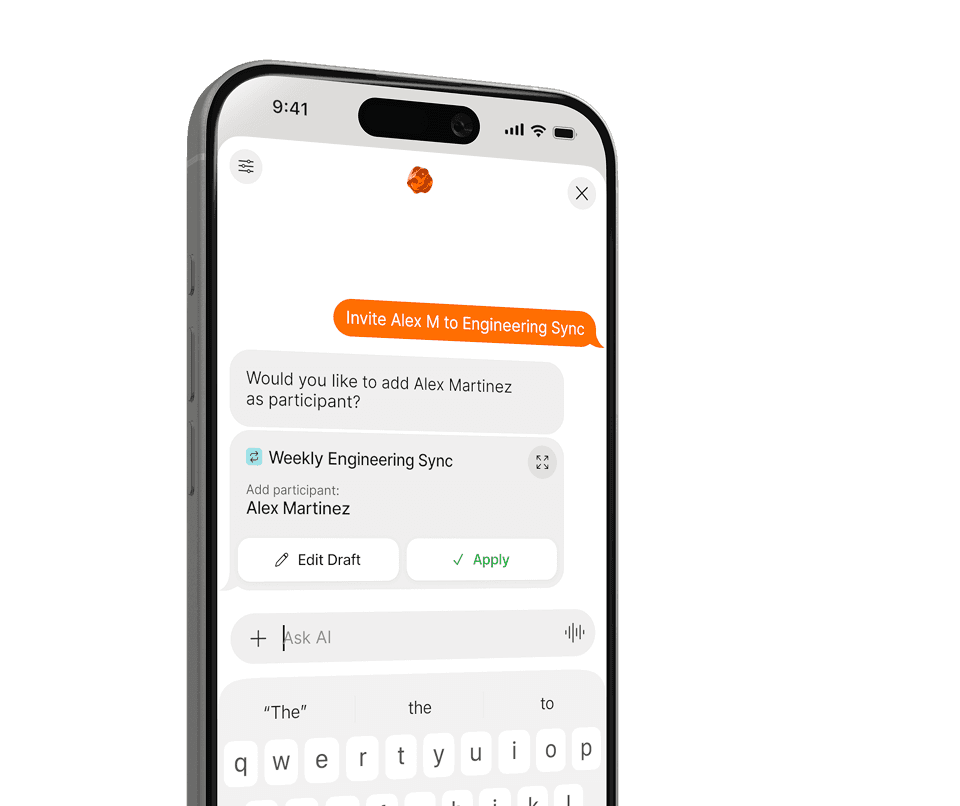
Google, Apple et Outlook — pro et perso, au même endroit.
Tes horaires, tes priorités et les personnes qui comptent — réglés une fois.
Planifie, replanifie et anticipe — le tout en langage naturel.
Pas de menus, pas de formulaires. Dis à Supaplan ce dont tu as besoin en langage naturel — il s'occupe du reste.
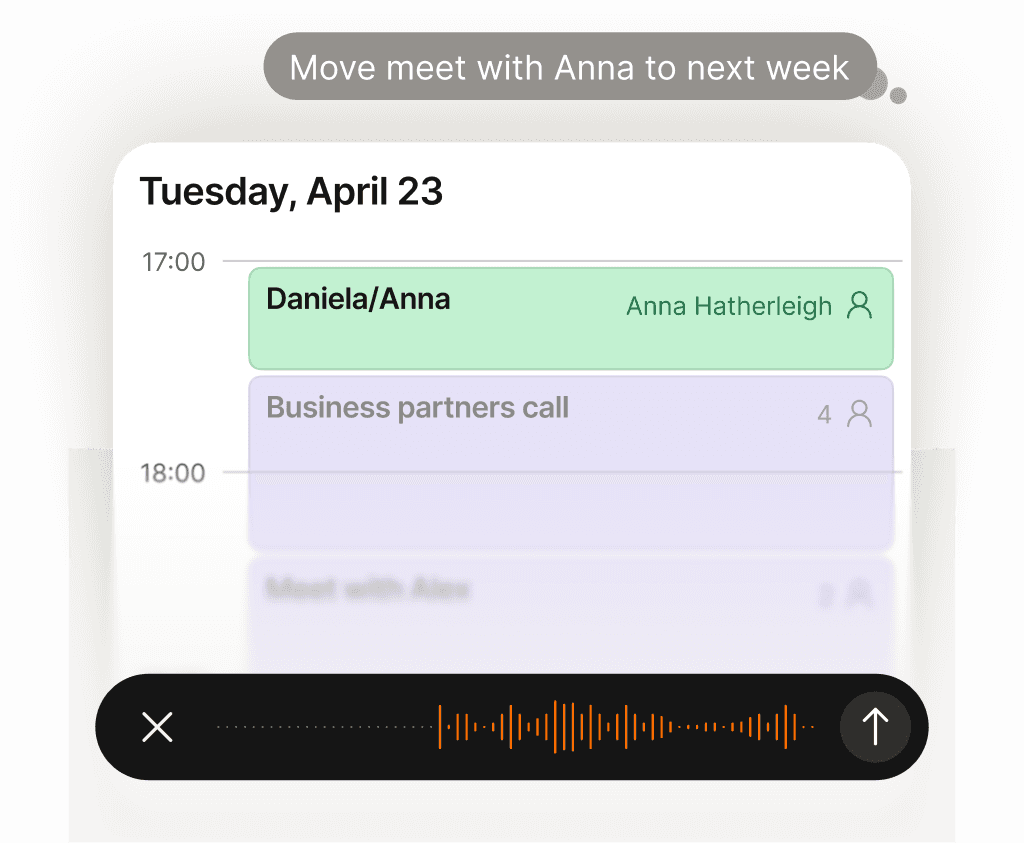
Toutes tes tâches agenda prises en charge — zéro charge mentale.
Déplacer un appel, bloquer du temps, envoyer une invitation, annuler un déjeuner — dis-le simplement à Supaplan. Tu as une photo d'un flyer, d'une invitation ou une capture d'écran ? Envoie-la et Supaplan ajoute l'événement à ta place. Il gère ton agenda comme le ferait un excellent assistant : instantanément, avec précision, sans que tu aies à y penser une seule seconde.
En savoir plus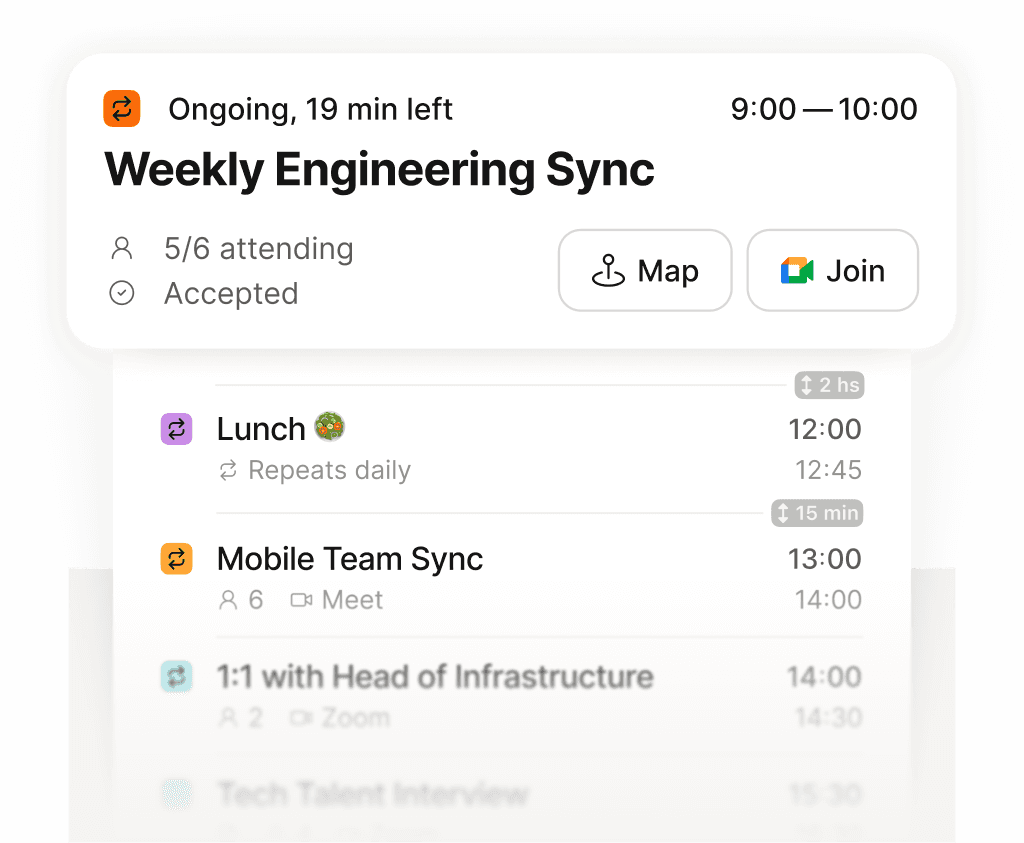
Toute ta journée sur un seul écran — claire, ordonnée, sans oublis.
Finis de faire défiler une grille fragmentée pour tenter de reconstituer ta journée. Supaplan affiche chaque réunion, chaque créneau libre et chaque engagement dans une timeline claire — pour que tu saches toujours ce qui vient ensuite, combien de temps tu as vraiment et où part ton énergie. Ta matinée commence avec de la clarté plutôt que de la confusion.
En savoir plus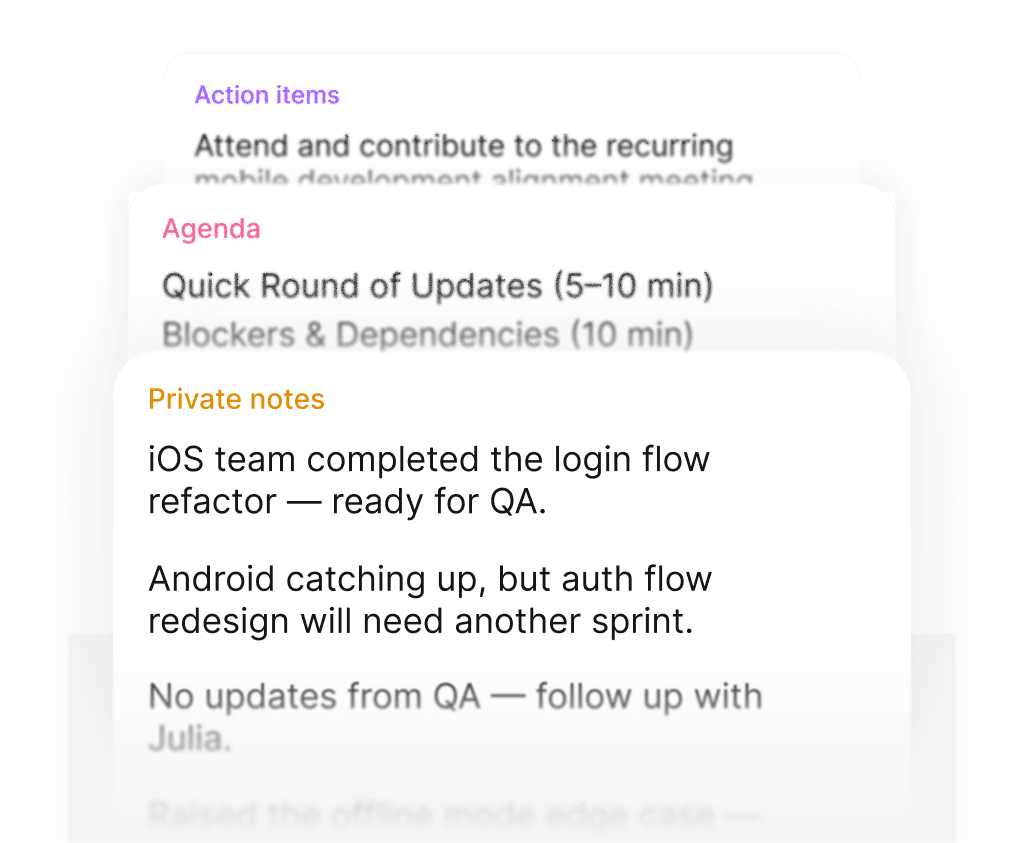
Entre dans chaque réunion prêt. Ressors avec des actions claires.
Avant chaque réunion, tes notes, le dernier échange et l'ordre du jour sont là — sans fouiller. Pendant la réunion, tu notes ce qui compte. Ensuite, les actions sont directement rattachées à l'événement, pas perdues dans un document que tu ne retrouveras jamais. Chaque réunion laisse une trace propre.
En savoir plus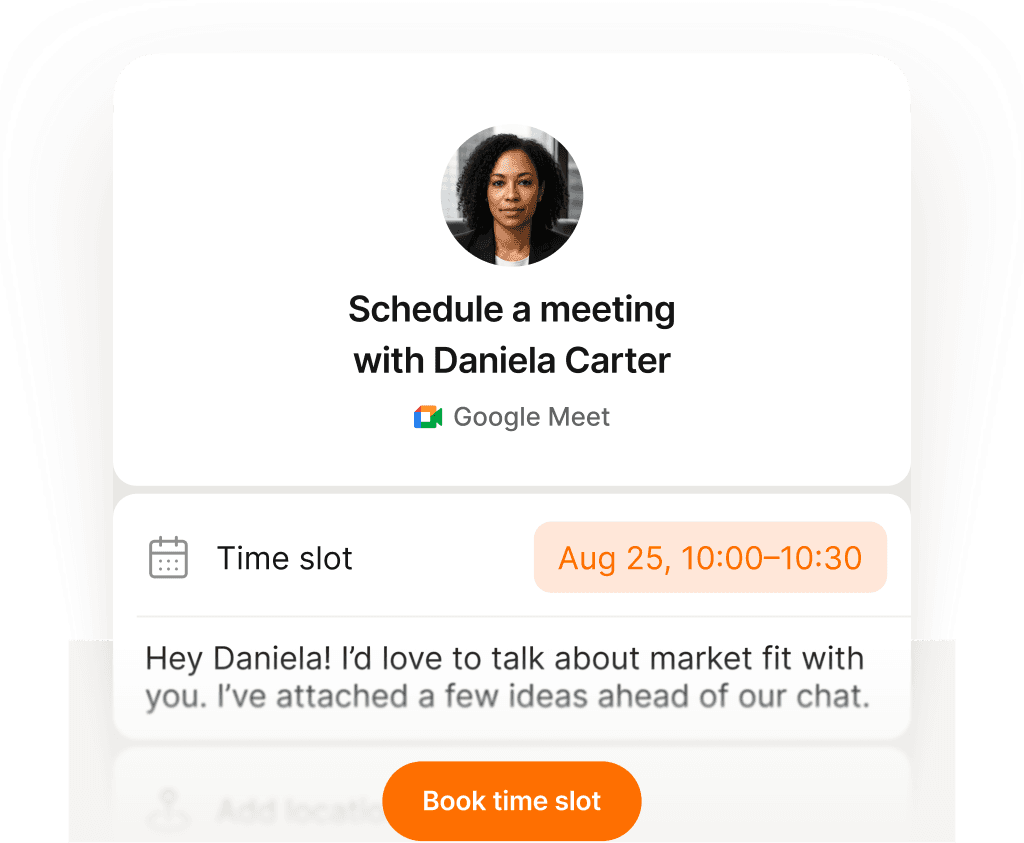
Un lien, un clic — un rendez-vous pris sans un seul e-mail.
Partage ton lien de réservation et laisse les autres choisir un créneau qui leur convient vraiment — fini les allers-retours, les confusions de fuseau horaire et les invitations qui rebondissent. Tu définis tes disponibilités une fois, ils réservent, et les deux agendas se mettent à jour aussitôt. Ce qui prenait dix e-mails prend désormais dix secondes.
En savoir plus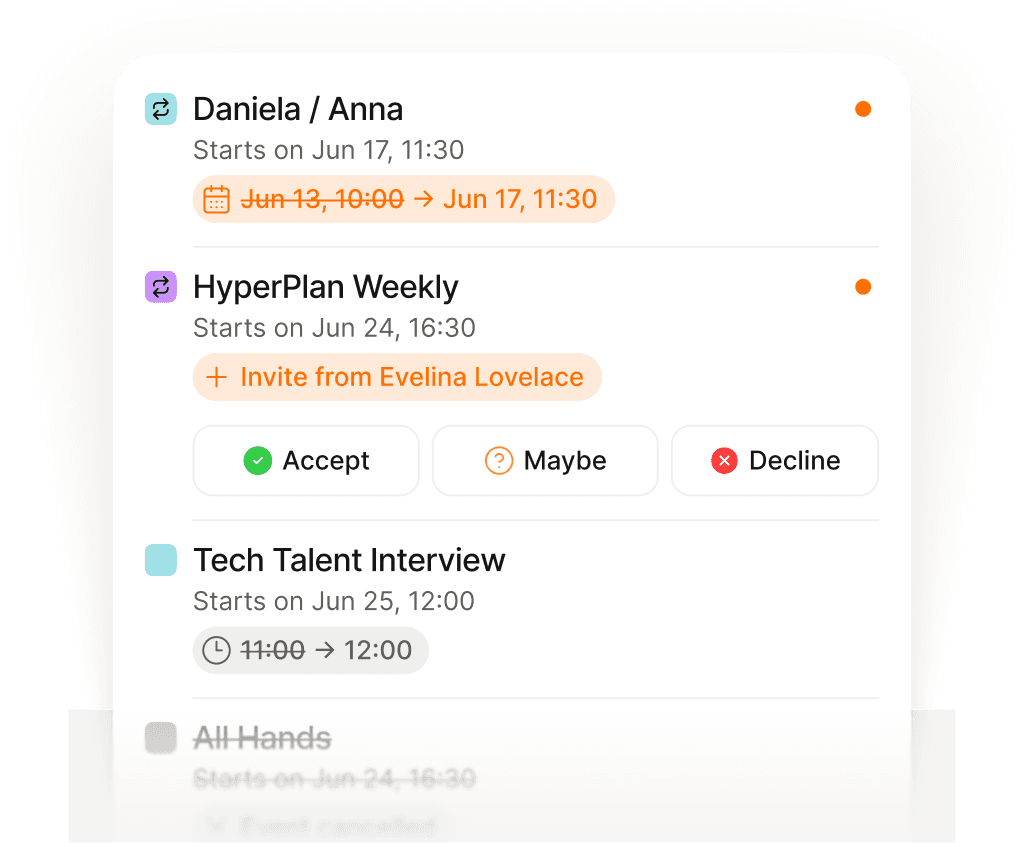
Toujours au courant des changements — sans ouvrir ta boîte mail.
Les réunions se déplacent, s'annulent et s'ajoutent en permanence — souvent pendant que tu es déjà en appel. Plutôt que de fouiller tes e-mails pour comprendre ce qui a changé et quand, Supaplan remonte chaque mise à jour au moment où elle arrive. Tu restes dans la boucle sans jamais ouvrir ta messagerie.
En savoir plus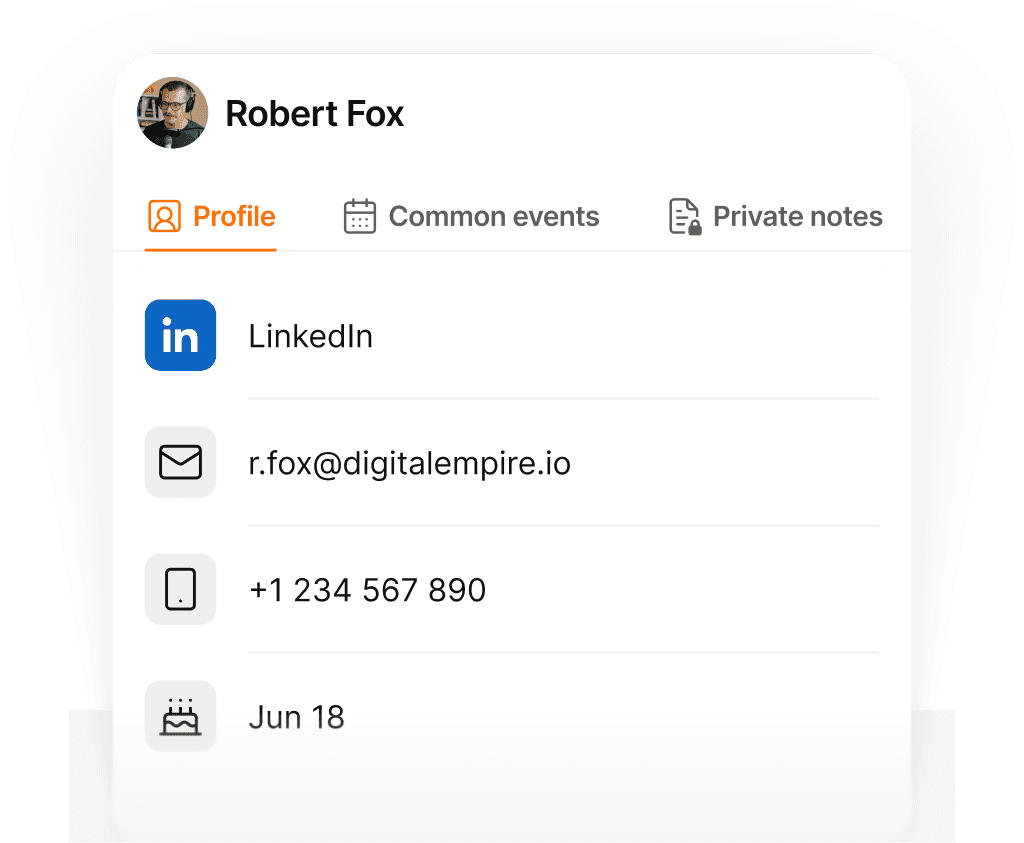
Chaque contact mémorisé — prénom, contexte et dernière conversation.
Avant chaque appel, Supaplan t'affiche qui tu rencontres, ce dont vous avez parlé la dernière fois, tes notes des échanges précédents et tout ce qui reste en suspens. Tu arrives avec le contexte, tu sais ce qui compte pour eux — sans te débattre trente secondes avant l'appel pour te rappeler où vous en étiez.
En savoir plus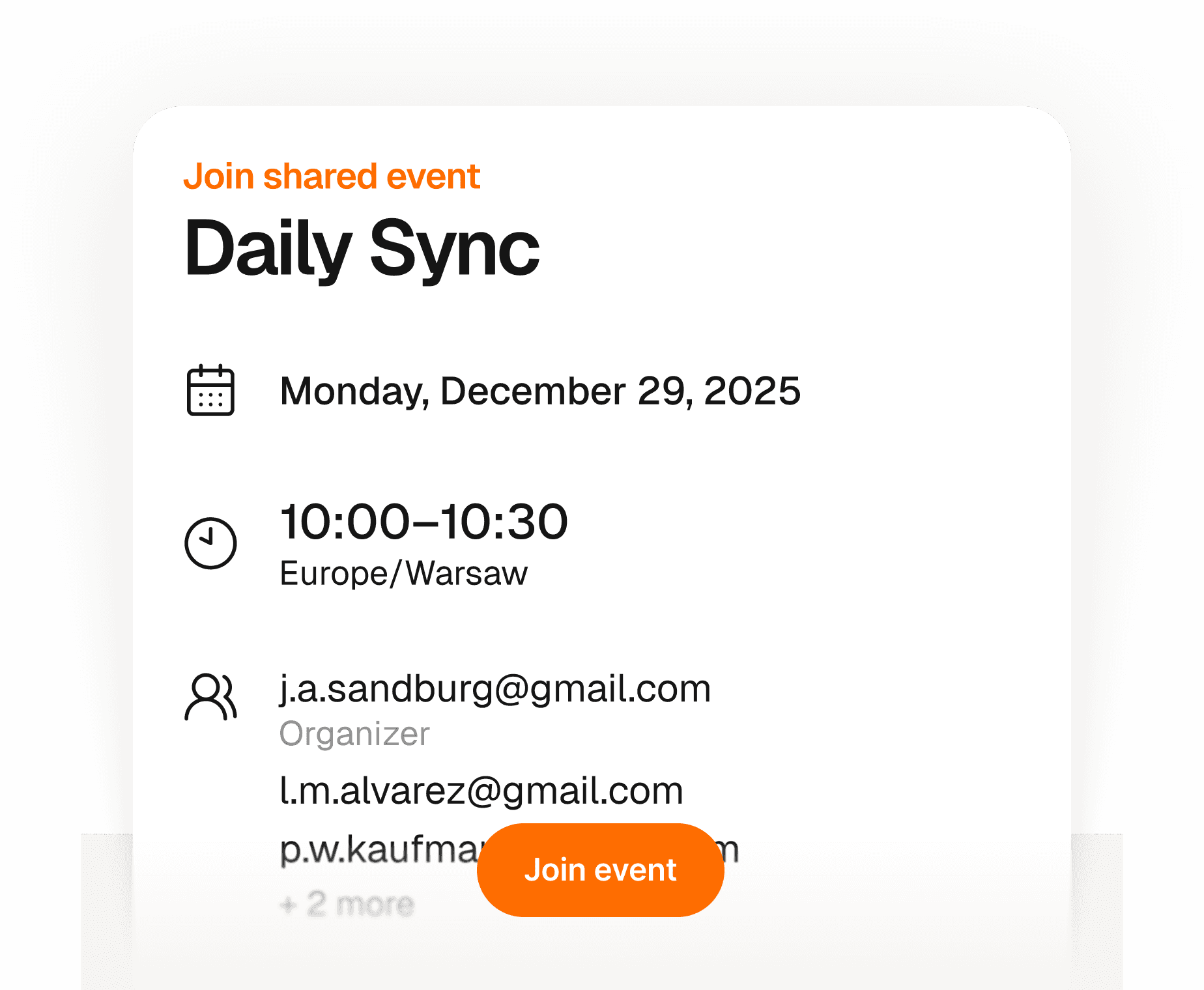
Tes invités arrivent en quelques secondes — sans app, sans friction.
Crée un événement, partage un lien — n'importe qui peut répondre présent avec juste son nom et son e-mail. Pas de compte à créer, pas d'app à télécharger, pas d'invitation à débugger. Tu vois en temps réel qui vient, tout au même endroit. Simple pour toi, invisible pour eux.
En savoir plus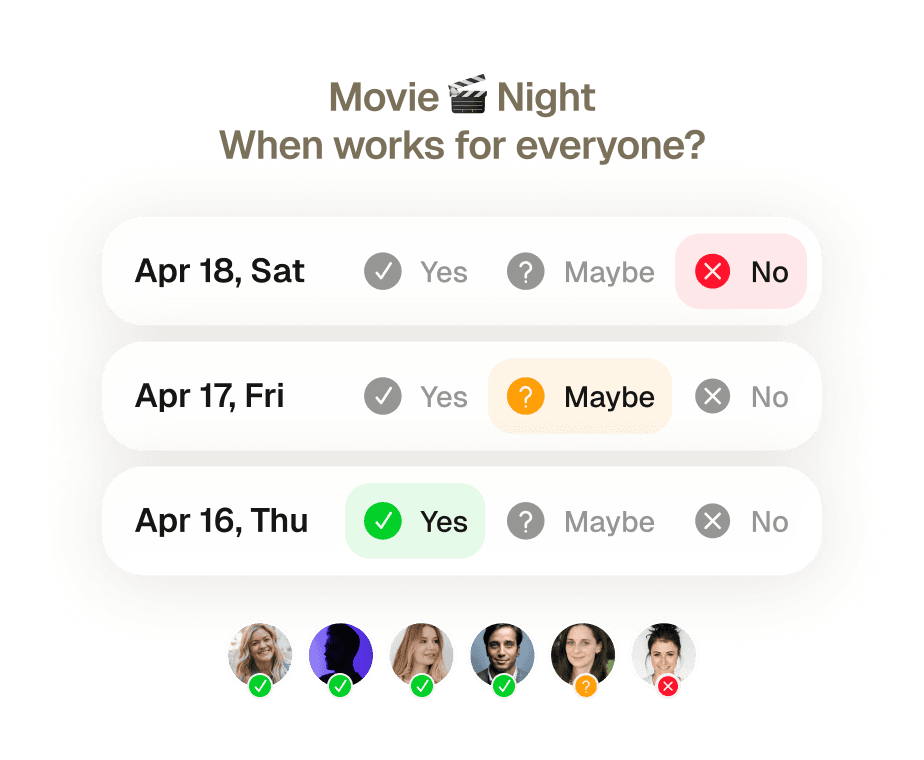
Réunion de groupe fixée sans un seul message d'aller-retour.
Huit personnes, cinq emplois du temps différents, zéro accord. Trouver un créneau qui convient à tout le monde signifiait autrefois une semaine de fils de mails et quelqu'un qui se désiste au dernier moment. Envoie une invitation — Supaplan vérifie les disponibilités de chacun, propose le meilleur créneau et réserve dès qu'ils confirment.
En savoir plus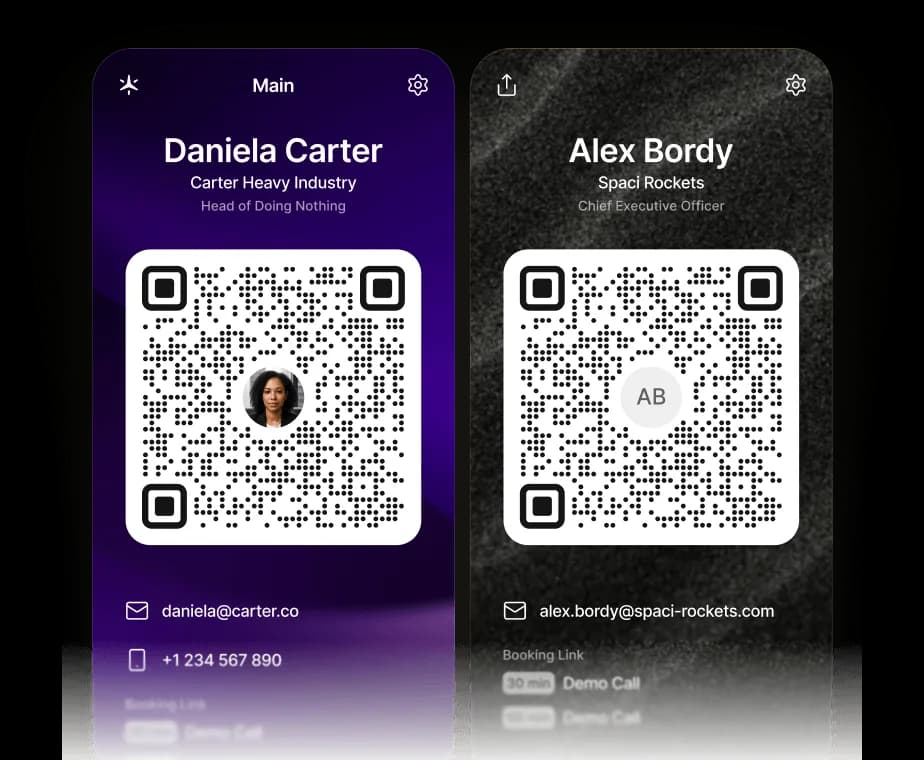
Votre carte de visite, en version numérique.
Partagez vos coordonnées, vos liens et votre lien de réservation Supaplan en un seul scan. Le QR code enregistre une vCard directement sur leur téléphone — et ils peuvent réserver un créneau avec vous dans la foulée.
En savoir plusGérez votre calendrier depuis ChatGPT, Claude ou n’importe quel agent IA.
Supaplan parle désormais le MCP, le standard ouvert qui permet à n’importe quel agent IA de se connecter à vos outils. Ajoutez Supaplan à ChatGPT, Claude ou à l’agent que vous utilisez déjà, et il pourra consulter vos disponibilités, planifier et reprogrammer des réunions et afficher vos notes, directement depuis la conversation, chaque modification restant sous votre contrôle.
En savoir plusToutes tes tâches agenda prises en charge — zéro charge mentale.
Déplacer un appel, bloquer du temps, envoyer une invitation, annuler un déjeuner — dis-le simplement à Supaplan. Tu as une photo d'un flyer, d'une invitation ou une capture d'écran ? Envoie-la et Supaplan ajoute l'événement à ta place. Il gère ton agenda comme le ferait un excellent assistant : instantanément, avec précision, sans que tu aies à y penser une seule seconde.
En savoir plusEntre dans chaque réunion prêt. Ressors avec des actions claires.
Avant chaque réunion, tes notes, le dernier échange et l'ordre du jour sont là — sans fouiller. Pendant la réunion, tu notes ce qui compte. Ensuite, les actions sont directement rattachées à l'événement, pas perdues dans un document que tu ne retrouveras jamais. Chaque réunion laisse une trace propre.
En savoir plusToujours au courant des changements — sans ouvrir ta boîte mail.
Les réunions se déplacent, s'annulent et s'ajoutent en permanence — souvent pendant que tu es déjà en appel. Plutôt que de fouiller tes e-mails pour comprendre ce qui a changé et quand, Supaplan remonte chaque mise à jour au moment où elle arrive. Tu restes dans la boucle sans jamais ouvrir ta messagerie.
En savoir plusTes invités arrivent en quelques secondes — sans app, sans friction.
Crée un événement, partage un lien — n'importe qui peut répondre présent avec juste son nom et son e-mail. Pas de compte à créer, pas d'app à télécharger, pas d'invitation à débugger. Tu vois en temps réel qui vient, tout au même endroit. Simple pour toi, invisible pour eux.
En savoir plusVotre carte de visite, en version numérique.
Partagez vos coordonnées, vos liens et votre lien de réservation Supaplan en un seul scan. Le QR code enregistre une vCard directement sur leur téléphone — et ils peuvent réserver un créneau avec vous dans la foulée.
En savoir plusToute ta journée sur un seul écran — claire, ordonnée, sans oublis.
Finis de faire défiler une grille fragmentée pour tenter de reconstituer ta journée. Supaplan affiche chaque réunion, chaque créneau libre et chaque engagement dans une timeline claire — pour que tu saches toujours ce qui vient ensuite, combien de temps tu as vraiment et où part ton énergie. Ta matinée commence avec de la clarté plutôt que de la confusion.
En savoir plusUn lien, un clic — un rendez-vous pris sans un seul e-mail.
Partage ton lien de réservation et laisse les autres choisir un créneau qui leur convient vraiment — fini les allers-retours, les confusions de fuseau horaire et les invitations qui rebondissent. Tu définis tes disponibilités une fois, ils réservent, et les deux agendas se mettent à jour aussitôt. Ce qui prenait dix e-mails prend désormais dix secondes.
En savoir plusChaque contact mémorisé — prénom, contexte et dernière conversation.
Avant chaque appel, Supaplan t'affiche qui tu rencontres, ce dont vous avez parlé la dernière fois, tes notes des échanges précédents et tout ce qui reste en suspens. Tu arrives avec le contexte, tu sais ce qui compte pour eux — sans te débattre trente secondes avant l'appel pour te rappeler où vous en étiez.
En savoir plusRéunion de groupe fixée sans un seul message d'aller-retour.
Huit personnes, cinq emplois du temps différents, zéro accord. Trouver un créneau qui convient à tout le monde signifiait autrefois une semaine de fils de mails et quelqu'un qui se désiste au dernier moment. Envoie une invitation — Supaplan vérifie les disponibilités de chacun, propose le meilleur créneau et réserve dès qu'ils confirment.
En savoir plusGérez votre calendrier depuis ChatGPT, Claude ou n’importe quel agent IA.
Supaplan parle désormais le MCP, le standard ouvert qui permet à n’importe quel agent IA de se connecter à vos outils. Ajoutez Supaplan à ChatGPT, Claude ou à l’agent que vous utilisez déjà, et il pourra consulter vos disponibilités, planifier et reprogrammer des réunions et afficher vos notes, directement depuis la conversation, chaque modification restant sous votre contrôle.
En savoir plusI schedule meetings on my commute just by talking. By the time I get to my desk, everything is already in my calendar.
Before every 1:1 I see what we talked about last time and what's still open. I stopped walking into meetings unprepared.

Clients book through my link, I show up knowing their history. Best sales quarter I've had.

Probably saving 3–4 hours a week just on scheduling. That adds up fast.

Switched from Calendly. Everything stays in one place now and the team actually uses it.

I attach action items straight to the meeting. Before the next standup I see exactly what we decided. No more digging through Slack.

I just type "move my 3pm to Thursday" and it's done. That used to take 10 messages back and forth.

Ditched Calendly six months ago. My calendar, notes, and contacts are all in one place. Way less tab switching.

Quick briefing before each call — name, history, what we need to cover. 30 seconds to read, saves me from winging it.

12 programs, 12 sets of stakeholders. The notes attached to each meeting are the only reason I stay on top of it all.

I schedule meetings on my commute just by talking. By the time I get to my desk, everything is already in my calendar.
Before every 1:1 I see what we talked about last time and what's still open. I stopped walking into meetings unprepared.
Clients book through my link, I show up knowing their history. Best sales quarter I've had.
Probably saving 3–4 hours a week just on scheduling. That adds up fast.
Switched from Calendly. Everything stays in one place now and the team actually uses it.
I attach action items straight to the meeting. Before the next standup I see exactly what we decided. No more digging through Slack.
I just type "move my 3pm to Thursday" and it's done. That used to take 10 messages back and forth.
Ditched Calendly six months ago. My calendar, notes, and contacts are all in one place. Way less tab switching.
Quick briefing before each call — name, history, what we need to cover. 30 seconds to read, saves me from winging it.
12 programs, 12 sets of stakeholders. The notes attached to each meeting are the only reason I stay on top of it all.
I'm on site most of the day. Being able to just say what I need instead of typing it — that alone makes it worth it.

I see the last conversation, open issues, their tone — before I even dial. Customers notice when you actually remember things.

Before interviews I pull up my notes from the phone screen. Much easier to stay present instead of trying to remember everything.

Business meetings, personal stuff, family commitments — first time everything lives in one view and I actually feel on top of it.

Five kids. I share availability for school events, set reminders, and haven't missed a single game since I started using it.

Send a link, they pick a time, it lands in my calendar with their info. The "when works for you?" thread is gone.

I added soccer practice while making dinner just by saying it out loud. My family thinks I'm incredibly organized now.

Finally a calendar that doesn't feel like a spreadsheet. Having notes right there in the meeting view is a bigger deal than it sounds.

Family calendars, client meetings, personal stuff — all in one view. I used to run three apps for this.

Cut Calendly. Scheduling emails dropped noticeably in the first month. Simple math.

I'm on site most of the day. Being able to just say what I need instead of typing it — that alone makes it worth it.
I see the last conversation, open issues, their tone — before I even dial. Customers notice when you actually remember things.
Before interviews I pull up my notes from the phone screen. Much easier to stay present instead of trying to remember everything.
Business meetings, personal stuff, family commitments — first time everything lives in one view and I actually feel on top of it.
Five kids. I share availability for school events, set reminders, and haven't missed a single game since I started using it.
Send a link, they pick a time, it lands in my calendar with their info. The "when works for you?" thread is gone.
I added soccer practice while making dinner just by saying it out loud. My family thinks I'm incredibly organized now.
Finally a calendar that doesn't feel like a spreadsheet. Having notes right there in the meeting view is a bigger deal than it sounds.
Family calendars, client meetings, personal stuff — all in one view. I used to run three apps for this.
Cut Calendly. Scheduling emails dropped noticeably in the first month. Simple math.
 1 calendar accountFull calendar managementSmart agendaReal-time notificationsContact syncUnlimited presets1 scheduling link1 group poll
 Everything from Starter planPersonal AI assistantPrivate notesUnlimited calendar accountsUnlimited scheduling linksUnlimited group pollsPremium supportEverything from Pro planShared context across teamsAssistant integrationsAdmin controls