I schedule meetings on my commute just by talking. By the time I get to my desk, everything is already in my calendar.

Ethan Carter
Senior Vice President Services


Calendario, citas, preparación de reuniones y contactos — un asistente IA se encarga de todo.
Sin tarjeta de crédito · 30 días gratis, funciones completas, sin límites · Tus datos seguros en Suiza
Google, Apple y Outlook — trabajo y vida personal, en un solo lugar.
Horario, prioridades y las personas que importan — configurado una vez.
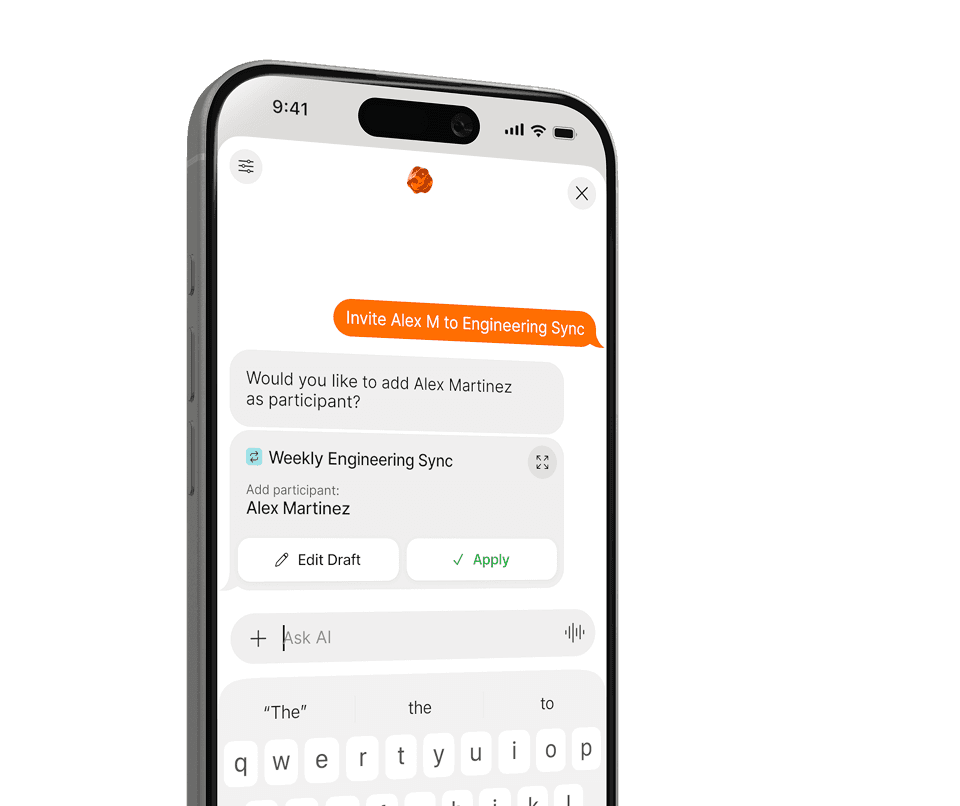
Agenda, reprograma y anticípate — todo en lenguaje natural.
Sin menús ni formularios. Dile a Supaplan lo que necesitas en lenguaje natural — del resto se encarga él.
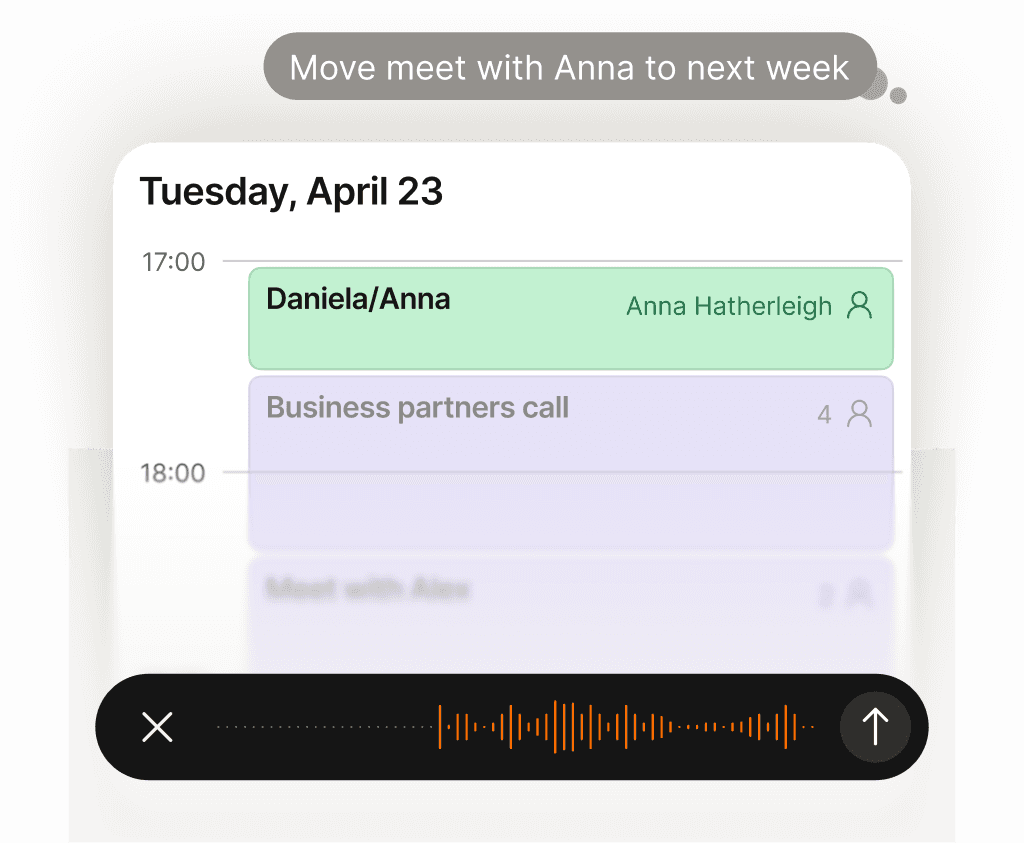
Cada tarea del calendario resuelta por ti — sin carga mental.
Reprogramar una llamada, bloquear tiempo, enviar una invitación, cancelar el almuerzo — solo díselo a Supaplan. ¿Tienes una foto de una invitación, un flyer o una captura de pantalla? Envíala y Supaplan añade el evento por ti. Lleva tu calendario como lo haría un gran asistente: al instante, con precisión, sin que tengas que pensar en ello.
Más información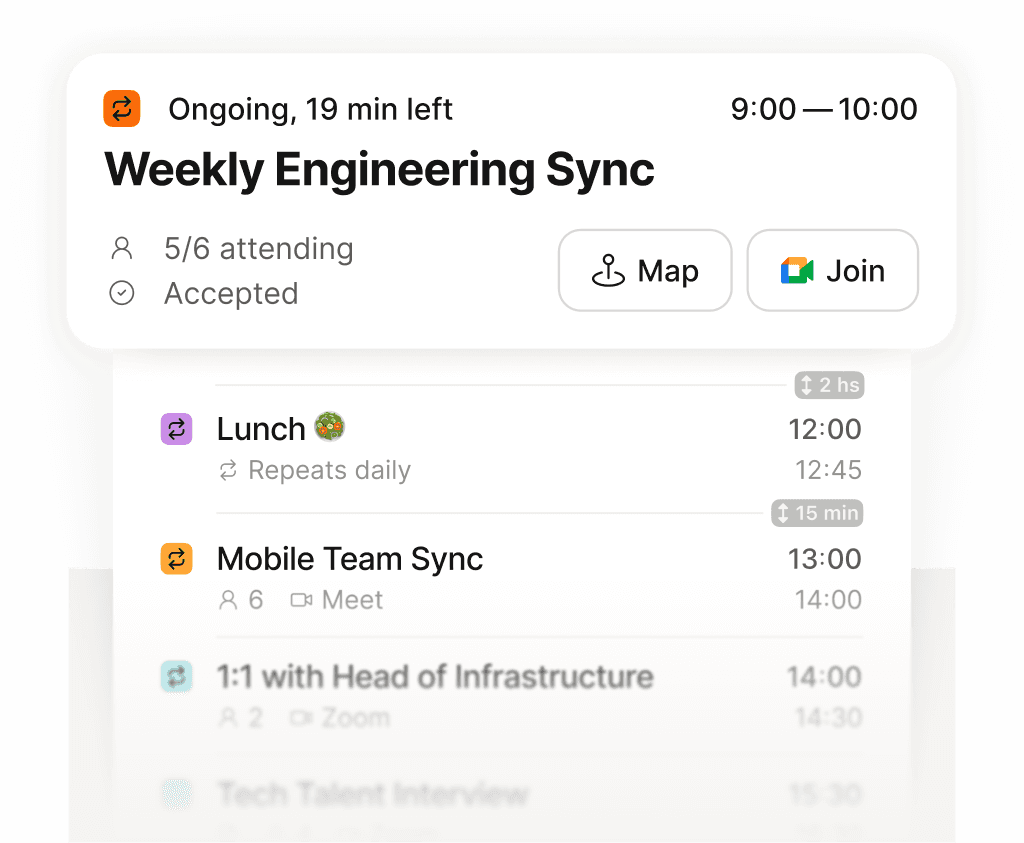
Todo tu día en una sola pantalla — claro, ordenado, sin perder nada.
Deja de desplazarte por una cuadrícula fragmentada intentando armar tu día. Supaplan muestra cada reunión, hueco y compromiso en una línea de tiempo limpia — así siempre sabes qué viene, cuánto tiempo libre tienes de verdad y a dónde va tu energía. Tu mañana empieza con claridad, no con confusión.
Más información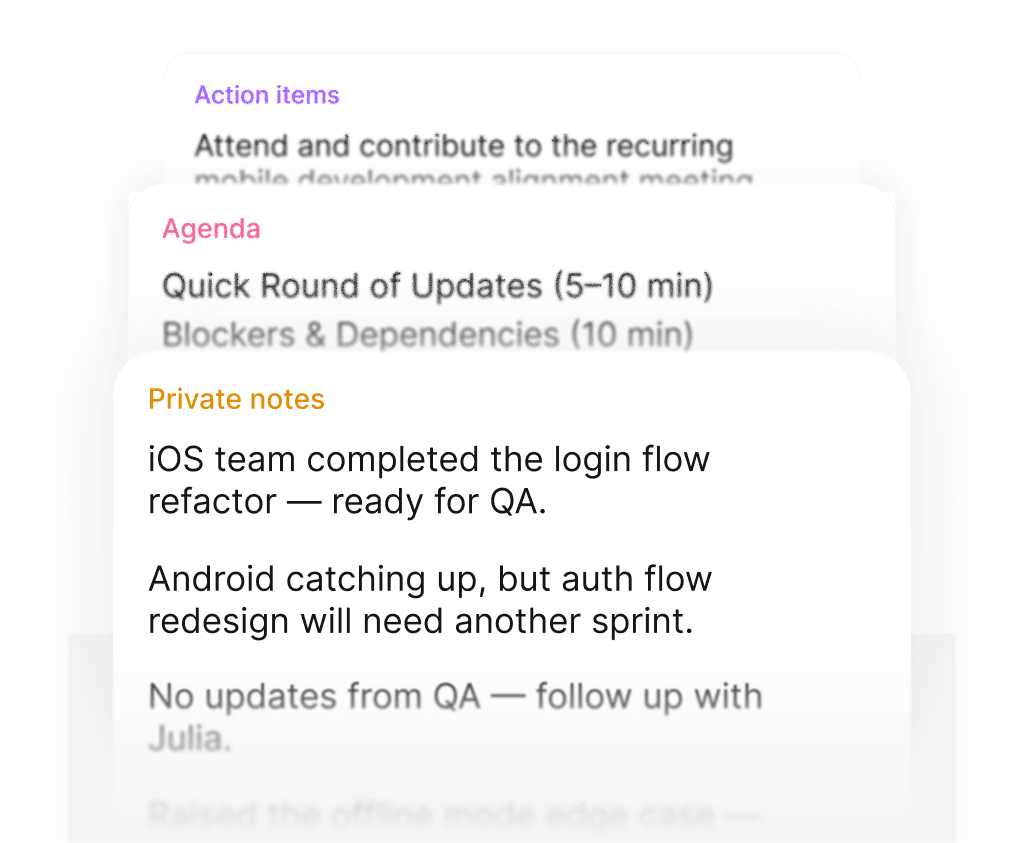
Entra a cada reunión preparado. Sal con los próximos pasos claros.
Antes de cada reunión, tus notas, la última conversación y la agenda están ahí — sin tener que buscarlas. Durante la reunión, apunta lo que importa. Al terminar, las tareas quedan adjuntas directamente al evento, no enterradas en un documento que nunca volverás a encontrar. Cada reunión deja un rastro limpio.
Más información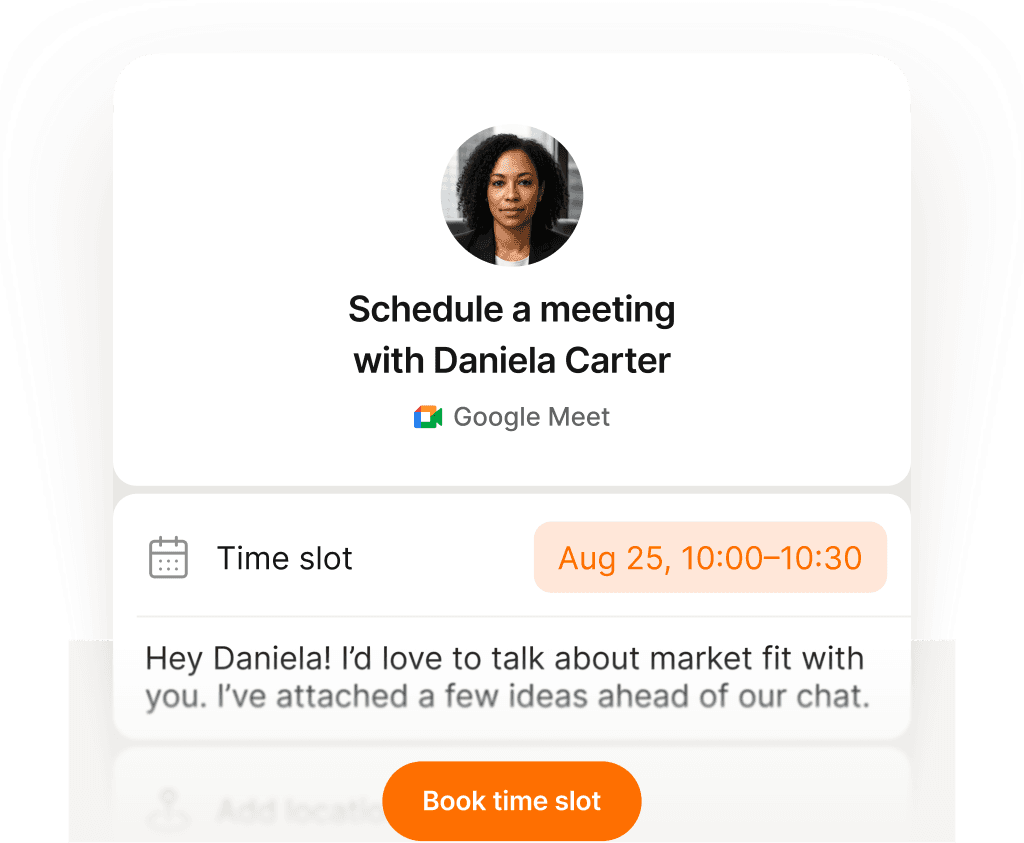
Un enlace, un clic — reuniones reservadas sin un solo correo.
Comparte tu enlace de reserva y deja que la gente elija un horario que de verdad les venga bien — sin confusión de zonas horarias, sin ida y vuelta interminable, sin invitaciones que rebotan. Tú configuras tu disponibilidad una vez, ellos reservan un hueco y ambos calendarios se actualizan al instante. Lo que antes llevaba diez correos ahora tarda diez segundos.
Más información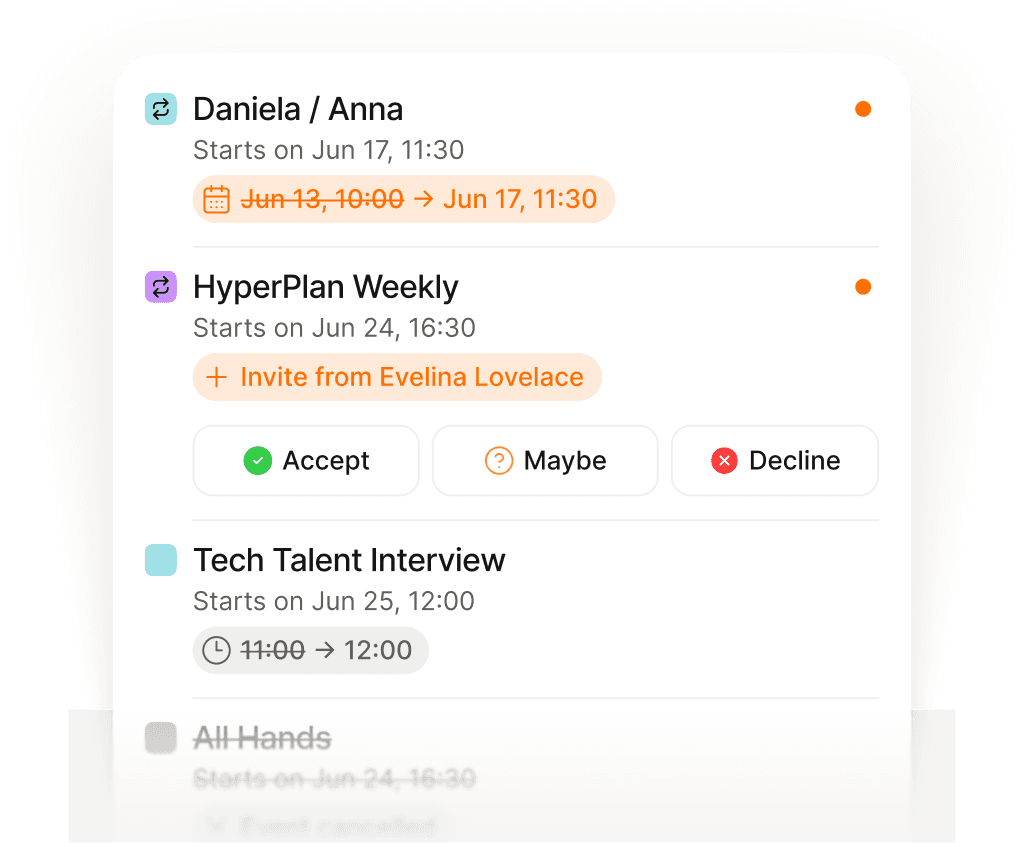
Al tanto de cada cambio — las actualizaciones te llegan automáticamente.
Las reuniones se reprograman, se cancelan y se añaden todo el tiempo — a menudo mientras ya estás en otra llamada. En vez de rebuscar en el correo para entender qué cambió y cuándo, Supaplan te muestra cada actualización en el momento en que ocurre. Siempre estás al tanto sin tener que abrir el email.
Más información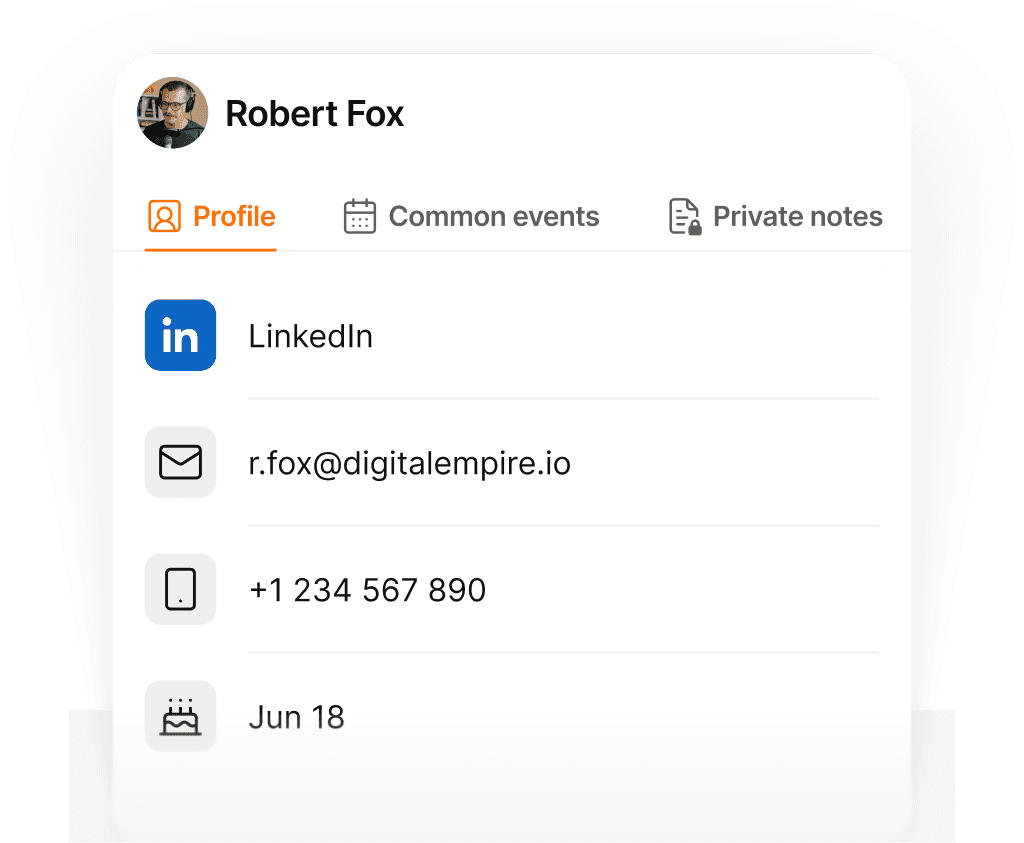
Cada contacto recordado — nombre, contexto y de qué hablasteis.
Antes de cada llamada, Supaplan te muestra con quién te reúnes, lo último que hablasteis, notas de conversaciones anteriores y lo que sigue pendiente. Entras sabiendo su contexto y lo que les importa — sin tener que apurarte 30 segundos antes a recordar dónde lo dejasteis.
Más información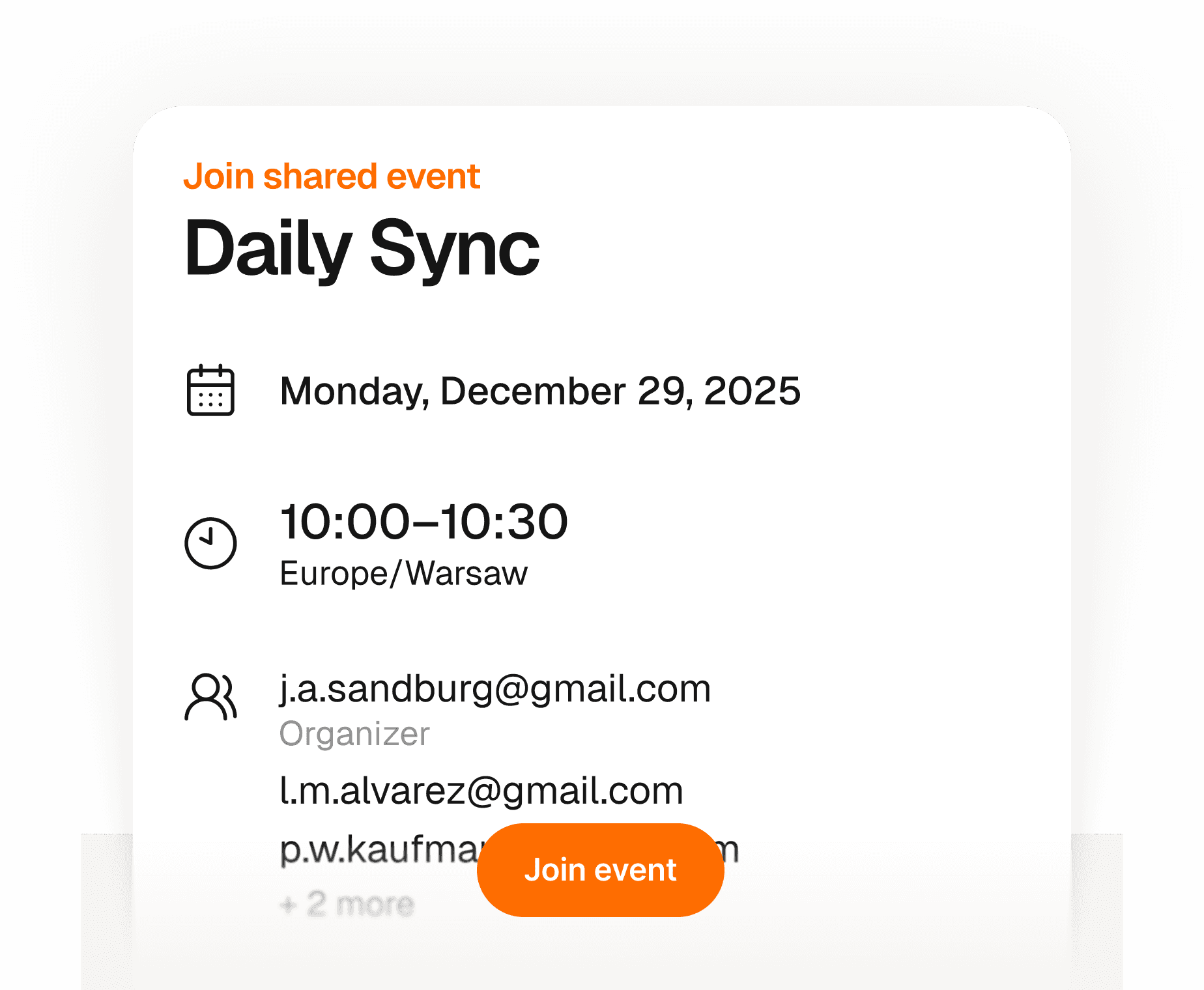
Tus invitados se apuntan en segundos — sin cuenta, sin app, sin líos.
Crea un evento y comparte un enlace — cualquiera puede confirmar asistencia con solo su nombre y correo. Sin crear cuenta, sin descargar nada, sin pelear con invitaciones de calendario. Tú tienes una lista en tiempo real de quién viene, todo en un solo sitio. Sencillo para ti, sin fricción para ellos.
Más información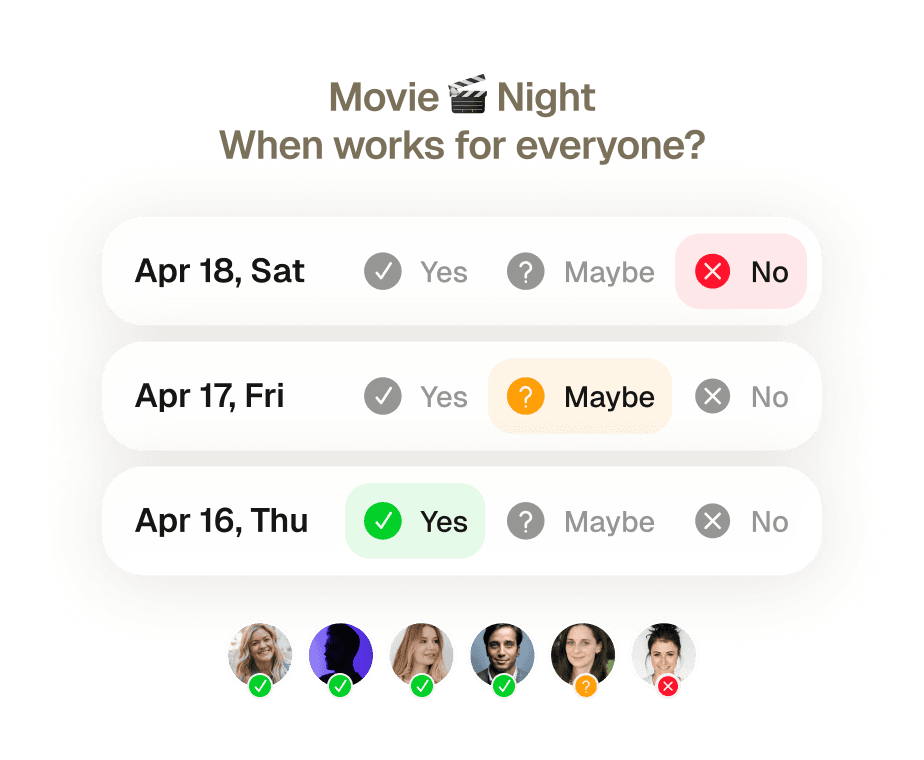
Reuniones de grupo reservadas sin un solo mensaje de ida y vuelta.
Ocho personas, cinco agendas distintas, cero acuerdo. Encontrar un hueco que le venga bien a todo el mundo solía significar una semana de hilos de correo y alguien echándose atrás siempre. Envía una invitación — Supaplan comprueba la disponibilidad de todos, propone el mejor horario y lo reserva cuando confirman.
Más información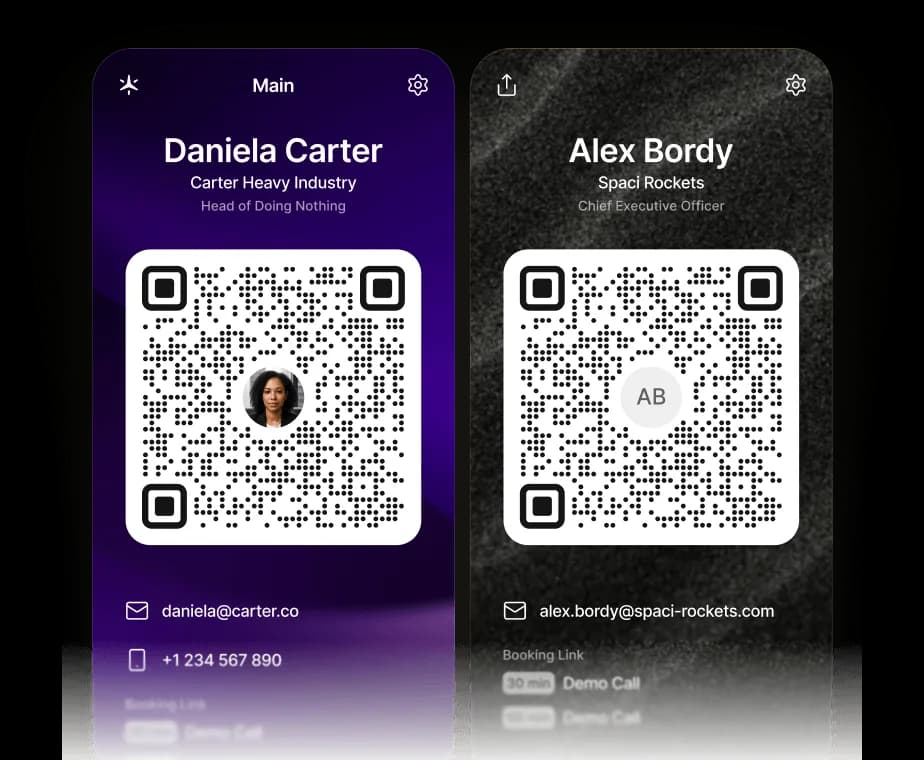
Tu tarjeta de visita, ahora digital.
Comparte tus datos de contacto, tus enlaces y tu enlace de reservas de Supaplan con un solo escaneo. El código QR guarda una vCard directamente en su teléfono — y pueden reservar una cita contigo al instante.
Más informaciónGestiona tu calendario desde ChatGPT, Claude o cualquier agente de IA.
Supaplan ahora habla MCP, el estándar abierto que permite que cualquier agente de IA se conecte a tus herramientas. Añade Supaplan a ChatGPT, Claude o al agente que ya usas, y podrá consultar tu disponibilidad, programar y reprogramar reuniones y abrir tus notas, directamente desde el chat y con cada cambio siempre bajo tu control.
Más informaciónCada tarea del calendario resuelta por ti — sin carga mental.
Reprogramar una llamada, bloquear tiempo, enviar una invitación, cancelar el almuerzo — solo díselo a Supaplan. ¿Tienes una foto de una invitación, un flyer o una captura de pantalla? Envíala y Supaplan añade el evento por ti. Lleva tu calendario como lo haría un gran asistente: al instante, con precisión, sin que tengas que pensar en ello.
Más informaciónEntra a cada reunión preparado. Sal con los próximos pasos claros.
Antes de cada reunión, tus notas, la última conversación y la agenda están ahí — sin tener que buscarlas. Durante la reunión, apunta lo que importa. Al terminar, las tareas quedan adjuntas directamente al evento, no enterradas en un documento que nunca volverás a encontrar. Cada reunión deja un rastro limpio.
Más informaciónAl tanto de cada cambio — las actualizaciones te llegan automáticamente.
Las reuniones se reprograman, se cancelan y se añaden todo el tiempo — a menudo mientras ya estás en otra llamada. En vez de rebuscar en el correo para entender qué cambió y cuándo, Supaplan te muestra cada actualización en el momento en que ocurre. Siempre estás al tanto sin tener que abrir el email.
Más informaciónTus invitados se apuntan en segundos — sin cuenta, sin app, sin líos.
Crea un evento y comparte un enlace — cualquiera puede confirmar asistencia con solo su nombre y correo. Sin crear cuenta, sin descargar nada, sin pelear con invitaciones de calendario. Tú tienes una lista en tiempo real de quién viene, todo en un solo sitio. Sencillo para ti, sin fricción para ellos.
Más informaciónTu tarjeta de visita, ahora digital.
Comparte tus datos de contacto, tus enlaces y tu enlace de reservas de Supaplan con un solo escaneo. El código QR guarda una vCard directamente en su teléfono — y pueden reservar una cita contigo al instante.
Más informaciónTodo tu día en una sola pantalla — claro, ordenado, sin perder nada.
Deja de desplazarte por una cuadrícula fragmentada intentando armar tu día. Supaplan muestra cada reunión, hueco y compromiso en una línea de tiempo limpia — así siempre sabes qué viene, cuánto tiempo libre tienes de verdad y a dónde va tu energía. Tu mañana empieza con claridad, no con confusión.
Más informaciónUn enlace, un clic — reuniones reservadas sin un solo correo.
Comparte tu enlace de reserva y deja que la gente elija un horario que de verdad les venga bien — sin confusión de zonas horarias, sin ida y vuelta interminable, sin invitaciones que rebotan. Tú configuras tu disponibilidad una vez, ellos reservan un hueco y ambos calendarios se actualizan al instante. Lo que antes llevaba diez correos ahora tarda diez segundos.
Más informaciónCada contacto recordado — nombre, contexto y de qué hablasteis.
Antes de cada llamada, Supaplan te muestra con quién te reúnes, lo último que hablasteis, notas de conversaciones anteriores y lo que sigue pendiente. Entras sabiendo su contexto y lo que les importa — sin tener que apurarte 30 segundos antes a recordar dónde lo dejasteis.
Más informaciónReuniones de grupo reservadas sin un solo mensaje de ida y vuelta.
Ocho personas, cinco agendas distintas, cero acuerdo. Encontrar un hueco que le venga bien a todo el mundo solía significar una semana de hilos de correo y alguien echándose atrás siempre. Envía una invitación — Supaplan comprueba la disponibilidad de todos, propone el mejor horario y lo reserva cuando confirman.
Más informaciónGestiona tu calendario desde ChatGPT, Claude o cualquier agente de IA.
Supaplan ahora habla MCP, el estándar abierto que permite que cualquier agente de IA se conecte a tus herramientas. Añade Supaplan a ChatGPT, Claude o al agente que ya usas, y podrá consultar tu disponibilidad, programar y reprogramar reuniones y abrir tus notas, directamente desde el chat y con cada cambio siempre bajo tu control.
Más informaciónI schedule meetings on my commute just by talking. By the time I get to my desk, everything is already in my calendar.
Before every 1:1 I see what we talked about last time and what's still open. I stopped walking into meetings unprepared.

Clients book through my link, I show up knowing their history. Best sales quarter I've had.

Probably saving 3–4 hours a week just on scheduling. That adds up fast.

Switched from Calendly. Everything stays in one place now and the team actually uses it.

I attach action items straight to the meeting. Before the next standup I see exactly what we decided. No more digging through Slack.

I just type "move my 3pm to Thursday" and it's done. That used to take 10 messages back and forth.

Ditched Calendly six months ago. My calendar, notes, and contacts are all in one place. Way less tab switching.

Quick briefing before each call — name, history, what we need to cover. 30 seconds to read, saves me from winging it.

12 programs, 12 sets of stakeholders. The notes attached to each meeting are the only reason I stay on top of it all.

I schedule meetings on my commute just by talking. By the time I get to my desk, everything is already in my calendar.
Before every 1:1 I see what we talked about last time and what's still open. I stopped walking into meetings unprepared.
Clients book through my link, I show up knowing their history. Best sales quarter I've had.
Probably saving 3–4 hours a week just on scheduling. That adds up fast.
Switched from Calendly. Everything stays in one place now and the team actually uses it.
I attach action items straight to the meeting. Before the next standup I see exactly what we decided. No more digging through Slack.
I just type "move my 3pm to Thursday" and it's done. That used to take 10 messages back and forth.
Ditched Calendly six months ago. My calendar, notes, and contacts are all in one place. Way less tab switching.
Quick briefing before each call — name, history, what we need to cover. 30 seconds to read, saves me from winging it.
12 programs, 12 sets of stakeholders. The notes attached to each meeting are the only reason I stay on top of it all.
I'm on site most of the day. Being able to just say what I need instead of typing it — that alone makes it worth it.

I see the last conversation, open issues, their tone — before I even dial. Customers notice when you actually remember things.

Before interviews I pull up my notes from the phone screen. Much easier to stay present instead of trying to remember everything.

Business meetings, personal stuff, family commitments — first time everything lives in one view and I actually feel on top of it.

Five kids. I share availability for school events, set reminders, and haven't missed a single game since I started using it.

Send a link, they pick a time, it lands in my calendar with their info. The "when works for you?" thread is gone.

I added soccer practice while making dinner just by saying it out loud. My family thinks I'm incredibly organized now.

Finally a calendar that doesn't feel like a spreadsheet. Having notes right there in the meeting view is a bigger deal than it sounds.

Family calendars, client meetings, personal stuff — all in one view. I used to run three apps for this.

Cut Calendly. Scheduling emails dropped noticeably in the first month. Simple math.

I'm on site most of the day. Being able to just say what I need instead of typing it — that alone makes it worth it.
I see the last conversation, open issues, their tone — before I even dial. Customers notice when you actually remember things.
Before interviews I pull up my notes from the phone screen. Much easier to stay present instead of trying to remember everything.
Business meetings, personal stuff, family commitments — first time everything lives in one view and I actually feel on top of it.
Five kids. I share availability for school events, set reminders, and haven't missed a single game since I started using it.
Send a link, they pick a time, it lands in my calendar with their info. The "when works for you?" thread is gone.
I added soccer practice while making dinner just by saying it out loud. My family thinks I'm incredibly organized now.
Finally a calendar that doesn't feel like a spreadsheet. Having notes right there in the meeting view is a bigger deal than it sounds.
Family calendars, client meetings, personal stuff — all in one view. I used to run three apps for this.
Cut Calendly. Scheduling emails dropped noticeably in the first month. Simple math.
 1 calendar accountFull calendar managementSmart agendaReal-time notificationsContact syncUnlimited presets1 scheduling link1 group poll
 Everything from Starter planPersonal AI assistantPrivate notesUnlimited calendar accountsUnlimited scheduling linksUnlimited group pollsPremium supportEverything from Pro planShared context across teamsAssistant integrationsAdmin controls