

Telegram calendar assistant

Manage your calendar from Telegram.

Supaplan is a Telegram calendar assistant that gives busy people a fast way to request calendar help, check schedules, and manage time from anywhere.

Best forMobile-first users who already coordinate their day in messaging apps.

Download on the App Store
Get it on Google Play
In practice

A message becomes calendar help while you are moving.

You are in a taxi between meetings and need to know whether tomorrow morning can move. Opening a full calendar app is slower than sending the question.

Outcome

Supaplan makes Telegram a fast entry point into the same calendar assistant context.

  1. Message
    Ask from the thread

    Send the calendar request where you already coordinate the day instead of switching surfaces.

  2. Context
    Use real calendar state

    The request connects back to Supaplan, so the response is grounded in your schedule.

  3. Response
    Decide what happens next

    The assistant can summarize options or prepare an action while you stay in control.
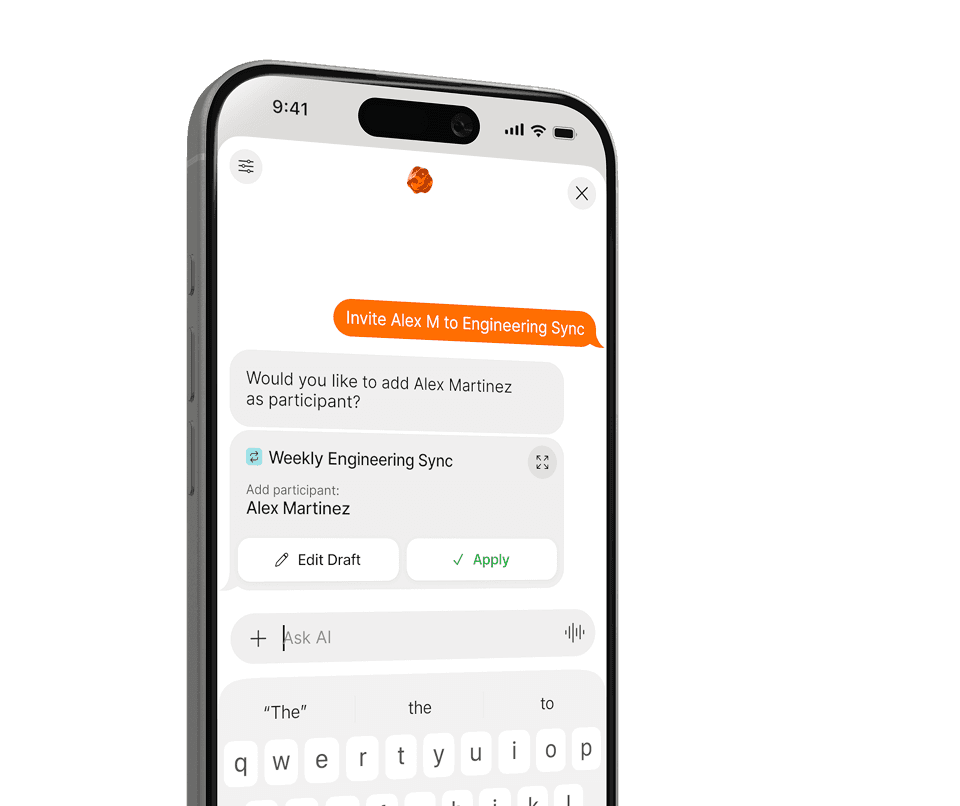
Message your calendar assistant anywhere

Ask from the chat thread when speed matters.

Manage your calendar while moving

Check, adjust, and prepare from your phone.

Natural language instead of navigation

A message can be faster than finding the right screen.

Why Supaplan

Built for the whole calendar workflow.

  • Supaplan makes Telegram an entry point into the same calendar assistant, not a separate bot.

  • Requests can connect to real calendar context, agenda, notes, and contacts.

  • The feature supports people who need calendar action from wherever the day is happening.

Telegram flow

From Telegram message to calendar request.

Supaplan keeps mobile, web, and messaging access tied to the same assistant workflow.

  1. 01Send message

    Connect Supaplan and Telegram from your account setup.

  2. 02Read context

    Send natural-language requests to the assistant.

  3. 03Review response

    Use Supaplan across app, web, and messaging workflows as your day changes.

Telegram examples

"What is next on my agenda?"

"Move tomorrow morning calls to next week."

"Block travel time after my flight lands."

"Remind me what I discussed with this person last time."

Decision guide

Use Telegram when speed matters.

Use Telegram when a message is the fastest path to a schedule check, calendar request, or assistant response.

Best when
  • A quick message is faster than opening a calendar app.
  • You need calendar help while traveling or moving between meetings.
  • You already coordinate your day from Telegram.
Consider another tool
  • You do not use Telegram and prefer only the app or web surface.
  • You need a standalone generic chatbot disconnected from calendar context.

Pairs well withAI calendar assistant as the full assistant model behind Telegram access.Timezone scheduling for travel-heavy requests sent from mobile.

FAQ

Questions before using Telegram for calendar work

Why use Telegram for a calendar assistant?

Telegram is fast and available across devices, making it useful when you want to ask for calendar help without opening a separate app.

Does Telegram replace the Supaplan app?

No. Telegram is an access point for assistant workflows, while the Supaplan app and web experience provide fuller product surfaces.

Who benefits from Telegram access?

Travelers, digital nomads, executives, and anyone who already lives in messaging workflows can benefit from quick assistant access.